AI agent for illustrators
Children's Book Spread Consistency Agent
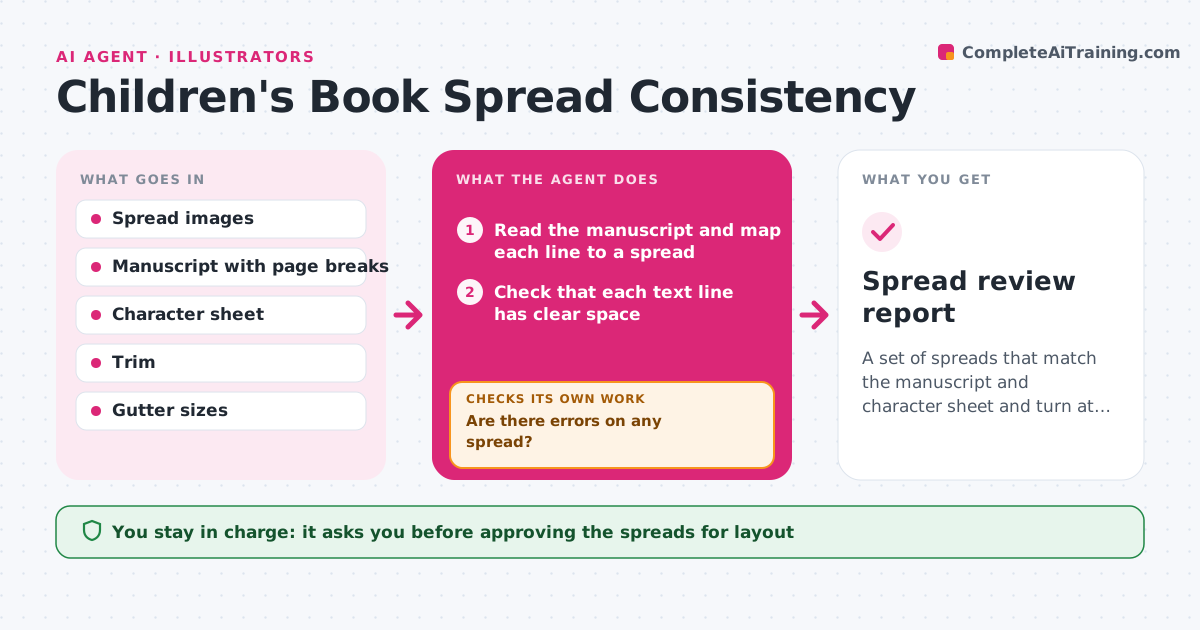
A set of spreads that match the manuscript and character sheet and turn at the right moments
What it does
Characters, props and text placement vary across the spreads of a children's book, and the problem usually appears only at layout. This agent compares each spread against the text manuscript and the character sheet. It checks that every line of text has clear space, that props continue across pages, such as a red kite that stays red, and that page turns reveal the right moments. It reports each error with the page number and a crop. After the illustrator fixes a spread, it checks that spread again and the pages next to it, in case the fix created a new break. The art director approves. Edge case: a spread with a gutter fold through the character's face is flagged for the illustrator to shift.
How it works
Follow the arrows from top to bottom. The orange dashed arrow is the loop: when a check fails, the agent goes back and tries again.
Read the steps as a list
- Spreads uploaded
- Read the manuscript and map each line to a spread
- Check that each text line has clear space
- Compare characters and props with the sheet and the neighboring pages
- Check page turns reveal the right moments
- Are there errors on any spread?If not: report each with page number and crop for the illustrator. Back to step 3.
- Recheck fixed spreads and their neighbors
- Did the fixes stay clean on the neighboring pages?If not: report the new problem and send it back. Back to step 3.
- Art director approves the spreadsThe agent waits here for your OK.
- Spread review report
How it decides
A spread passes when its text has clear space, props and characters match the sheet and the manuscript's key moment lands on the correct page turn.
- Require clear space for each text block
- Flag prop color or shape changes between pages
- Flag a character or key detail on the gutter
- Flag a reveal that comes before its page turn
Make it yours
Every agent is a starting point. You choose these settings for your own situation.
- Page and trim size
- Which props to track
- Text clear space rule
- Who receives the reports
What keeps you in control
It always asks you first
- Approving the spreads for layout
- Changing the manuscript
Hard limits
- Never edits the artwork
- Never rewrites the text
It stops when
- Done: no open errors and the art director approved
- Stop: the manuscript or sheet is missing
Set it up
We guide you through the set-up, step by step
Members get the full set-up guide for this agent. No technical skills needed: you copy, paste and upload.
- One set of instructions to paste into your AI, with the clicks for ChatGPT, Claude, Microsoft 365 Copilot, Gemini and Grok
- The agent then walks you through connecting your own data, one source at a time
- A downloadable copy with the flow chart, the rules and the full guide