AI agent for seo specialists
Search Ranking Drop Investigation Agent
Find the most likely cause of a ranking drop with evidence and fix it
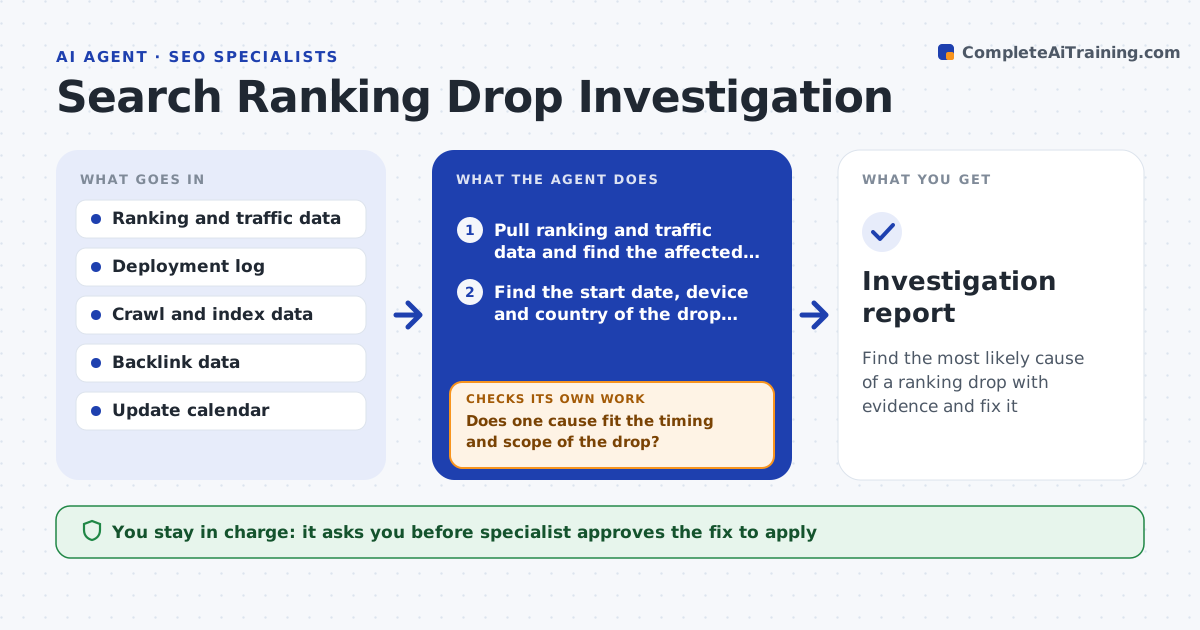
What it does
Traffic falls by 25% on Tuesday and the team argues about whether it was an algorithm update, a release or a competitor. This agent reads ranking and traffic data and finds the pages and queries affected. It checks for page changes, indexing problems, redirects, speed regressions, link losses, competitor moves and the dates of known search updates. For each possible explanation it tests the idea against the data: did the drop begin right after a deploy, only on mobile, only in one country? It rules explanations out with evidence and reports the most likely cause with the fix. After the fix it checks recovery. The specialist approves actions. Edge case: two causes overlap, so the agent estimates how much each contributed.
How it works
Follow the arrows from top to bottom. The orange dashed arrow is the loop: when a check fails, the agent goes back and tries again.
Read the steps as a list
- Drop detected
- Pull ranking and traffic data and find the affected pages and queries
- Find the start date, device and country of the drop, and check deployments, page changes, indexing and speed in that window
- Check link losses, competitor changes and search update dates
- Test each cause against timing and scope
- Does one cause fit the timing and scope of the drop?If not: widen the checks, test combined causes and estimate each share. Back to step 3.
- Propose the fix and expected recovery
- Specialist approves actionsThe agent waits here for your OK.
- Apply the fix and monitor rankings for two weeks
- Are rankings recovering toward the earlier level?If not: revisit the explanations with new data. Back to step 5.
- Investigation report
How it decides
It lists candidate causes, tests each against timing and scope, and ranks the ones that fit best, keeping an explanation only if the data supports it.
- Compare against the same weekday and device before the drop
- Rule out tracking issues first
- Link a drop to a deploy only when it starts within 48 hours of it
- Report confidence as high, medium or low
Make it yours
Every agent is a starting point. You choose these settings for your own situation.
- Drop threshold that starts a check (default 15%)
- Data sources
- Window before and after
- Pages and queries in scope
- Report recipients
What keeps you in control
It always asks you first
- Specialist approves the fix to apply
- Developer approves site changes
Hard limits
- Never state a cause as certain without evidence
- Never change the site without approval
It stops when
- Done: recovery is confirmed or the cause is documented
- Stop: no cause fits and the agent recommends waiting for more data
Set it up
We guide you through the set-up, step by step
Members get the full set-up guide for this agent. No technical skills needed: you copy, paste and upload.
- One set of instructions to paste into your AI, with the clicks for ChatGPT, Claude, Microsoft 365 Copilot, Gemini and Grok
- The agent then walks you through connecting your own data, one source at a time
- A downloadable copy with the flow chart, the rules and the full guide