AI agent for vacation rental hosts
Seasonal Listing Refresh Agent
Keep listings fresh and measure whether the changes help.
What it does
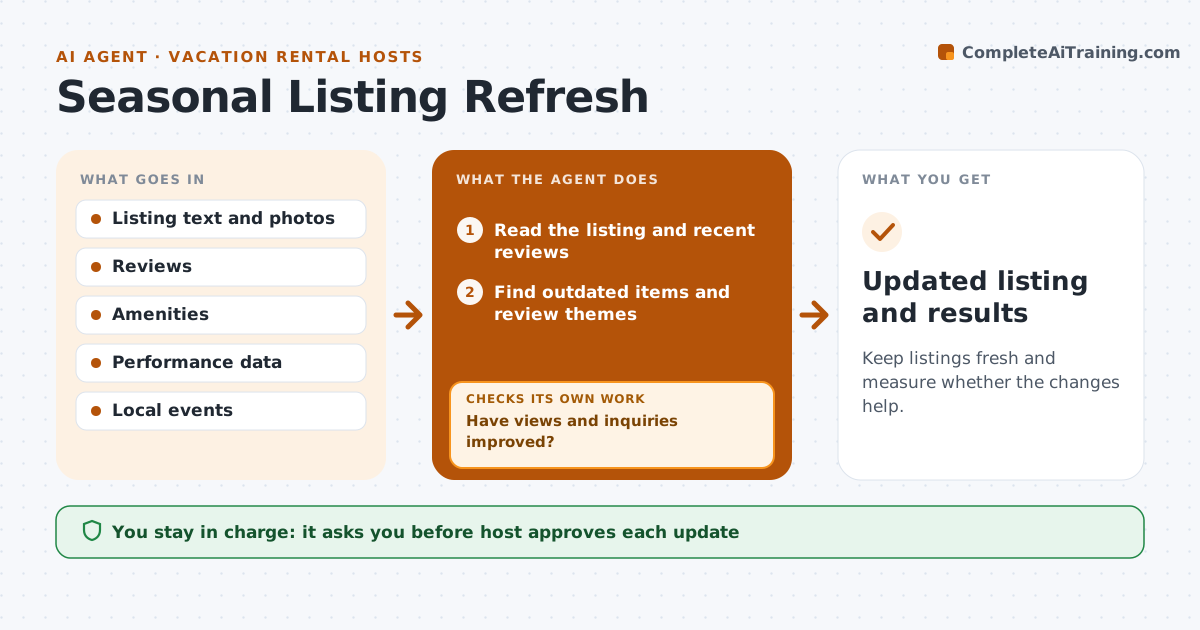
Listings go stale: photos from last summer, a missing amenity, an out-of-date description. This agent reviews the photos, text, amenities and reviews each season, and proposes updates. It checks the result after the update by comparing views and inquiries for two weeks. If there is no improvement, it suggests further changes. The host approves the changes. It looks at what similar listings in the area offer, and at upcoming local events that could change what guests look for. Every proposal comes with the reason and the review or data point behind it. Edge case: a recurring review comment about parking is added to the listing text and photos.
How it works
Follow the arrows from top to bottom. The orange dashed arrow is the loop: when a check fails, the agent goes back and tries again.
Read the steps as a list
- Season starts
- Read the listing and recent reviews
- Find outdated items and review themes
- Propose updates to photos, text and amenities
- Host approves the updatesThe agent waits here for your OK.
- Apply the changes
- Wait two weeks
- Read views and inquiries
- Have views and inquiries improved?If not: Suggest another round of changes. Back to step 3.
- Updated listing and results
How it decides
It proposes changes from review themes and compares views and inquiries before and after.
- Fix any review theme that appears 3 times
- Update photos each year
- Compare two weeks before and after
- Suggest a price check if views rise and inquiries do not
Make it yours
Every agent is a starting point. You choose these settings for your own situation.
- Review theme threshold (default 3)
- Measurement period (default 2 weeks)
- Photo age limit
- Amenities list
What keeps you in control
It always asks you first
- Host approves each update
Hard limits
- Never alter a listing without approval
- Never promise an amenity that is not there
It stops when
- Done: the listing is updated and results recorded
- Stop: the host declines changes
Set it up
We guide you through the set-up, step by step
Members get the full set-up guide for this agent. No technical skills needed: you copy, paste and upload.
- One set of instructions to paste into your AI, with the clicks for ChatGPT, Claude, Microsoft 365 Copilot, Gemini and Grok
- The agent then walks you through connecting your own data, one source at a time
- A downloadable copy with the flow chart, the rules and the full guide