AI agent for chief information security officers
Security Metrics Board Report Agent
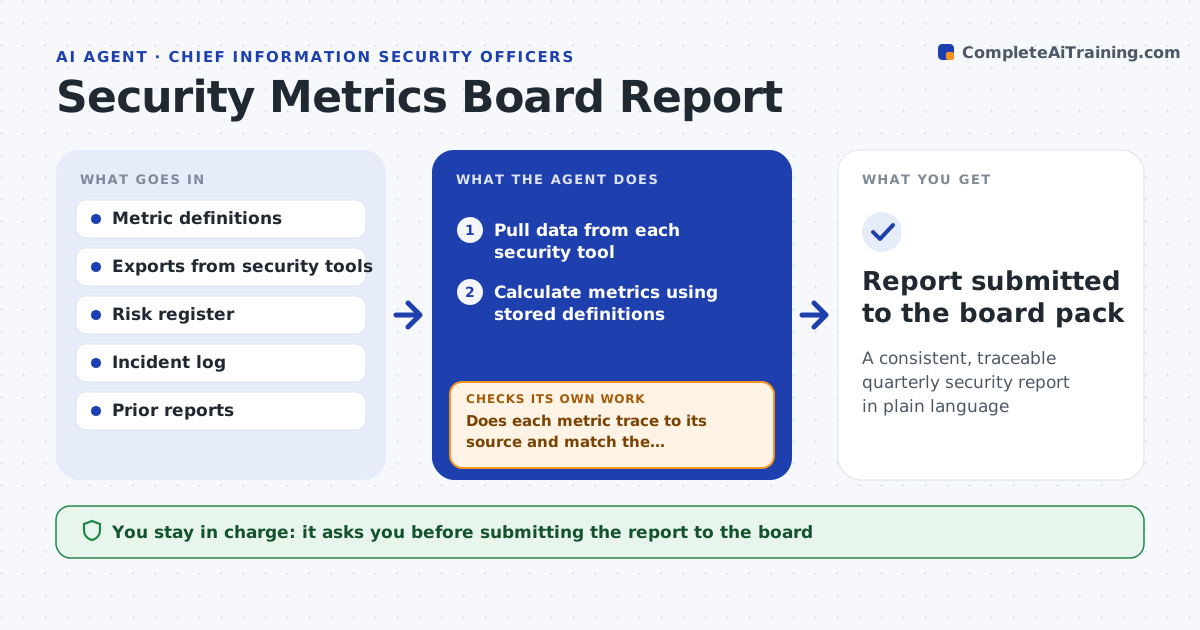
A consistent, traceable quarterly security report in plain language
What it does
Each quarter the security leader reports posture to executives and the board, and assembling the numbers takes days. This agent gathers the agreed metrics from each tool, such as patch compliance, phishing click rate, open critical risks and incident counts, and calculates them the same way every quarter. It compares them with last quarter and targets, and checks that each number traces back to its source. If a number moved sharply, it looks for the cause before reporting, including a change in how a tool counts. It drafts a short plain-language narrative and charts. You approve the final pack before it reaches the board. Edge case: if a tool changed its counting method, the agent restates last quarter so the trend stays fair and notes the change.
How it works
Follow the arrows from top to bottom. The orange dashed arrow is the loop: when a check fails, the agent goes back and tries again.
Read the steps as a list
- Board meeting is three weeks away
- Pull data from each security tool
- Calculate metrics using stored definitions
- Does each metric trace to its source and match the definition?If not: repull the data or restate the prior quarter if the tool changed counting. Back to step 2.
- Explain any metric that moved more than the set amount
- Draft narrative and charts
- CISO approves the reportThe agent waits here for your OK.
- Report submitted to the board pack
How it decides
Each metric uses its stored definition. Any change of more than the set amount needs an explained cause before it goes in the report.
- Explain any metric moving more than 20%
- Restate history when a counting method changes
- Use red, amber, green only against agreed targets
Make it yours
Every agent is a starting point. You choose these settings for your own situation.
- Metrics included
- Targets and color thresholds
- Movement that requires explanation (default 20%)
- Report format
What keeps you in control
It always asks you first
- Submitting the report to the board
Hard limits
- Never alters source data
- Uses only agreed metric definitions
It stops when
- Done: report approved
- Stop: a required data source is unavailable
Set it up
We guide you through the set-up, step by step
Members get the full set-up guide for this agent. No technical skills needed: you copy, paste and upload.
- One set of instructions to paste into your AI, with the clicks for ChatGPT, Claude, Microsoft 365 Copilot, Gemini and Grok
- The agent then walks you through connecting your own data, one source at a time
- A downloadable copy with the flow chart, the rules and the full guide