AI agent for board members
Cybersecurity Oversight Question Agent
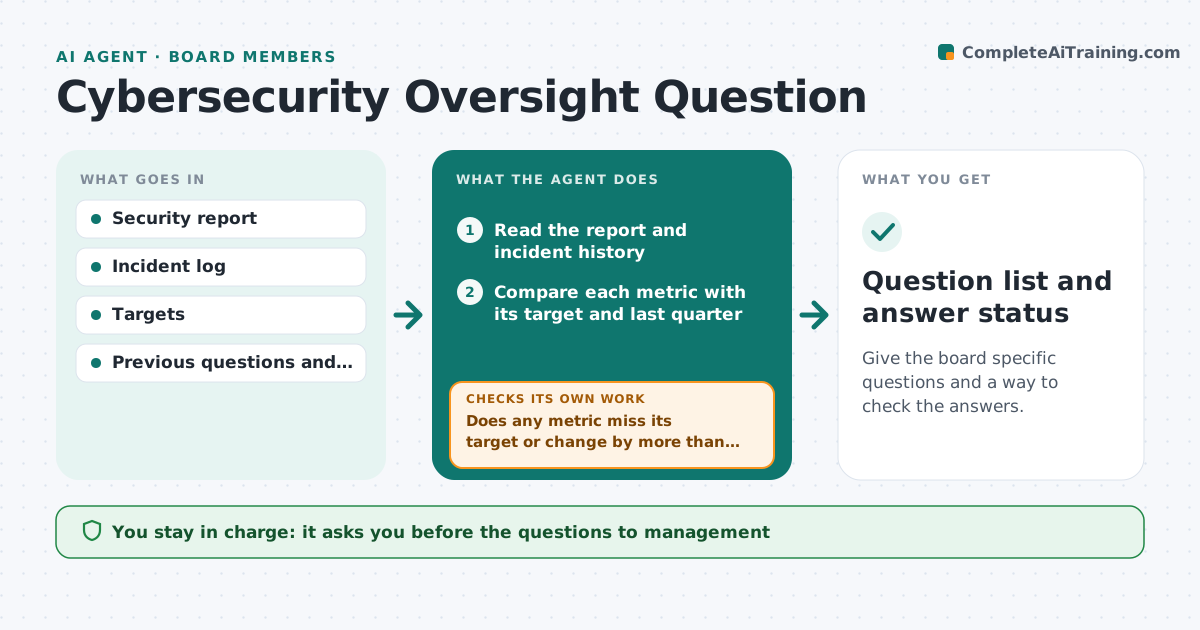
Give the board specific questions and a way to check the answers.
What it does
A board receives a security report full of charts and acronyms, nods, and moves on. Directors do not know which question would reveal a problem. This agent reads the security report and the incident history, compares each metric with its target and with last quarter, and drafts questions the board should ask, such as why patching time doubled. After management answers, the agent checks the answers against the data and marks those that do not hold up. It follows open answers until they are resolved. The board member approves the questions before they go to management. Edge case: a metric that improved only because its definition changed is flagged, and the old and new definitions are shown.
How it works
Follow the arrows from top to bottom. The orange dashed arrow is the loop: when a check fails, the agent goes back and tries again.
Read the steps as a list
- Quarterly security report is issued
- Read the report and incident history
- Compare each metric with its target and last quarter
- Does any metric miss its target or change by more than 20%?If not: Note it as stable and move to the next metric. Back to step 3.
- Draft questions for each flagged metric
- Board member approves the questionsThe agent waits here for your OK.
- Send the questions and read management's answers
- Do the answers match the data?If not: Mark the answer as not supported and draft a follow-up question. Back to step 5.
- Track open answers to the next meeting
- Question list and answer status
How it decides
Flags metrics that miss targets or move more than 20% from last quarter, and treats an answer as weak if the data shows something different.
- Metric change above 20% is questioned
- Changed definitions are shown side by side
- Incidents with customer effect are always included
- Answer must cite data to be accepted
Make it yours
Every agent is a starting point. You choose these settings for your own situation.
- Change threshold (default 20%)
- Metrics to track
- Past quarters to compare (default 4)
- Question count limit
- Who receives the questions
What keeps you in control
It always asks you first
- The questions to management
- Any request for an outside review
- Any escalation to the full board
Hard limits
- Never provide technical advice as final
- Never contact management without approval
It stops when
- Done: all questions answered and supported
- Stop: major incident, incident plan applies
- Stop: report not issued
Set it up
We guide you through the set-up, step by step
Members get the full set-up guide for this agent. No technical skills needed: you copy, paste and upload.
- One set of instructions to paste into your AI, with the clicks for ChatGPT, Claude, Microsoft 365 Copilot, Gemini and Grok
- The agent then walks you through connecting your own data, one source at a time
- A downloadable copy with the flow chart, the rules and the full guide