AI agent for corporate trainers
Session Facilitator Run-of-Show Agent
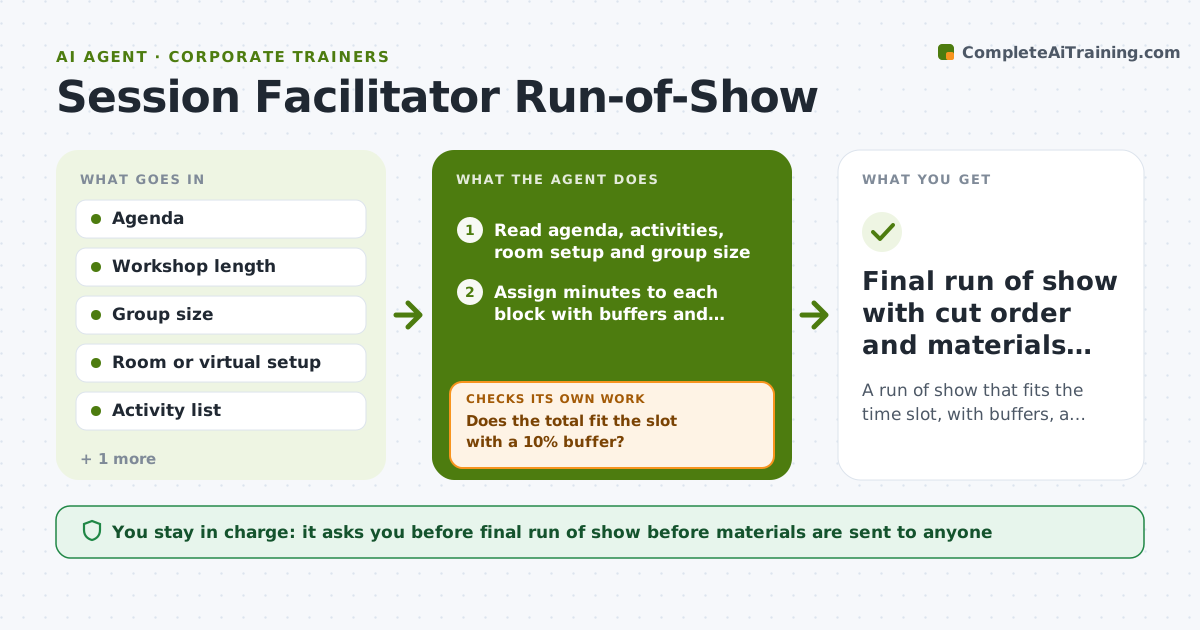
A run of show that fits the time slot, with buffers, a cut order and every block's materials ready.
What it does
You have a three-hour workshop on the calendar and an agenda that looks fine on paper, but you know it will run long once people start talking. This agent takes your agenda, group size, room or virtual setup and activity list and builds a minute-by-minute run of show. It adds buffers after discussions, sets transition times, and lists the materials each block needs. Then it tests the plan: it adds up the total time, checks that every block has its handouts, links or breakout rooms, and reworks any block that overruns. If the plan is still too long, it proposes a cut order so you know what to drop first. Edge case: a 40-person group split into breakouts needs extra regroup time, so the agent lengthens those transitions. You approve the final run of show before any materials go out.
How it works
Follow the arrows from top to bottom. The orange dashed arrow is the loop: when a check fails, the agent goes back and tries again.
Read the steps as a list
- Trainer shares agenda and session details
- Read agenda, activities, room setup and group size
- Assign minutes to each block with buffers and transitions
- Add up total time and list materials per block
- Does the total fit the slot with a 10% buffer?If not: shorten overlong blocks starting with discussion and demo time, then rebuild the timings. Back to step 3.
- Does every block have its materials, links and room needs?If not: add the missing item to the materials list or flag it to the trainer. Back to step 4.
- Rank blocks into a cut order for running late
- Trainer approves the run of showThe agent waits here for your OK.
- Final run of show with cut order and materials list
How it decides
It sums block times plus buffers against the slot and removes or shortens the lowest-priority block first, never a block tied to a stated learning objective.
- Group size over 25 adds 5 minutes to every regroup or breakout transition.
- Keep a buffer of at least 10% of total session time.
- Cut order drops optional examples before activities tied to a learning objective.
- Virtual sessions add 5 minutes at the start for tech checks.
Make it yours
Every agent is a starting point. You choose these settings for your own situation.
- Buffer percentage (default 10%)
- Transition minutes by group size
- Session types and default lengths
- Which blocks are protected from cuts
- Output format (table or document)
What keeps you in control
It always asks you first
- Final run of show before materials are sent to anyone
- Any cut to a block tied to a learning objective
Hard limits
- Never delete a block tied to a stated learning objective without trainer approval.
- Do not send the run of show to participants or clients.
It stops when
- Done: total time fits with buffer and every block has materials and the trainer approved
- Stop: after 3 rebuilds the plan still overruns, so the agent asks the trainer to cut scope
Set it up
We guide you through the set-up, step by step
Members get the full set-up guide for this agent. No technical skills needed: you copy, paste and upload.
- One set of instructions to paste into your AI, with the clicks for ChatGPT, Claude, Microsoft 365 Copilot, Gemini and Grok
- The agent then walks you through connecting your own data, one source at a time
- A downloadable copy with the flow chart, the rules and the full guide