AI agent for meteorologists
Severe Weather Warning Drafting Agent
Accurate, complete warning text issued quickly
What it does
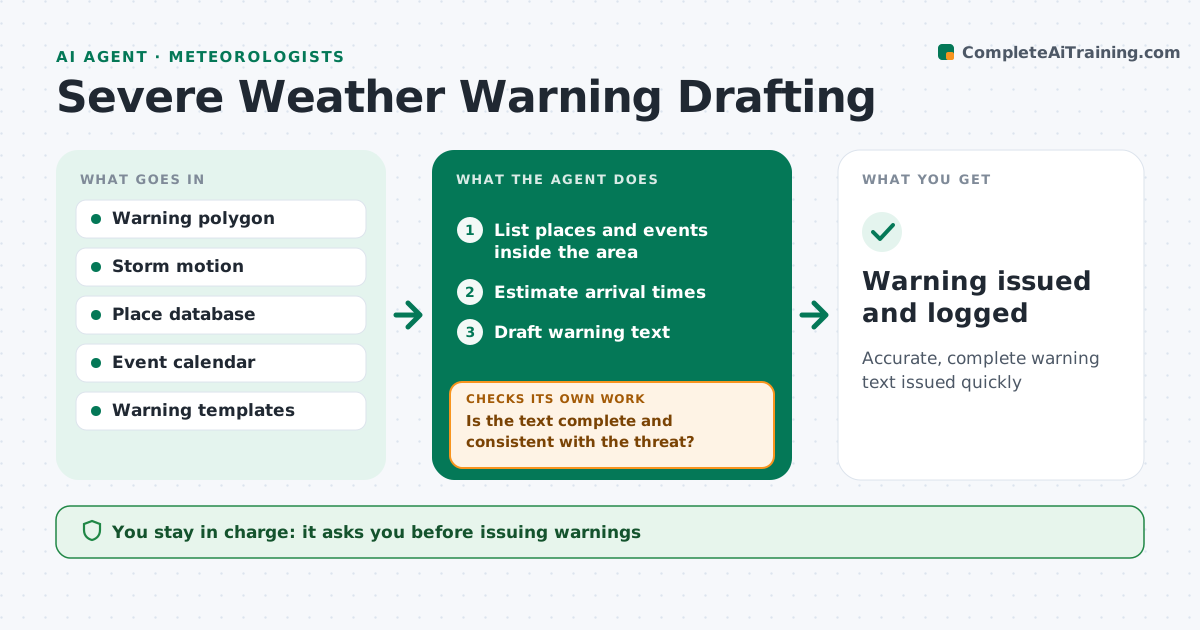
When a storm turns dangerous, warning text must be fast, clear and complete. When the forecaster draws a warning area, this agent lists the towns, major roads and venues inside it and estimates arrival times along the storm's path and speed. It drafts the warning in your office's format with hazards, timing and safety actions. It then checks the text for missing towns, wrong times and wording that does not match the threat level. If anything is off, it fixes the gaps and checks again. The forecaster edits and issues the warning. As the storm moves, it drafts updates with the new area and times. Nothing is issued without the forecaster. Edge case: a large outdoor event inside the warning area is flagged at the top so emergency partners see it first.
How it works
Follow the arrows from top to bottom. The orange dashed arrow is the loop: when a check fails, the agent goes back and tries again.
Read the steps as a list
- Warning area drawn
- List places and events inside the area
- Estimate arrival times
- Draft warning text
- Is the text complete and consistent with the threat?If not: fix missing places or times. Back to step 3.
- Forecaster edits and issuesThe agent waits here for your OK.
- Warning issued and logged
How it decides
It lists places inside the area, computes arrival times from storm motion, and checks text against the template and threat level.
- Flag large events
- Use office templates
- Update arrival times on new motion
Make it yours
Every agent is a starting point. You choose these settings for your own situation.
- Templates
- Place database
- Event sources
- Update interval
What keeps you in control
It always asks you first
- Issuing warnings
Hard limits
- Never issues warnings
It stops when
- Done: warning issued
- Stop: forecaster cancels
Set it up
We guide you through the set-up, step by step
Members get the full set-up guide for this agent. No technical skills needed: you copy, paste and upload.
- One set of instructions to paste into your AI, with the clicks for ChatGPT, Claude, Microsoft 365 Copilot, Gemini and Grok
- The agent then walks you through connecting your own data, one source at a time
- A downloadable copy with the flow chart, the rules and the full guide