AI agent for police officers
Shift Briefing Preparation Agent
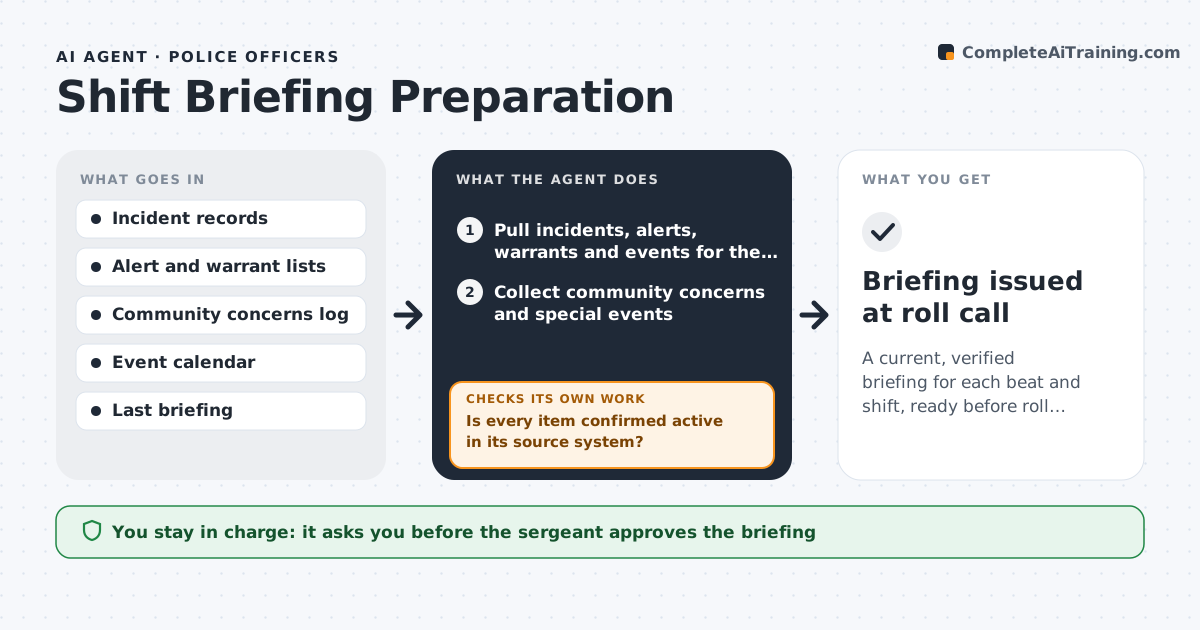
A current, verified briefing for each beat and shift, ready before roll call
What it does
A shift briefing depends on the sergeant's memory and a stack of emails, so officers start work missing alerts, warrants or events. This agent gathers recent incidents on the beat, active alerts, outstanding warrants, community concerns and special events. It removes items that are outdated, such as an alert for a suspect who was arrested yesterday, by checking the status in the source system. It drafts a briefing with the main items first, grouped by area, with times and addresses. Shortly before the shift it rechecks for changes and updates the draft. It marks any item it could not verify. The sergeant approves the briefing. Edge case: a vehicle alert past its expiry date is removed even if it was in last week's briefing.
How it works
Follow the arrows from top to bottom. The orange dashed arrow is the loop: when a check fails, the agent goes back and tries again.
Read the steps as a list
- Two hours before the shift
- Pull incidents, alerts, warrants and events for the beat
- Collect community concerns and special events
- Remove items that have expired or been resolved
- Is every item confirmed active in its source system?If not: drop it or mark it unverified. Back to step 3.
- Rank the items and draft the briefing by area
- Recheck for changes 30 minutes before roll call
- Has anything changed since the draft?If not: update the draft and note the change. Back to step 5.
- Sergeant approves the briefingThe agent waits here for your OK.
- Briefing issued at roll call
How it decides
Items are ranked by risk to officers and the public. An item stays only if its source system shows it still active.
- Remove alerts past their expiry date
- Rank officer safety items first
- Mark any item without a source status as unverified
- Include events within 12 hours of the shift
Make it yours
Every agent is a starting point. You choose these settings for your own situation.
- Beats and shifts
- Items to include
- Recheck time (default 30 minutes)
- Briefing format
What keeps you in control
It always asks you first
- The sergeant approves the briefing
Hard limits
- Never directs officers or dispatches units
- Never includes an unverified item as fact
It stops when
- Done: the briefing is approved and issued
- Stop: the records system is unavailable
Set it up
We guide you through the set-up, step by step
Members get the full set-up guide for this agent. No technical skills needed: you copy, paste and upload.
- One set of instructions to paste into your AI, with the clicks for ChatGPT, Claude, Microsoft 365 Copilot, Gemini and Grok
- The agent then walks you through connecting your own data, one source at a time
- A downloadable copy with the flow chart, the rules and the full guide