AI agent for customs brokers
Shipment Clearance Hold Tracking Agent
Every entry released as fast as possible with clients kept informed
What it does
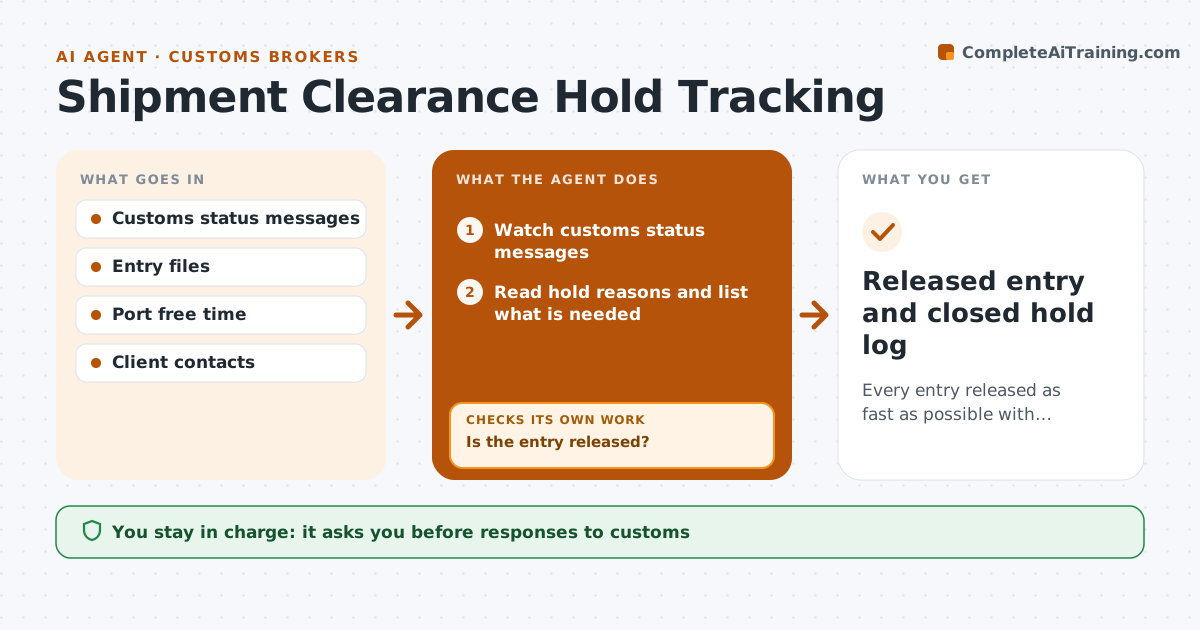
After filing, entries can be released, held for documents or selected for exam, and every day on hold eats into port free time and adds storage fees. This agent watches customs status messages for every open entry. When a hold appears, it reads the reason, lists what is needed and drafts the response to customs and an update for the client. Holds are prioritized by free time remaining and value of goods, and any hold older than one day needs follow-up. The broker approves every response and client update. After each submission, it checks the status again. If the hold remains, it finds the remaining requirement and prepares the next step. Exam holds trigger a planning note for the client with an estimated date. Edge case: an exam at a busy port gets an estimated date so the client can plan deliveries.
How it works
Follow the arrows from top to bottom. The orange dashed arrow is the loop: when a check fails, the agent goes back and tries again.
Read the steps as a list
- Entry filed
- Watch customs status messages
- Read hold reasons and list what is needed
- Draft response to customs and client update
- Broker approves response and updateThe agent waits here for your OK.
- Check status after submission
- Is the entry released?If not: find the remaining requirement and prepare the next step. Back to step 3.
- Released entry and closed hold log
How it decides
It prioritizes holds by free time remaining and value of goods, and treats any hold older than one day as needing follow-up.
- Free time ending soon goes first
- Holds over one day get follow-up
- Exam holds trigger a client planning note
Make it yours
Every agent is a starting point. You choose these settings for your own situation.
- Follow-up age (default 1 day)
- Free time alerts
- Ports watched
- Client update format
What keeps you in control
It always asks you first
- Responses to customs
- Client updates
Hard limits
- Never responds to customs without approval
- Never promises release dates
It stops when
- Done: entry released
- Stop: goods refused entry, escalate to the broker
Set it up
We guide you through the set-up, step by step
Members get the full set-up guide for this agent. No technical skills needed: you copy, paste and upload.
- One set of instructions to paste into your AI, with the clicks for ChatGPT, Claude, Microsoft 365 Copilot, Gemini and Grok
- The agent then walks you through connecting your own data, one source at a time
- A downloadable copy with the flow chart, the rules and the full guide