AI agent for notaries
Signer Identity Verification Agent
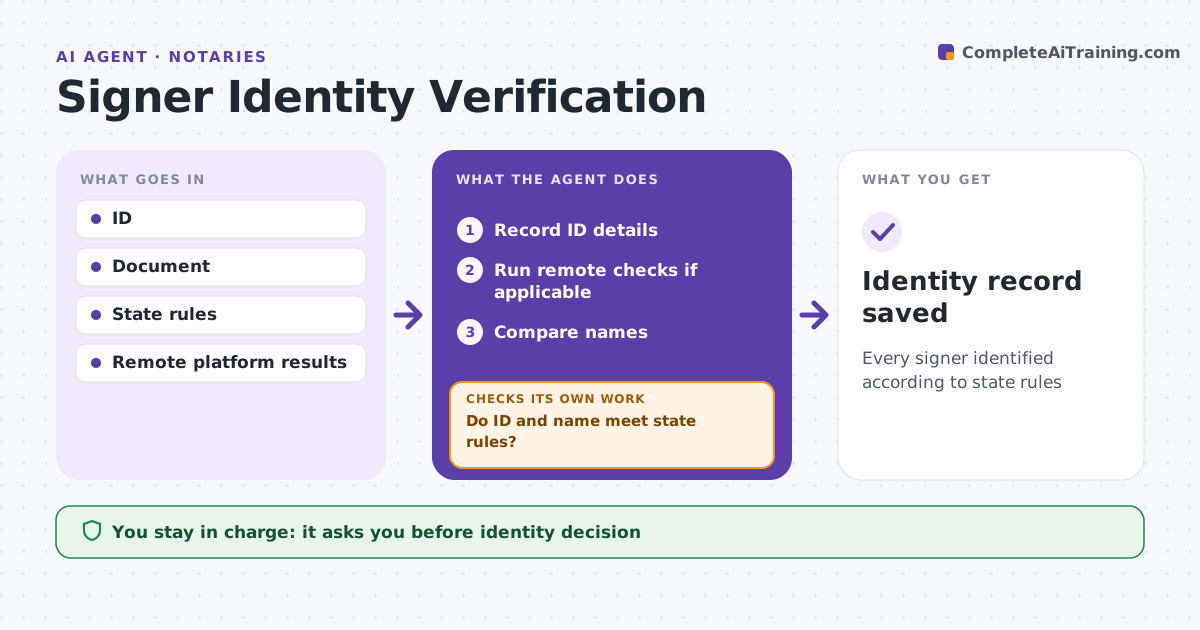
Every signer identified according to state rules
What it does
Identity checks are the core of a notary's job, and a mistake can void the act or expose the notary to liability. At signing, this agent guides the check step by step. It records the ID type, number, expiry and issuer. For remote notarization, it runs credential analysis and knowledge-based checks through the approved platform. It compares the name on the ID with the document. If names differ, such as a missing middle name, it checks state rules on name variations. If any check fails, it stops and lists the allowed options, such as a credible witness where the state permits one. A failed remote check always stops the session. The notary decides whether identity is satisfied. Edge case: the ID says Robert and the document says Bob, which needs a matching name or a signature as shown on the ID.
How it works
Follow the arrows from top to bottom. The orange dashed arrow is the loop: when a check fails, the agent goes back and tries again.
Read the steps as a list
- Signing begins
- Record ID details
- Run remote checks if applicable
- Compare names
- Do ID and name meet state rules?If not: stop and list allowed options. Back to step 2.
- Notary confirms identityThe agent waits here for your OK.
- Identity record saved
How it decides
It applies state ID rules and name variation rules.
- Name variation beyond rules: not satisfied
- Failed remote check: stop
- Credible witness only where allowed
Make it yours
Every agent is a starting point. You choose these settings for your own situation.
- State rules
- Remote platform
- Name rules
- Record fields
What keeps you in control
It always asks you first
- Identity decision
Hard limits
- Never overrides failed checks
- Never stores ID images outside allowed systems
It stops when
- Done: identity satisfied
- Stop: identity not established
Set it up
We guide you through the set-up, step by step
Members get the full set-up guide for this agent. No technical skills needed: you copy, paste and upload.
- One set of instructions to paste into your AI, with the clicks for ChatGPT, Claude, Microsoft 365 Copilot, Gemini and Grok
- The agent then walks you through connecting your own data, one source at a time
- A downloadable copy with the flow chart, the rules and the full guide