AI agent for environmental consultants
Site Assessment Records Review Agent
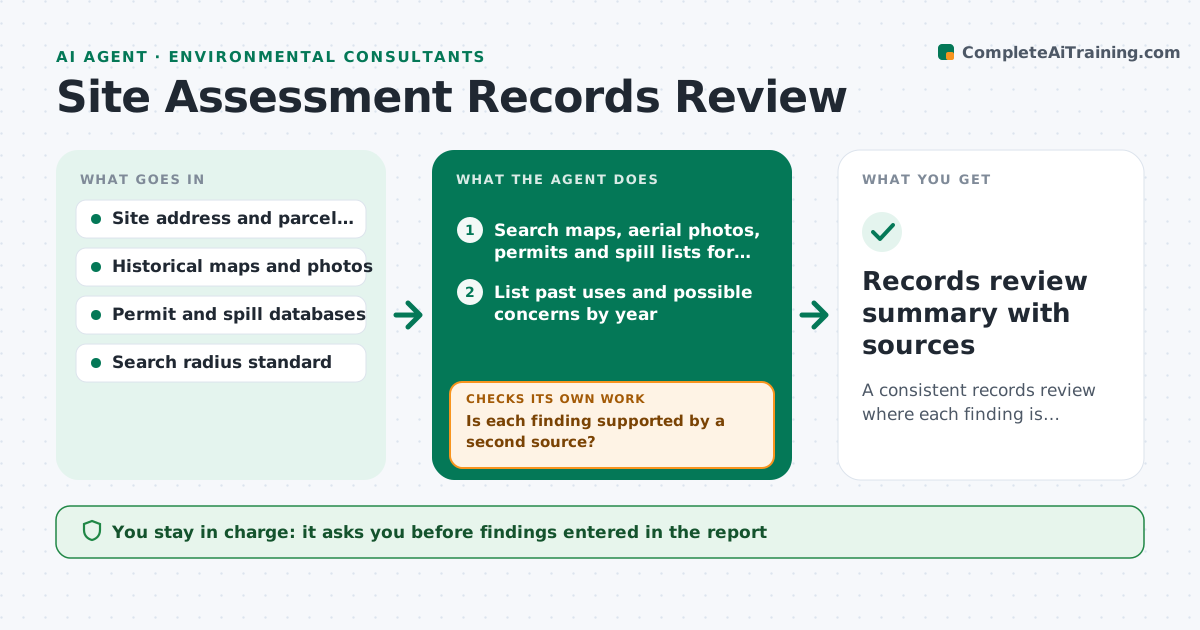
A consistent records review where each finding is supported by at least two sources or labeled as single source.
What it does
A site assessment needs a history of past uses, spills and permits, and the work depends on how many sources the consultant has time to search. This agent searches historical maps, aerial photos, permits, spill lists and database records for the address and the adjoining properties. For each finding it cross-checks a second source, so a single entry does not become a recognized environmental concern by mistake. It flags concerns with the reasoning. It then searches again for gaps, such as years with no map coverage or neighbors on the spill list. You approve findings before they go into the report. Edge case: an address that has changed over time is searched under all its former names and lot numbers.
How it works
Follow the arrows from top to bottom. The orange dashed arrow is the loop: when a check fails, the agent goes back and tries again.
Read the steps as a list
- Assessment opened with the site address
- Search maps, aerial photos, permits and spill lists for the site and neighbors
- List past uses and possible concerns by year
- Is each finding supported by a second source?If not: search additional sources, or label the finding as single source. Back to step 3.
- Is every period since the cutoff year covered by a source?If not: search other archives for the missing years and note any gap. Back to step 2.
- Rate each concern and explain the reasoning
- Check neighbors within the search radius for spills or contamination
- Consultant approves findings for the reportThe agent waits here for your OK.
- Records review summary with sources
How it decides
A finding counts as confirmed when two independent sources agree. Single-source items are labeled and checked further.
- Two independent sources agree: confirmed finding
- One source only: label single source and look again
- Gap in coverage over 5 years: record as a data gap in the report
- Neighbor with a leak record within 250 meters: list as a possible offsite concern
Make it yours
Every agent is a starting point. You choose these settings for your own situation.
- Search radius (default 250 m)
- Cutoff year
- Databases to search
- Minimum sources for a finding
- Report table format
What keeps you in control
It always asks you first
- Findings entered in the report
- Any statement about contamination
Hard limits
- Never conclude a site is clean
- Never drop a finding without noting the reason
It stops when
- Done: review complete and approved
- Stop: archives unavailable, report limitation noted
Set it up
We guide you through the set-up, step by step
Members get the full set-up guide for this agent. No technical skills needed: you copy, paste and upload.
- One set of instructions to paste into your AI, with the clicks for ChatGPT, Claude, Microsoft 365 Copilot, Gemini and Grok
- The agent then walks you through connecting your own data, one source at a time
- A downloadable copy with the flow chart, the rules and the full guide