AI agent for sustainability analysts
Site Energy Use Anomaly Agent
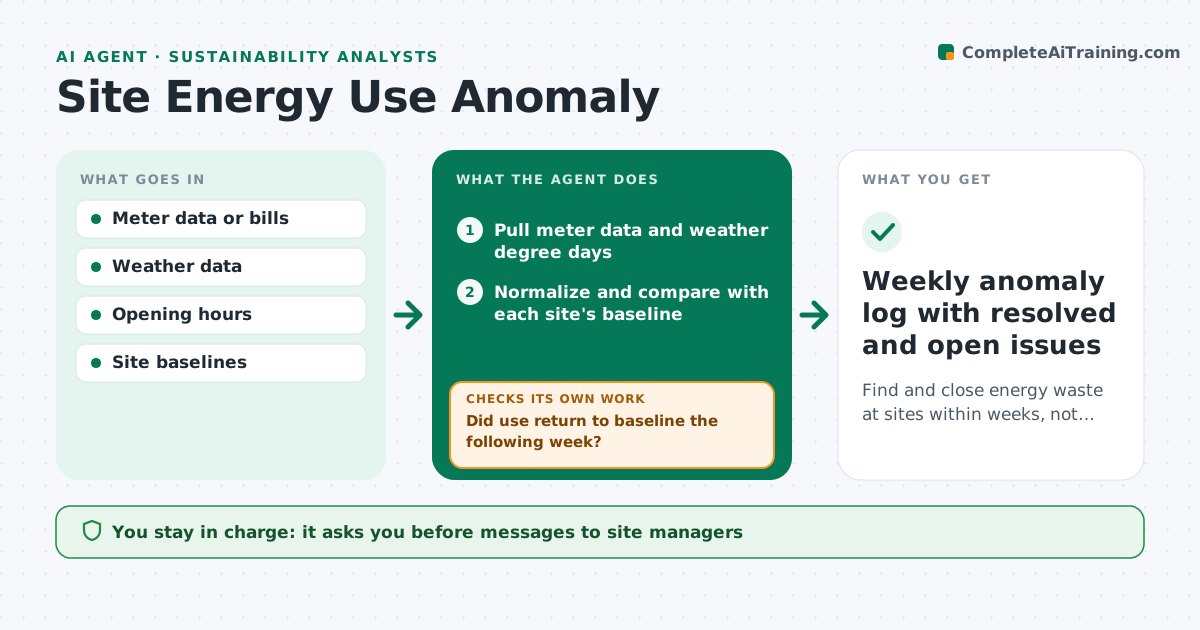
Find and close energy waste at sites within weeks, not at year end
What it does
Energy efficiency work needs someone to notice when a building starts using more power than it should. Each week this agent pulls interval meter data or monthly bills for each site and weather degree days. It adjusts for weather and opening hours and compares use with each site's own baseline. When a site runs above the threshold for two periods, it classifies the pattern: night-time load, weekend use or a step change. It drafts a question for the site manager, which the analyst approves before sending. It logs the response and checks the next week's data to see whether use returned to baseline. Open issues are escalated after the set number of weeks. Savings are estimated only from measured data. The analyst approves any message to site leadership and any savings claim. Edge case: new equipment that raises use on purpose becomes a new baseline, not an anomaly.
How it works
Follow the arrows from top to bottom. The orange dashed arrow is the loop: when a check fails, the agent goes back and tries again.
Read the steps as a list
- Weekly data arrives
- Pull meter data and weather degree days
- Normalize and compare with each site's baseline
- Classify anomalies by pattern
- Analyst approves questions to site managersThe agent waits here for your OK.
- Send question and log the response
- Did use return to baseline the following week?If not: keep the issue open, escalate after the set number of weeks. Back to step 3.
- Weekly anomaly log with resolved and open issues
How it decides
Use is normalized for weather and hours. A site above the threshold for two periods is flagged with the likely pattern behind it.
- Flag after two periods above 10% of baseline
- Night load above 40% of daytime load is a likely controls issue
- Planned changes reset the baseline after analyst approval
Make it yours
Every agent is a starting point. You choose these settings for your own situation.
- Anomaly threshold (default 10%)
- Weeks before escalation
- Sites in scope
- Report day and format
What keeps you in control
It always asks you first
- Messages to site managers
- Resetting a baseline
- Reporting savings
Hard limits
- Never change building controls directly
- Savings are reported only from measured data
It stops when
- Done: all anomalies resolved or explained
- Stop: meter data missing for a site for two weeks, ask facilities
Set it up
We guide you through the set-up, step by step
Members get the full set-up guide for this agent. No technical skills needed: you copy, paste and upload.
- One set of instructions to paste into your AI, with the clicks for ChatGPT, Claude, Microsoft 365 Copilot, Gemini and Grok
- The agent then walks you through connecting your own data, one source at a time
- A downloadable copy with the flow chart, the rules and the full guide