AI agent for environmental consultants
Site Remediation Sampling Agent
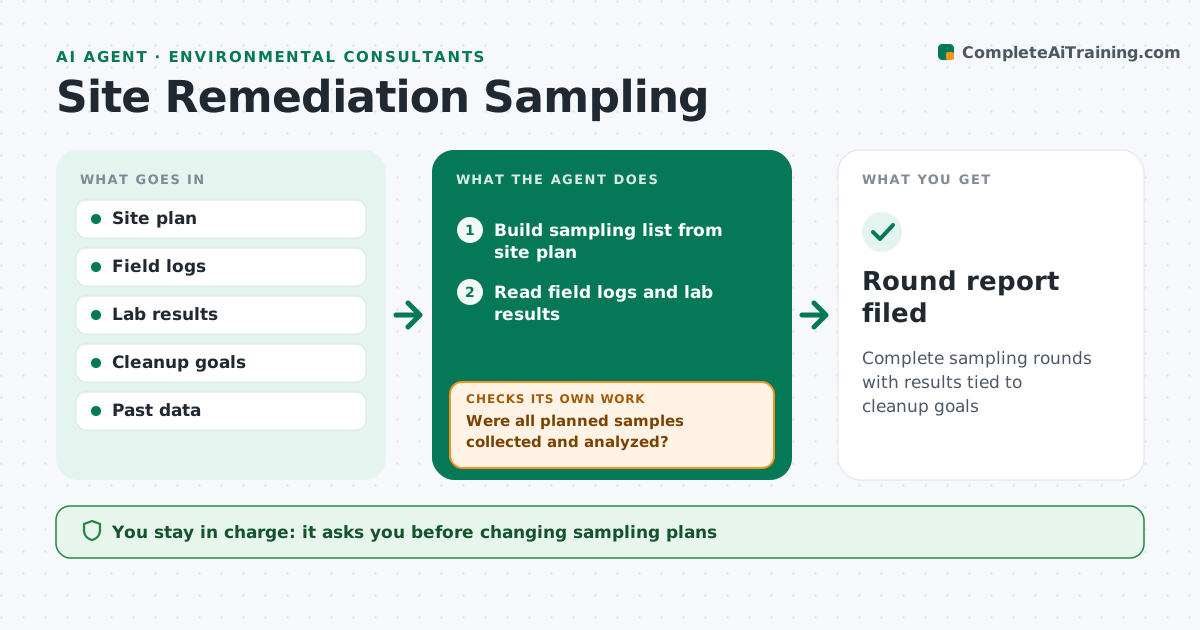
Complete sampling rounds with results tied to cleanup goals
What it does
Contaminated site work runs in sampling rounds for soil, groundwater and sometimes vapor, and a missed location or parameter can mean another costly mobilization. This agent builds each round from the site plan, listing locations, depths, parameters and methods. After fieldwork it reads the field logs and lab results and compares them with the plan, listing any sample or parameter that is missing. It checks data quality, such as holding times and blank results. It then compares results with cleanup goals, maps concentrations and trends, and notes where a plume or hot spot may be growing. Gaps go onto the next round. It drafts the round summary and next-round recommendations. You approve plan changes and anything sent to regulators. Edge case: a dry well is logged with the reason and moved to the next round.
How it works
Follow the arrows from top to bottom. The orange dashed arrow is the loop: when a check fails, the agent goes back and tries again.
Read the steps as a list
- Sampling round planned
- Build sampling list from site plan
- Read field logs and lab results
- Were all planned samples collected and analyzed?If not: list gaps and add to next round. Back to step 2.
- Compare with cleanup goals and map trends
- Draft round summary
- Engineer approves plan changesThe agent waits here for your OK.
- Round report filed
How it decides
It compares completed samples with the plan and results with goals, flagging gaps and rising trends.
- Flag missing samples
- Note rising trends
- Compare with cleanup goals
Make it yours
Every agent is a starting point. You choose these settings for your own situation.
- Cleanup goals
- Map style
- Trend rule
- Report format
What keeps you in control
It always asks you first
- Changing sampling plans
- Sending reports to regulators
Hard limits
- Never sends reports without approval
It stops when
- Done: report filed
- Stop: lab data missing
Set it up
We guide you through the set-up, step by step
Members get the full set-up guide for this agent. No technical skills needed: you copy, paste and upload.
- One set of instructions to paste into your AI, with the clicks for ChatGPT, Claude, Microsoft 365 Copilot, Gemini and Grok
- The agent then walks you through connecting your own data, one source at a time
- A downloadable copy with the flow chart, the rules and the full guide