AI agent for construction contractors
Site Safety Inspection Follow-up Agent
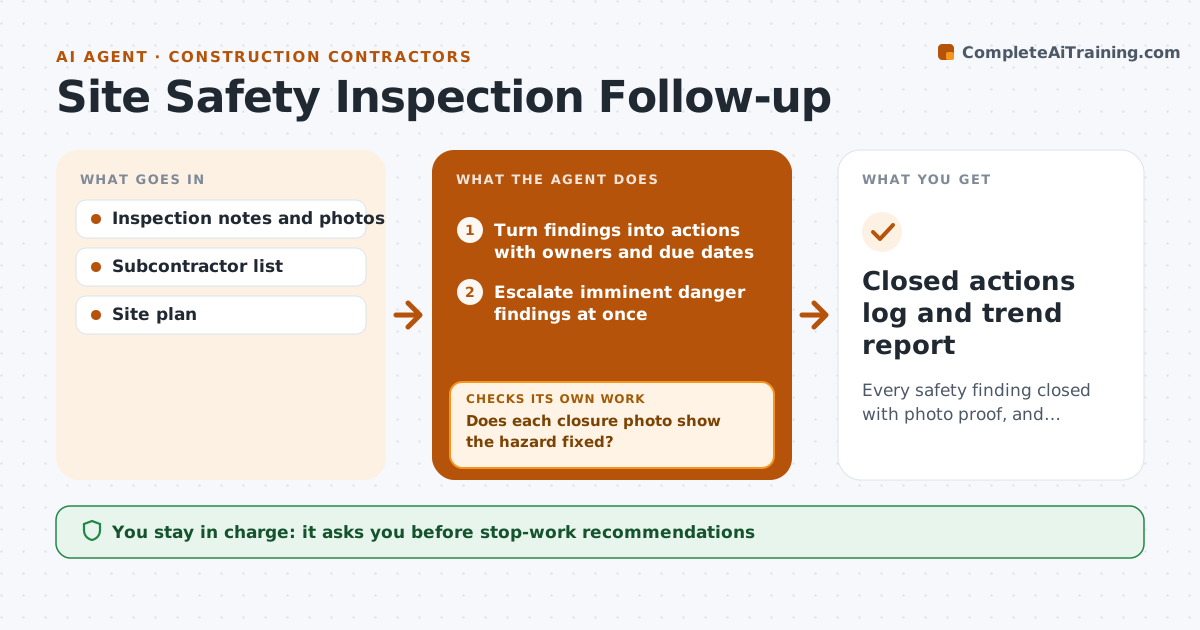
Every safety finding closed with photo proof, and repeat hazards addressed
What it does
Weekly safety walks find hazards like missing guardrails or blocked exits, but fixes are often claimed and not checked. After each inspection, this agent reads the notes and photos and turns each finding into a corrective action with an owner, a trade and a due date. Imminent danger findings go straight to the safety manager instead of the weekly list. When an owner marks an action closed, the agent asks for a photo and compares it with the original finding. An action closes only when the photo shows the fix in the same location. If not, it stays open and the owner is asked again. When a trade repeats the same hazard three times, it drafts a toolbox talk topic. The safety manager approves stop-work recommendations and any message to subcontractor management. Edge case: a photo of a different floor is rejected even if the fix looks right.
How it works
Follow the arrows from top to bottom. The orange dashed arrow is the loop: when a check fails, the agent goes back and tries again.
Read the steps as a list
- Safety inspection completed
- Turn findings into actions with owners and due dates
- Escalate imminent danger findings at once
- Collect closure photos from owners
- Does each closure photo show the hazard fixed?If not: keep the action open and ask the owner again. Back to step 4.
- Find repeat hazards by trade and draft toolbox talk
- Safety manager approves escalations and messages to subcontractorsThe agent waits here for your OK.
- Closed actions log and trend report
How it decides
An action closes only with a photo showing the fix in the same location; three repeats of a hazard type by a trade trigger a toolbox talk draft.
- Imminent danger goes straight to the safety manager
- Photo proof required for closure
- Three repeats trigger a toolbox talk
Make it yours
Every agent is a starting point. You choose these settings for your own situation.
- Due dates by risk level
- Repeat count for toolbox talks (default 3)
- Escalation contacts
- Inspection app used
What keeps you in control
It always asks you first
- Stop-work recommendations
- Messages to subcontractor management
Hard limits
- Never issues stop-work orders
- Never closes actions without proof
It stops when
- Done: all actions closed with proof
- Stop: action overdue twice, escalate to project manager
Set it up
We guide you through the set-up, step by step
Members get the full set-up guide for this agent. No technical skills needed: you copy, paste and upload.
- One set of instructions to paste into your AI, with the clicks for ChatGPT, Claude, Microsoft 365 Copilot, Gemini and Grok
- The agent then walks you through connecting your own data, one source at a time
- A downloadable copy with the flow chart, the rules and the full guide