AI agent for landscape architects
Site Sustainability Compliance Calculation Agent
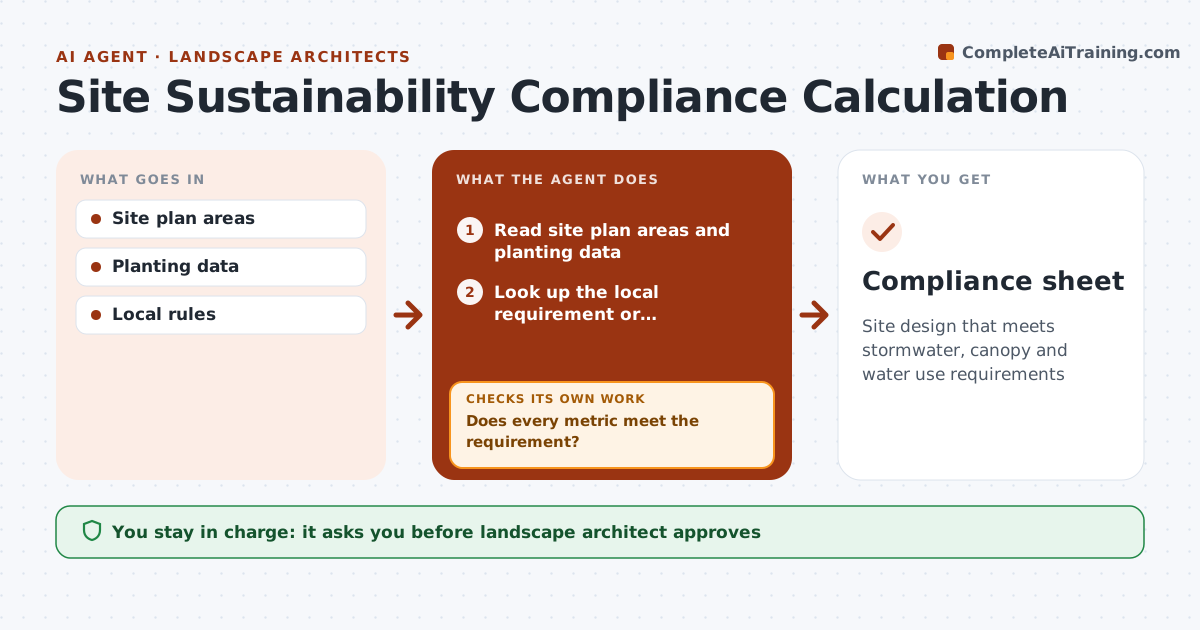
Site design that meets stormwater, canopy and water use requirements
What it does
Many sites must meet local rules on impervious area, stormwater, tree canopy and irrigation water use, and late design changes can quietly break compliance. This agent reads the site plan areas and planting data, calculates each required metric using the local method, and compares it with the local requirement or certification target. If a metric falls short, it suggests design options such as permeable paving, more trees or different plant choices, then recalculates once the designer picks one. Whenever the design changes, it reruns every calculation. The landscape architect chooses the design changes and approves the compliance sheet before submittal. Edge case: different jurisdictions measure tree canopy differently, some at maturity and some at planting, so the agent uses the local method rather than one standard formula.
How it works
Follow the arrows from top to bottom. The orange dashed arrow is the loop: when a check fails, the agent goes back and tries again.
Read the steps as a list
- Design update
- Read site plan areas and planting data
- Look up the local requirement or certification target for each metric
- Calculate impervious area, stormwater, canopy and water use
- Does every metric meet the requirement?If not: suggest design changes such as permeable paving or more trees, then recalculate. Back to step 4.
- Prepare the compliance sheet with methods and sources
- Landscape architect approvesThe agent waits here for your OK.
- Compliance sheet
How it decides
Each metric must meet the local requirement.
- Local method used
- Shortfalls get options
- Rerun on change
Make it yours
Every agent is a starting point. You choose these settings for your own situation.
- Jurisdiction rules
- Metrics
- Certification target
- Reports
What keeps you in control
It always asks you first
- Landscape architect approves
Hard limits
- Never submits to agencies
- Shows assumptions
It stops when
- Done: compliant
- Stop: rules unknown
Set it up
We guide you through the set-up, step by step
Members get the full set-up guide for this agent. No technical skills needed: you copy, paste and upload.
- One set of instructions to paste into your AI, with the clicks for ChatGPT, Claude, Microsoft 365 Copilot, Gemini and Grok
- The agent then walks you through connecting your own data, one source at a time
- A downloadable copy with the flow chart, the rules and the full guide