AI agent for presentation designers
Slide Template Fit Across Decks Agent
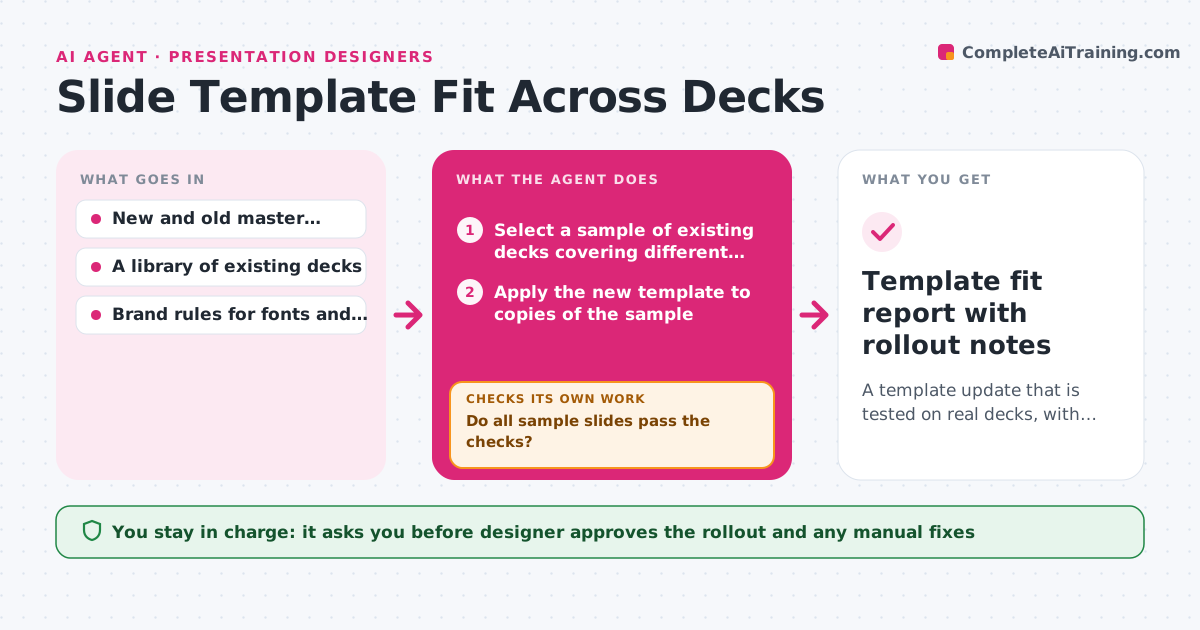
A template update that is tested on real decks, with breakages fixed or documented before rollout
What it does
The brand team updates the master template with a new font and a wider title area, and a week later forty decks in circulation have overflowing text and missing logos. This agent tests the new template before it is rolled out. It applies the template to a sample of existing decks, chosen to cover long titles, charts, tables and image-heavy slides, then checks each slide for text overflow, missing placeholders, font substitutions, misplaced logos and broken charts. It lists the breakages by deck and slide, proposes fixes to the template or to the decks, applies them to copies and tests again. It repeats until the sample passes or the remaining issues need a design decision. The designer approves the rollout. Edge case: a deck with a custom layout outside the master is listed as unsupported rather than broken.
How it works
Follow the arrows from top to bottom. The orange dashed arrow is the loop: when a check fails, the agent goes back and tries again.
Read the steps as a list
- Master template updated
- Select a sample of existing decks covering different slide types
- Apply the new template to copies of the sample
- Check each slide for overflow, missing placeholders, fonts and logos
- Do all sample slides pass the checks?If not: List the failures by deck and slide and propose template or deck fixes. Back to step 4.
- Apply fixes to the template or the copies
- Reapply and recheck the failed slides
- Do the fixed slides pass without creating new failures elsewhere?If not: Revert the fix and try an alternative. Back to step 4.
- List unsupported custom layouts and manual fixes
- Designer approves the rolloutThe agent waits here for your OK.
- Template fit report with rollout notes
How it decides
A slide fails if text overflows its placeholder, a placeholder is missing, a font is substituted or a logo moves. It proposes the template fix first, deck fixes second.
- Sample at least 10 decks or 10 percent of the library
- Treat a font substitution as a failure
- Fix the template before fixing individual decks
- List custom layouts as unsupported rather than broken
Make it yours
Every agent is a starting point. You choose these settings for your own situation.
- Sample size and selection
- Brand rules to check
- Slide types in the test set
- Failure types counted
- Where decks are stored
What keeps you in control
It always asks you first
- Designer approves the rollout and any manual fixes
Hard limits
- Always work on copies of decks
- Never roll out a template without approval
It stops when
- Done: The sample passes and the rollout is approved
- Stop: A fix causes failures elsewhere that cannot be resolved, so the agent returns the conflict to the designer
Set it up
We guide you through the set-up, step by step
Members get the full set-up guide for this agent. No technical skills needed: you copy, paste and upload.
- One set of instructions to paste into your AI, with the clicks for ChatGPT, Claude, Microsoft 365 Copilot, Gemini and Grok
- The agent then walks you through connecting your own data, one source at a time
- A downloadable copy with the flow chart, the rules and the full guide