
AI agent for digital marketing managers
Social Account Access Audit Agent
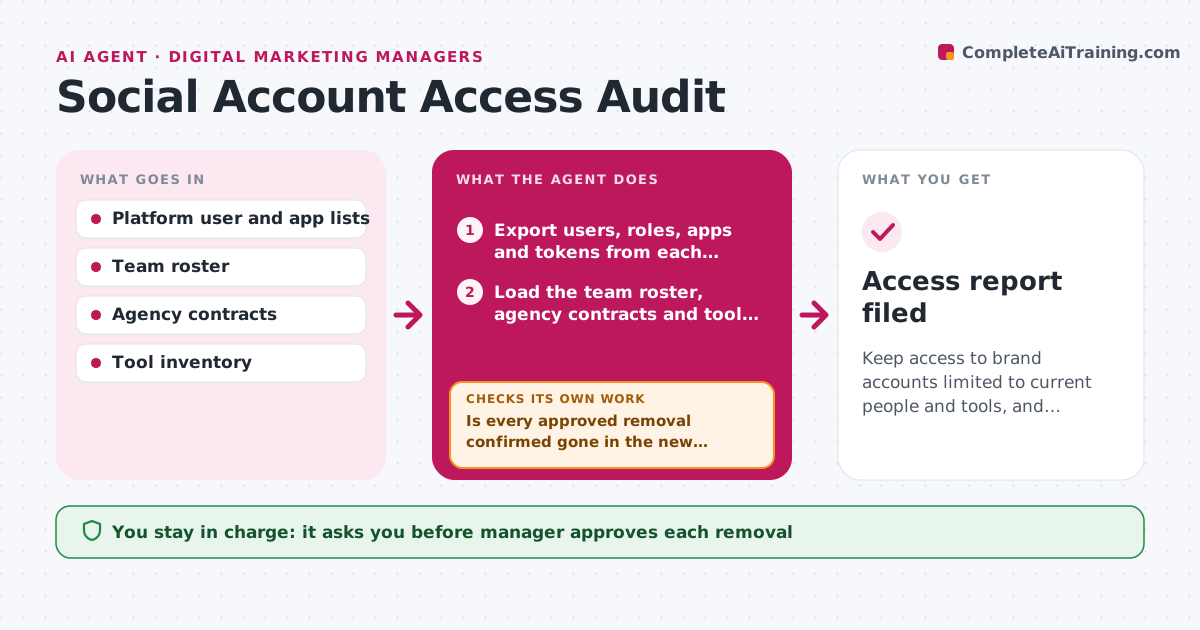
Keep access to brand accounts limited to current people and tools, and verify every removal.
What it does
A freelancer who left two years ago still has admin rights on the brand's page, and nobody knows which apps hold tokens. The agent lists every user, role, connected app and token on each social platform, the ad accounts and the publishing tools. It compares that list with the current team roster, agency contracts and the tools in use. It flags anyone who is gone, anyone with a higher role than needed, apps nobody uses and tokens that are old. It prepares a removal plan with the order that avoids breaking scheduled posts. After the manager approves each removal and it is done, the agent re-reads the access list to confirm the access is gone, and tracks open items until the list is clean. Edge case: an agency whose contract ended but who still manages an active ad campaign. The manager approves each removal.
How it works
Follow the arrows from top to bottom. The orange dashed arrow is the loop: when a check fails, the agent goes back and tries again.
Read the steps as a list
- Audit begins
- Export users, roles, apps and tokens from each platform
- Load the team roster, agency contracts and tool list
- Match each account to a current person or tool
- Flag former people, excess roles and unused apps
- Order the removals so scheduled posts and ads are not broken
- Manager approves each removal and role changeThe agent waits here for your OK.
- Removals are made and the lists are exported again
- Is every approved removal confirmed gone in the new export?If not: list the remaining access and ask the owner to repeat the removal. Back to step 7.
- Do scheduled posts and campaigns still work after the removals?If not: propose restoring the minimum access needed and a new owner. Back to step 5.
- Access report filed
How it decides
Access is flagged when the person or app is not on the current roster or contract, or the role is higher than the job needs.
- Flag any person not on the roster or contract list
- Flag admin roles for people who only need to post
- Flag tokens not used in 90 days
- Remove access only after the manager approves
Make it yours
Every agent is a starting point. You choose these settings for your own situation.
- Platforms to audit
- Token age limit (default 90 days idle)
- Roles allowed per job
- Audit schedule
- Who approves removals
What keeps you in control
It always asks you first
- Manager approves each removal
- Manager approves keeping access for any agency
Hard limits
- Never remove access itself
- Never store passwords or tokens
It stops when
- Done: access list is clean and verified
- Stop: platform lists cannot be exported, ask the owner to supply them
Set it up
We guide you through the set-up, step by step
Members get the full set-up guide for this agent. No technical skills needed: you copy, paste and upload.
- One set of instructions to paste into your AI, with the clicks for ChatGPT, Claude, Microsoft 365 Copilot, Gemini and Grok
- The agent then walks you through connecting your own data, one source at a time
- A downloadable copy with the flow chart, the rules and the full guide



