AI agent for social media coordinators
Social Support Escalation Handoff Agent
Move every customer problem from social to support quickly and close the loop in public.
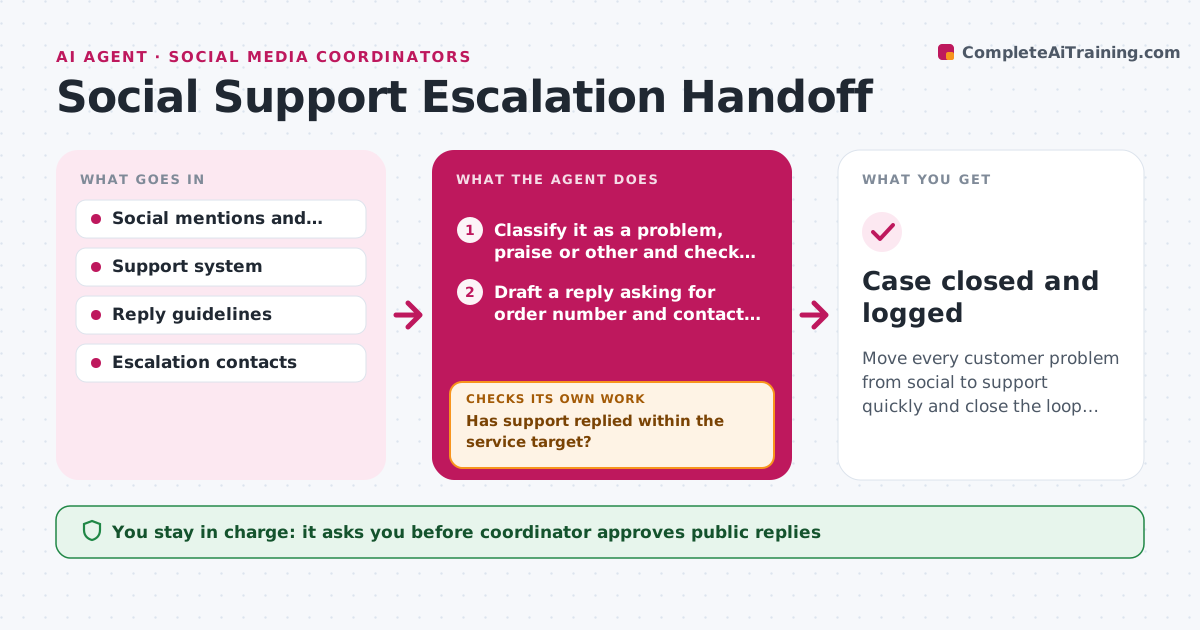
What it does
Customers complain on social media, and the coordinator copies the details into an email to support, then forgets to check back. The agent spots customer problems in comments, mentions and direct messages, and separates them from praise and general chat. For each problem it asks the customer, with an approved reply, for the details support needs, such as order number and contact method, without asking for payment information. It creates a support ticket with the history and links, then watches the ticket for a response. If no answer arrives in time, it escalates to a supervisor. When the case closes, it drafts a short public follow-up so others see the outcome. Edge case: a message with a legal threat or safety claim, which goes straight to the manager. The coordinator approves public replies.
How it works
Follow the arrows from top to bottom. The orange dashed arrow is the loop: when a check fails, the agent goes back and tries again.
Read the steps as a list
- New mention or message arrives
- Classify it as a problem, praise or other and check for safety, legal or press content
- Draft a reply asking for order number and contact method
- Coordinator approves the public replyThe agent waits here for your OK.
- Create a support ticket with the history and links
- Check the ticket status every 4 hours
- Has support replied within the service target?If not: escalate to the support supervisor and tell the coordinator. Back to step 6.
- Draft a public follow-up when the case closes
- Does the customer confirm the problem is resolved?If not: reopen the ticket and escalate. Back to step 5.
- Coordinator approves the public follow-upThe agent waits here for your OK.
- Case closed and logged
How it decides
A message is a problem when it reports a fault, delay or loss. Safety or legal items skip the normal path. Tickets are overdue after the service target passes.
- Send safety and legal items to the manager immediately
- Never ask for card numbers or passwords in public
- Escalate when no support reply arrives within 4 hours
- Follow up publicly only with the customer's consent
Make it yours
Every agent is a starting point. You choose these settings for your own situation.
- Service target (default 4 hours)
- Escalation contacts
- Platforms monitored
- Reply templates
- Items that bypass the normal path
What keeps you in control
It always asks you first
- Coordinator approves public replies
- Coordinator approves the follow-up post
Hard limits
- Never ask for payment details
- Do not promise refunds or dates
It stops when
- Done: customer confirms resolution and case is logged
- Stop: customer asks to stop contact, close the case
Set it up
We guide you through the set-up, step by step
Members get the full set-up guide for this agent. No technical skills needed: you copy, paste and upload.
- One set of instructions to paste into your AI, with the clicks for ChatGPT, Claude, Microsoft 365 Copilot, Gemini and Grok
- The agent then walks you through connecting your own data, one source at a time
- A downloadable copy with the flow chart, the rules and the full guide