AI agent for farmers
Soil Test Fertilizer Plan Agent
Turn soil results into a rate plan that stays within limits and within budget.
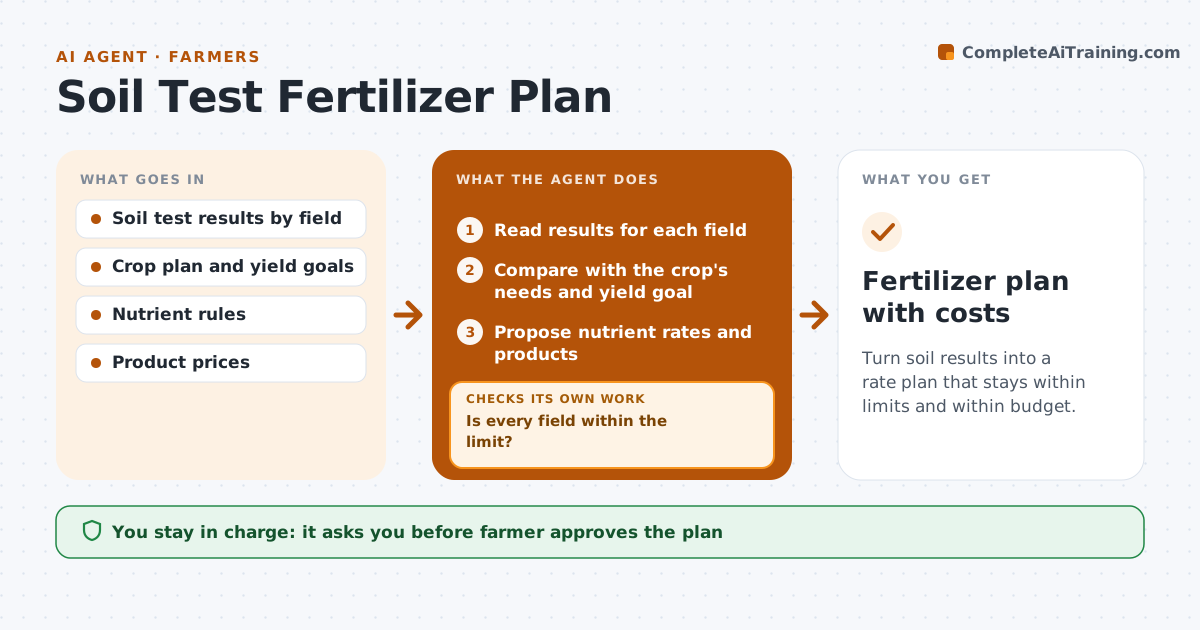
What it does
A soil test report is dense, and by the time it is read the planting window is near. This agent reads the results for each field, compares them with what the planned crop needs, and works out the nutrients to add. It proposes fertilizer rates and the product mix, then checks them against local nutrient limits and any rules near water. If a limit would be exceeded, it lowers the rate or changes the product and checks again. It estimates the cost per field and for the whole plan. The farmer approves the plan. Edge case: a field with high phosphorus gets no phosphorus and a nitrogen-only product, with the saved cost shown.
How it works
Follow the arrows from top to bottom. The orange dashed arrow is the loop: when a check fails, the agent goes back and tries again.
Read the steps as a list
- Soil results arrive
- Read results for each field
- Compare with the crop's needs and yield goal
- Propose nutrient rates and products
- Check the rates against nutrient limits
- Is every field within the limit?If not: Lower the rate or change the product and check again. Back to step 4.
- Price the plan per field
- Is the plan within the budget?If not: Prioritize fields by response and trim lower value rates. Back to step 3.
- Farmer approves the planThe agent waits here for your OK.
- Fertilizer plan with costs
How it decides
It sets rates to meet crop need minus soil supply and reduces them until every field is within the legal limit.
- Apply only the gap between crop need and soil supply
- Stay under the local annual nutrient limit
- Skip phosphorus where soil level is above the high band
- Prioritize fields with the largest yield response
Make it yours
Every agent is a starting point. You choose these settings for your own situation.
- Nutrient limits for the area
- Yield goal per crop
- Budget
- Product list
What keeps you in control
It always asks you first
- Farmer approves the plan
Hard limits
- Never exceed legal nutrient limits
- Never propose rates without a soil result
It stops when
- Done: an approved plan within limits and budget
- Stop: soil data is missing for a field
Set it up
We guide you through the set-up, step by step
Members get the full set-up guide for this agent. No technical skills needed: you copy, paste and upload.
- One set of instructions to paste into your AI, with the clicks for ChatGPT, Claude, Microsoft 365 Copilot, Gemini and Grok
- The agent then walks you through connecting your own data, one source at a time
- A downloadable copy with the flow chart, the rules and the full guide