AI agent for sales engineers
Solution Design Document Agent
Produce a solution design that fits the customer's needs and stays within product limits
What it does
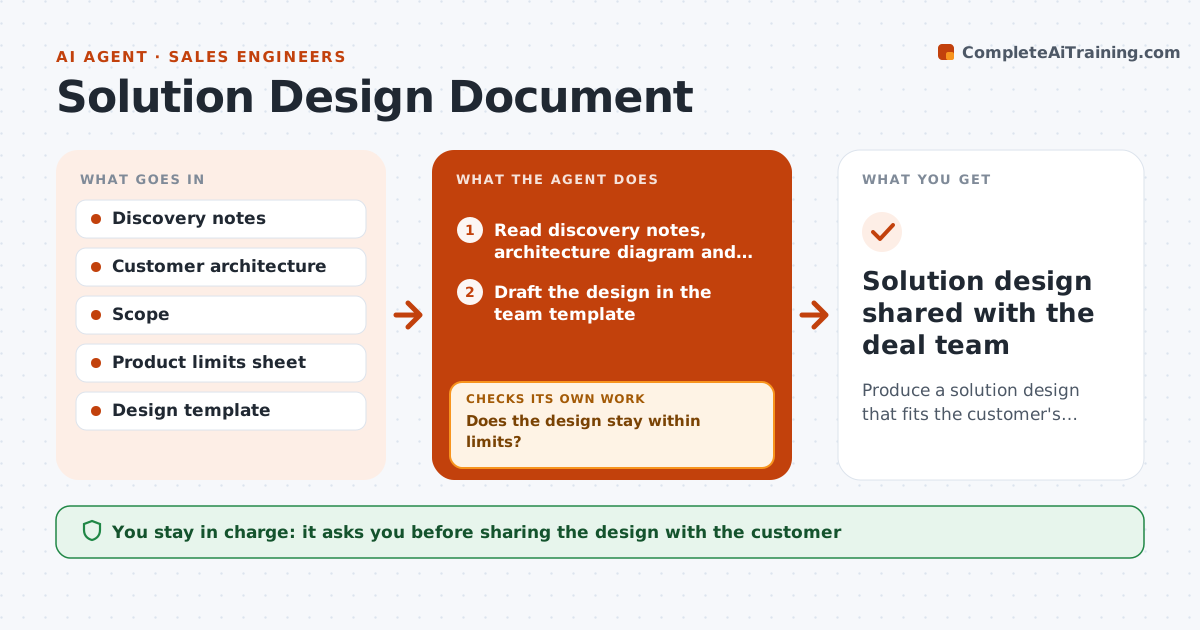
For larger deals, sales engineers write a solution design showing how the product fits the customer's systems, and mistakes surface late as failed implementations. This agent reads discovery notes, the customer's architecture diagram and the agreed scope, then drafts the design in the team template. It compares each component with published product limits and supported integrations, and checks region availability for every data store. Volumes above 80% of a limit are flagged as risk. It also checks every scoped item has a matching section. Where the design breaks a limit, it revises the section or labels it as services work, then checks again. Custom integrations are labeled services work with an effort range, not product features. The sales engineer reviews and owns the final design. Edge case: a custom integration is labeled services work with an estimate range.
How it works
Follow the arrows from top to bottom. The orange dashed arrow is the loop: when a check fails, the agent goes back and tries again.
Read the steps as a list
- Deal enters technical validation
- Read discovery notes, architecture diagram and scope
- Draft the design in the team template
- Compare the design with product limits, integrations and regions
- Does the design stay within limits?If not: revise the breaching sections or label them as services work. Back to step 3.
- Does every scoped item have a matching section?If not: add the missing sections and recheck. Back to step 3.
- Flag volumes above 80% of a limit as risks
- Sales engineer reviews and signs off the designThe agent waits here for your OK.
- Solution design shared with the deal team
How it decides
Each component is checked against the published limits and integration list. Anything outside them is either redesigned or labeled as services work.
- Custom integrations are labeled services work
- Volumes above 80% of a limit are flagged as risk
- Region availability is checked for every data store
Make it yours
Every agent is a starting point. You choose these settings for your own situation.
- Design template
- Risk threshold for limits (default 80%)
- Which sections are required
- Diagram format
What keeps you in control
It always asks you first
- Sharing the design with the customer
- Any services estimate
Hard limits
- Never commits to product changes
- Never shares internal limits sheets externally
It stops when
- Done: design passes checks and is approved
- Stop: scope is not agreed
Set it up
We guide you through the set-up, step by step
Members get the full set-up guide for this agent. No technical skills needed: you copy, paste and upload.
- One set of instructions to paste into your AI, with the clicks for ChatGPT, Claude, Microsoft 365 Copilot, Gemini and Grok
- The agent then walks you through connecting your own data, one source at a time
- A downloadable copy with the flow chart, the rules and the full guide