AI agent for insurance actuaries
Solvency and Asset-Liability Check Agent
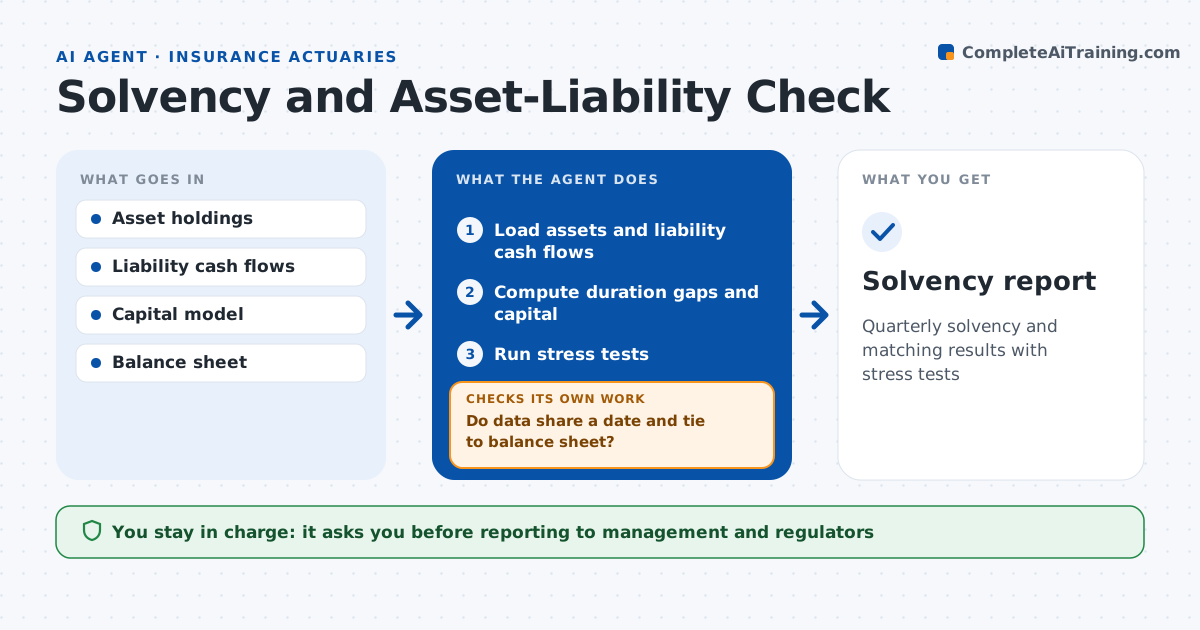
Quarterly solvency and matching results with stress tests
What it does
Regulators and boards expect solvency and asset-liability figures each quarter, and data from mismatched dates can hide a real problem. This agent runs those checks. It loads asset holdings and liability cash flows and first checks that both use the same date and tie to the balance sheet. If not, it reloads and finds the cause. It calculates duration and cash flow gaps by bucket and runs the required capital calculation. It compares results to internal targets and limits and runs set stress tests such as rate shocks. When a measure is within 10 points of target or over a limit, it shows the drivers. A stress case below minimum is escalated. The actuary reviews and decides what to report. Edge case: a block of reinsured business is double counted, which the tie-out catches.
How it works
Follow the arrows from top to bottom. The orange dashed arrow is the loop: when a check fails, the agent goes back and tries again.
Read the steps as a list
- Quarter end
- Load assets and liability cash flows
- Do data share a date and tie to balance sheet?If not: reload correct data. Back to step 2.
- Compute duration gaps and capital
- Run stress tests
- Compare to targets and limits
- Actuary reviews and reportsThe agent waits here for your OK.
- Solvency report
How it decides
It compares capital ratios and duration gaps to limits under base and stress cases.
- Capital ratio within 10 points of target: warn
- Duration gap over limit: list drivers
- Stress case below minimum: escalate
Make it yours
Every agent is a starting point. You choose these settings for your own situation.
- Stress tests
- Targets and limits
- Buckets
- Report format
What keeps you in control
It always asks you first
- Reporting to management and regulators
Hard limits
- Never trades assets
- Never files reports
It stops when
- Done: report ready
- Stop: data does not tie
Set it up
We guide you through the set-up, step by step
Members get the full set-up guide for this agent. No technical skills needed: you copy, paste and upload.
- One set of instructions to paste into your AI, with the clicks for ChatGPT, Claude, Microsoft 365 Copilot, Gemini and Grok
- The agent then walks you through connecting your own data, one source at a time
- A downloadable copy with the flow chart, the rules and the full guide