AI agent for translators
Source File Quality Check Agent
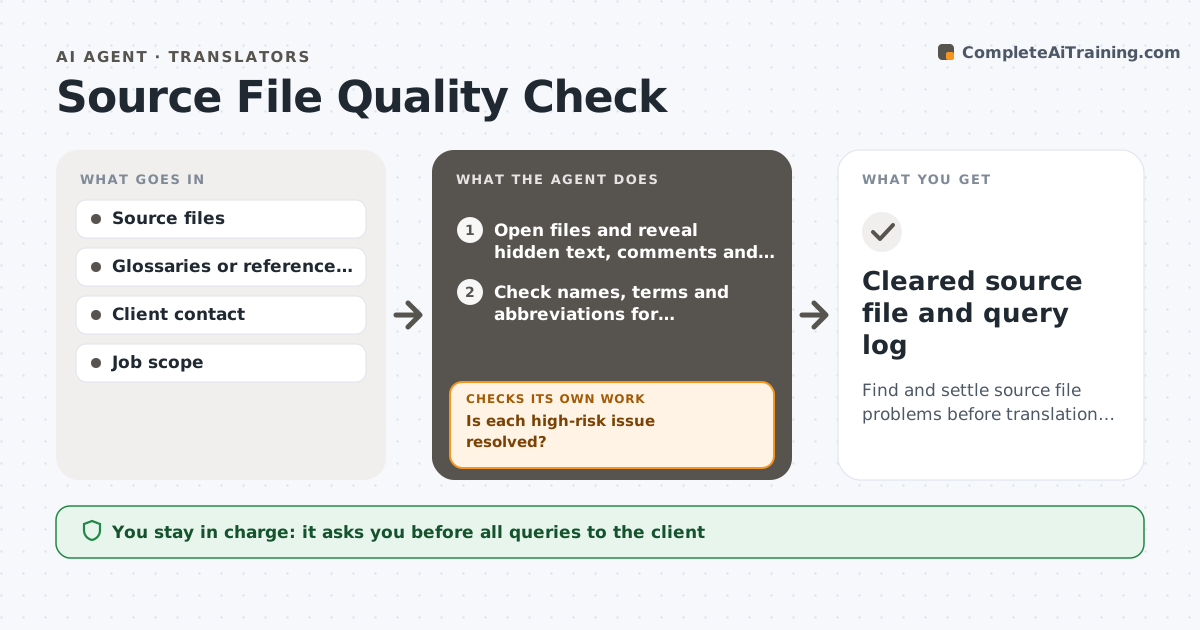
Find and settle source file problems before translation begins.
What it does
A source file can hide trouble: hidden or tracked text, inconsistent terms, numbers that do not add up, broken cross-references and unclear sentences. Finding them in the middle of the translation costs time and risks errors. This agent scans each source file before work starts. It looks for hidden text, comments and tracked changes, mixed languages, inconsistent spelling of names and terms, numbers and dates that conflict, totals that do not add up and abbreviations that are never explained. It lists each as a query for the client with the location and a suggested question. After the client replies, it rechecks the file or the reply and updates the list. It never changes the source or contacts the client. The translator approves queries. Edge case: tracked changes are reported and the clean version is requested.
How it works
Follow the arrows from top to bottom. The orange dashed arrow is the loop: when a check fails, the agent goes back and tries again.
Read the steps as a list
- Source files received
- Open files and reveal hidden text, comments and tracked changes
- Check names, terms and abbreviations for consistency
- Check numbers, dates and totals for conflicts
- Rate each issue by risk to meaning
- Draft client queries with location and suggested question
- Translator approves the queriesThe agent waits here for your OK.
- Read the client's replies or the revised file
- Is each high-risk issue resolved?If not: send a reminder and note the assumption the translator will make. Back to step 7.
- Does the revised file show new problems?If not: rescan the file and update the query list. Back to step 2.
- Cleared source file and query log
How it decides
It flags an item when it finds hidden or conflicting content or a term that is inconsistent or unclear, and rates the risk by how much it could change the translated meaning.
- Rate an issue high risk when it could change a number or a legal meaning
- Ask for a clean file when tracked changes exist
- Flag any total that is off by more than rounding
- Record an assumption when the client does not reply
Make it yours
Every agent is a starting point. You choose these settings for your own situation.
- Checks to run
- Risk rules
- Query tone and format
- File types
- Reminder timing (default 2 days)
What keeps you in control
It always asks you first
- All queries to the client
- Any assumption made without a reply
Hard limits
- Never change the source file
- Never assume an answer for a high-risk issue without recording it
It stops when
- Done: issues resolved or assumptions recorded
- Stop: client cancels the job
Set it up
We guide you through the set-up, step by step
Members get the full set-up guide for this agent. No technical skills needed: you copy, paste and upload.
- One set of instructions to paste into your AI, with the clicks for ChatGPT, Claude, Microsoft 365 Copilot, Gemini and Grok
- The agent then walks you through connecting your own data, one source at a time
- A downloadable copy with the flow chart, the rules and the full guide