AI agent for facilities managers
Space Move Request Agent
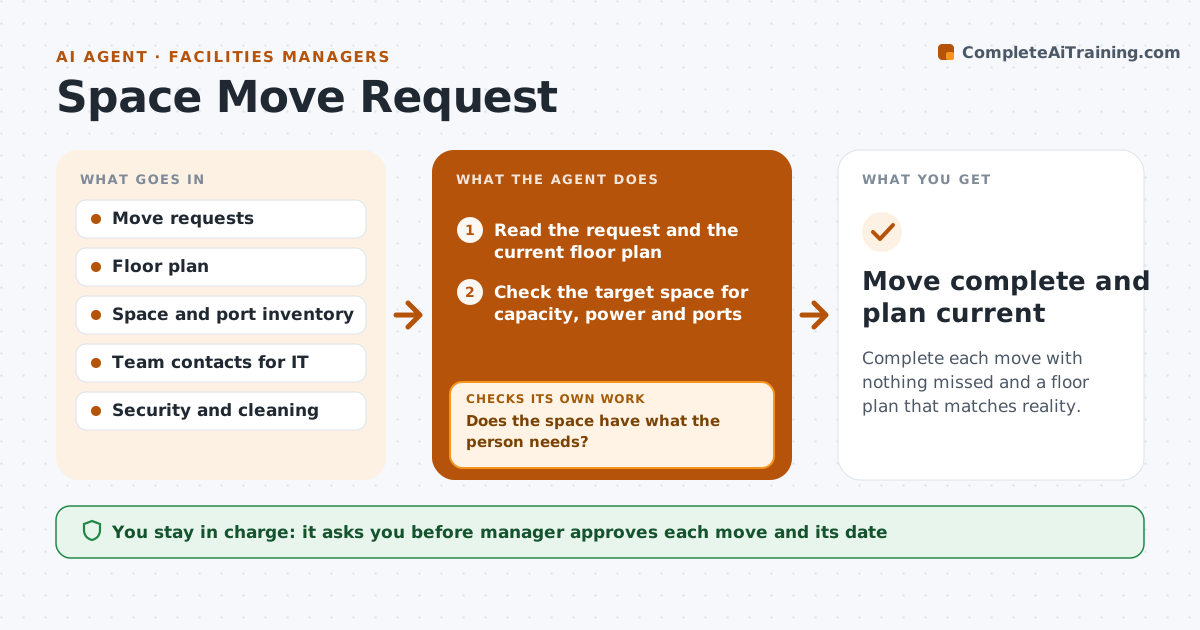
Complete each move with nothing missed and a floor plan that matches reality.
What it does
A move request by email looks simple, but the desk is only one part of it. Phones, network ports, access cards, furniture and cleaning all follow. This agent collects each request, checks that the target space is free and has power and network capacity, and builds a task list for IT, security and cleaning with dates. It tracks each task to completion and nudges whoever is late. When all tasks are done it checks the new space is ready on move day and updates the floor plan. The manager approves every move before the task list is sent. Edge case: if a desk has no free network port, the agent offers an alternate desk and rechecks capacity.
How it works
Follow the arrows from top to bottom. The orange dashed arrow is the loop: when a check fails, the agent goes back and tries again.
Read the steps as a list
- Move request arrives
- Read the request and the current floor plan
- Check the target space for capacity, power and ports
- Does the space have what the person needs?If not: Propose another space and check again. Back to step 3.
- Manager approves the move and dateThe agent waits here for your OK.
- Build tasks for IT, security, cleaning and furniture
- Send the tasks with deadlines
- Track task status and remind owners
- Are all tasks done before the move date?If not: Chase late owners and flag the risk to the manager. Back to step 8.
- Update the floor plan and desk list
- Move complete and plan current
How it decides
It approves a destination only if space, power and network all fit; otherwise it proposes an alternative and tests again.
- Check that the target desk has power and a live network port
- Send tasks at least 5 working days before the move
- Chase an owner after 1 missed day
- Group moves in the same area to share cleaning and furniture work
Make it yours
Every agent is a starting point. You choose these settings for your own situation.
- Lead time for tasks (default 5 working days)
- Which teams get tasks
- Capacity checks to run
- Chase timing
What keeps you in control
It always asks you first
- Manager approves each move and its date
Hard limits
- Never change access or IT settings itself
- Never send tasks before the manager approves
It stops when
- Done: all tasks closed and the floor plan updated
- Stop: the manager cancels the move
Set it up
We guide you through the set-up, step by step
Members get the full set-up guide for this agent. No technical skills needed: you copy, paste and upload.
- One set of instructions to paste into your AI, with the clicks for ChatGPT, Claude, Microsoft 365 Copilot, Gemini and Grok
- The agent then walks you through connecting your own data, one source at a time
- A downloadable copy with the flow chart, the rules and the full guide