AI agent for event marketers
Speaker Content Collection Agent
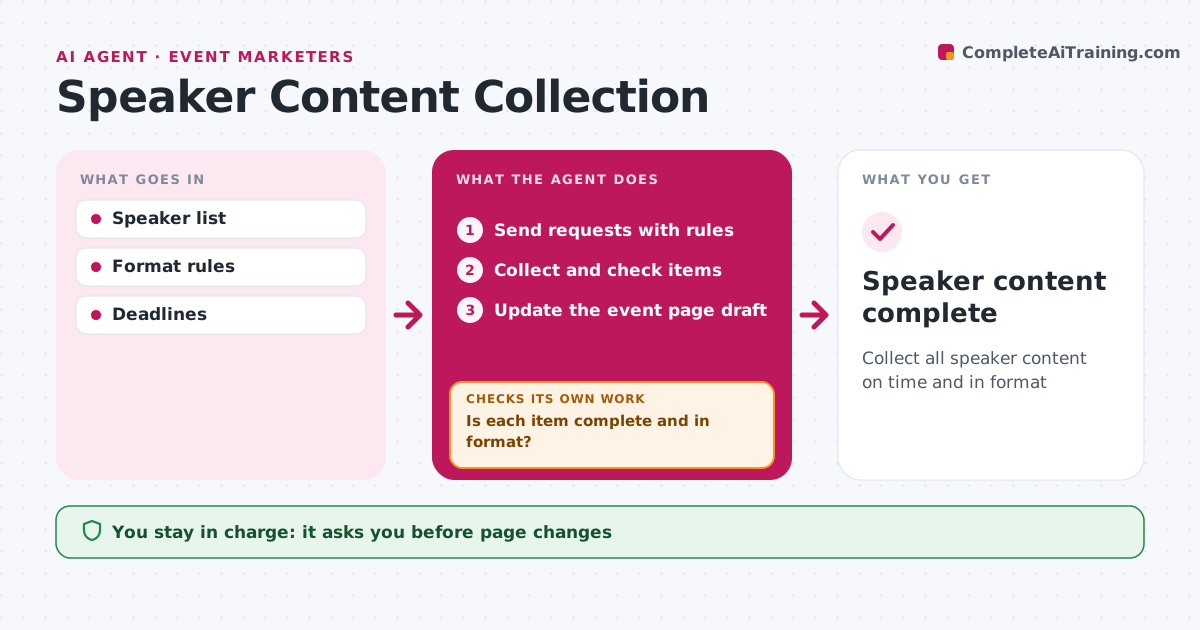
Collect all speaker content on time and in format
What it does
Events need speaker bios, photos, session titles and slides by set dates, and chasing them by hand eats the weeks before an event. Once speakers are confirmed, this agent sends each one a request with format rules and deadlines. It tracks what arrives and checks every item: bios under 100 words, photos at least 800 pixels, slides on the template and meeting accessibility rules. It sends reminders for missing items and specific fix requests for wrong formats, then checks again when new versions arrive. As items pass, it updates the event page draft and session agenda. The event marketer approves page changes before they go live and handles speakers who are very late. Edge case: slides that contain images without a license are flagged so the speaker can replace them before the event.
How it works
Follow the arrows from top to bottom. The orange dashed arrow is the loop: when a check fails, the agent goes back and tries again.
Read the steps as a list
- Speakers confirmed
- Send requests with rules
- Collect and check items
- Is each item complete and in format?If not: send reminders or fix requests. Back to step 2.
- Update the event page draft
- Event marketer approves page changesThe agent waits here for your OK.
- Speaker content complete
How it decides
Each item must meet the format rules. Missing items get reminders.
- Bios under 100 words
- Photos at least 800 pixels
- Unlicensed images flagged
Make it yours
Every agent is a starting point. You choose these settings for your own situation.
- Format rules
- Deadlines
- Reminder timing
What keeps you in control
It always asks you first
- Page changes
Hard limits
- Never publishes without approval
- Never edits slides itself
It stops when
- Done: all items collected
- Stop: speaker withdraws
Set it up
We guide you through the set-up, step by step
Members get the full set-up guide for this agent. No technical skills needed: you copy, paste and upload.
- One set of instructions to paste into your AI, with the clicks for ChatGPT, Claude, Microsoft 365 Copilot, Gemini and Grok
- The agent then walks you through connecting your own data, one source at a time
- A downloadable copy with the flow chart, the rules and the full guide