AI agent for marketing automation specialists
Fan Email and Show Announcement Agent
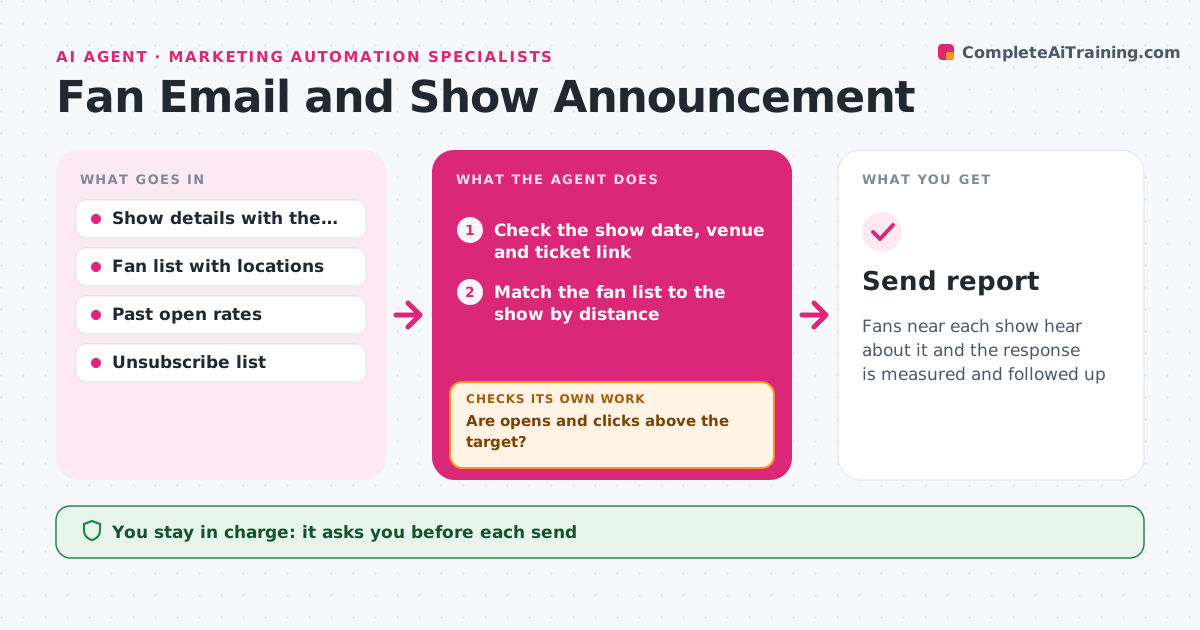
Fans near each show hear about it and the response is measured and followed up
What it does
Fans in a city are not told about shows, or they are sent shows far from them. This agent matches each confirmed show with the fan list by location and drafts a message for each city segment. It schedules the send and then checks open rates and ticket link clicks after 48 hours. If results are low, it prepares a follow-up to the same segment with a different subject line or reminder. It also checks that the fan list is clean, removes unsubscribed addresses and checks the show details such as date, venue and ticket link before it drafts. The artist approves each send. Edge case: a fan within range of two shows is sent one message listing both, not two emails.
How it works
Follow the arrows from top to bottom. The orange dashed arrow is the loop: when a check fails, the agent goes back and tries again.
Read the steps as a list
- Show confirmed
- Check the show date, venue and ticket link
- Match the fan list to the show by distance
- Remove unsubscribed and invalid addresses
- Draft the message for each segment
- Artist approves the sendThe agent waits here for your OK.
- Schedule and send the message
- Check opens and ticket link clicks after 48 hours
- Are opens and clicks above the target?If not: prepare a follow-up for that segment with a new subject line. Back to step 5.
- Artist approves the follow-upThe agent waits here for your OK.
- Send report
How it decides
A fan is in a segment when within the radius of the show. A follow-up is sent when opens or clicks fall below the target after 48 hours.
- Include fans within 100 miles of the show
- Send one message to fans near two shows
- Follow up if opens are under 25% or clicks under 3%
- Never email unsubscribed fans
Make it yours
Every agent is a starting point. You choose these settings for your own situation.
- Radius from the show (default 100 miles)
- Open and click targets
- Follow-up timing (default 48 hours)
- Tone and sign-off
What keeps you in control
It always asks you first
- Each send
- Each follow-up
Hard limits
- Never sends without approval
- Never sells or shares the fan list
It stops when
- Done: messages sent and results reviewed
- Stop: the ticket link or the show details are not confirmed
Set it up
We guide you through the set-up, step by step
Members get the full set-up guide for this agent. No technical skills needed: you copy, paste and upload.
- One set of instructions to paste into your AI, with the clicks for ChatGPT, Claude, Microsoft 365 Copilot, Gemini and Grok
- The agent then walks you through connecting your own data, one source at a time
- A downloadable copy with the flow chart, the rules and the full guide