AI agent for affiliate marketing managers
Seasonal Promotion Asset Pack Agent
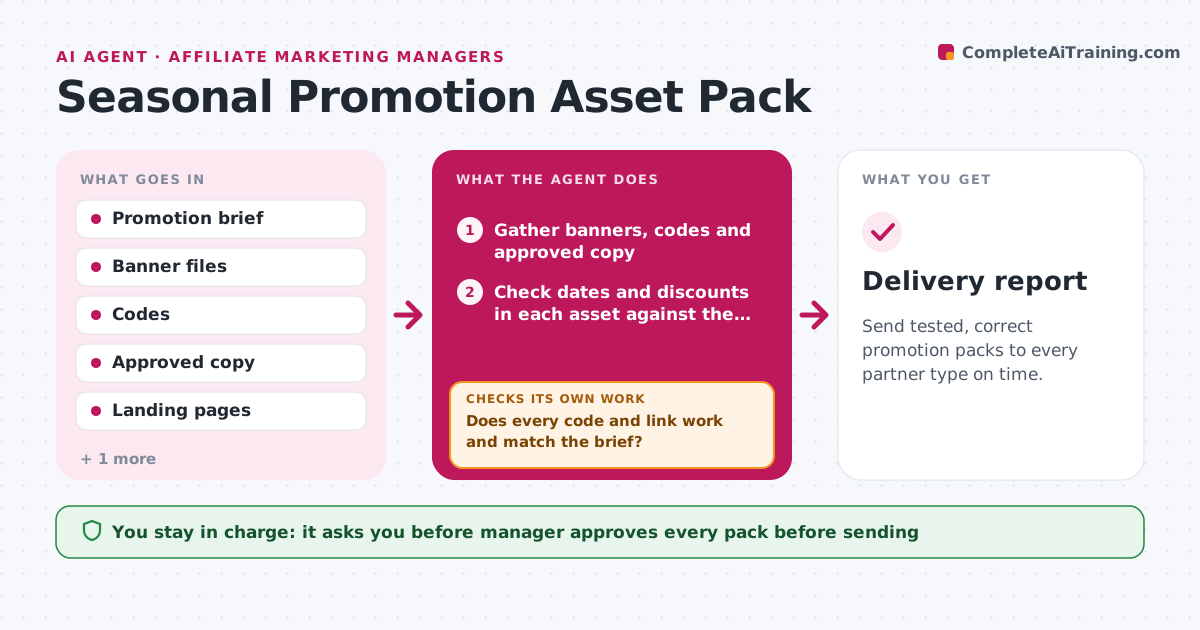
Send tested, correct promotion packs to every partner type on time.
What it does
A seasonal promotion needs banners, codes, copy and landing pages for several kinds of partners, and assembling them by hand means they go out late. From the promotion brief, this agent gathers the approved banners, codes and copy, tests that every code and landing page works and builds an asset pack for each partner type, such as coupon sites, content creators and email partners. If a code or link fails, it fixes or flags it and retests. It also checks that dates and discount values match the brief in every asset. The manager approves the pack before anything goes out, then the agent sends it and confirms delivery. Edge case: partners with exclusivity get their own codes.
How it works
Follow the arrows from top to bottom. The orange dashed arrow is the loop: when a check fails, the agent goes back and tries again.
Read the steps as a list
- Promotion brief approved
- Gather banners, codes and approved copy
- Check dates and discounts in each asset against the brief
- Test each code and landing page in the store
- Does every code and link work and match the brief?If not: fix or flag the asset, then retest. Back to step 4.
- Build an asset pack for each partner type
- Assign exclusive codes where partners are exclusive
- Manager approves the packsThe agent waits here for your OK.
- Send packs and track delivery
- Has every partner received and opened the pack?If not: resend through another channel. Back to step 9.
- Delivery report
How it decides
It includes an asset only if its dates, discount and link match the brief and a live test passes.
- Include only assets with a passing live test
- Use a unique code for each exclusive partner
- Reject banners with the wrong dates or discount
- Send reminders 2 days after delivery to partners who did not open
Make it yours
Every agent is a starting point. You choose these settings for your own situation.
- Partner types and pack contents
- Reminder timing
- Test coverage for links
- Delivery channels
What keeps you in control
It always asks you first
- Manager approves every pack before sending
Hard limits
- Never sends packs without approval
- Does not create discounts in the store
It stops when
- Done: all packs delivered and confirmed
- Stop: the promotion terms change after approval
Set it up
We guide you through the set-up, step by step
Members get the full set-up guide for this agent. No technical skills needed: you copy, paste and upload.
- One set of instructions to paste into your AI, with the clicks for ChatGPT, Claude, Microsoft 365 Copilot, Gemini and Grok
- The agent then walks you through connecting your own data, one source at a time
- A downloadable copy with the flow chart, the rules and the full guide