AI agent for environmental engineers
Spill Reporting Threshold Agent
Every required notification is identified, drafted and sent on time, with facts consistent across reports.
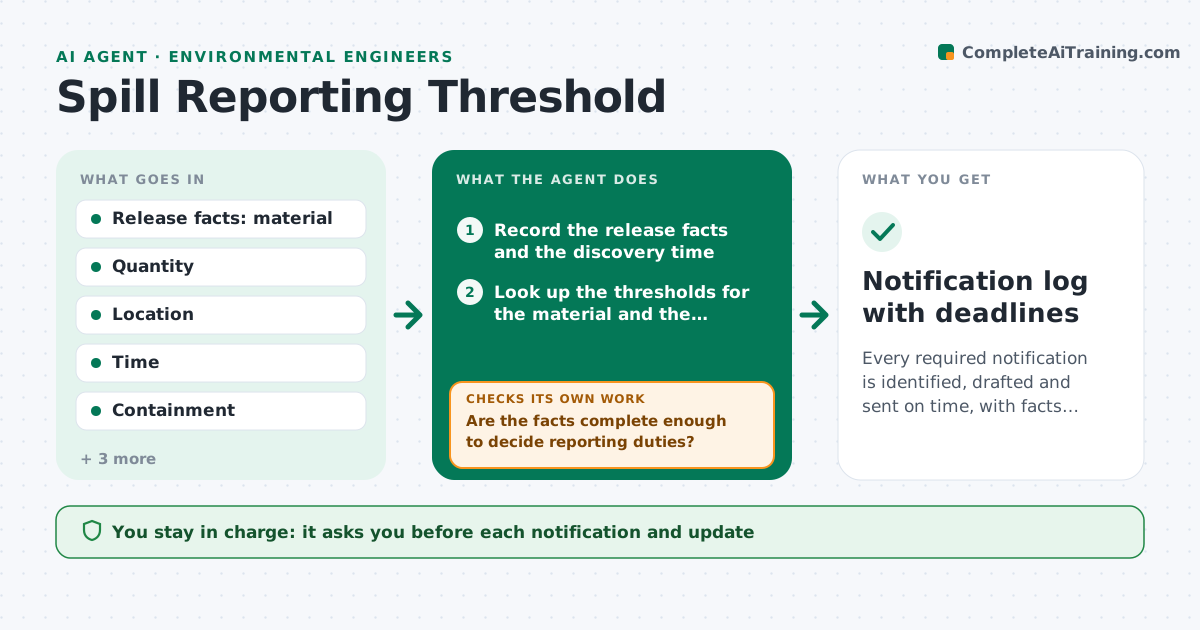
What it does
After a release, you have minutes to work out the chemical, the quantity, whether it reached water and which agencies must be told by when. This agent takes the release facts and compares quantities and locations to the reporting thresholds that apply, such as reportable quantities, waterway rules and facility permit conditions. It tracks each deadline and drafts the reports required with the facts known so far. It asks for missing facts and rechecks the thresholds as numbers change. You approve every notification before it is sent. Edge case: a quantity reported as a range is checked at the upper end for the threshold and marked as an estimate.
How it works
Follow the arrows from top to bottom. The orange dashed arrow is the loop: when a check fails, the agent goes back and tries again.
Read the steps as a list
- Release reported
- Record the release facts and the discovery time
- Look up the thresholds for the material and the location
- Compare the quantity, at the upper estimate, to each threshold
- Are the facts complete enough to decide reporting duties?If not: list the missing facts, ask the responder, and update the record. Back to step 2.
- Set deadlines for each required notification
- Draft the notifications with consistent facts
- Engineer approves each notificationThe agent waits here for your OK.
- Track as new quantities or containment facts come in
- Do the updated facts change any threshold or deadline?If not: revise the drafts and deadlines, and flag any new notification. Back to step 3.
- Notification log with deadlines
How it decides
It compares the quantity at the upper estimate to each threshold, adds location rules such as waterways, and sets deadlines from the discovery time.
- Quantity at or above the reportable quantity: notification required
- Reached a waterway or storm drain: apply the location rule regardless of quantity
- Quantity given as a range: use the upper end
- Facts change after sending: draft an update notice
Make it yours
Every agent is a starting point. You choose these settings for your own situation.
- Threshold tables used
- Agencies and contacts
- Notification wording
- Internal call list
- Deadline reminder timing
What keeps you in control
It always asks you first
- Each notification and update
Hard limits
- Never send a notification
- Never state a quantity as confirmed when it is an estimate
It stops when
- Done: all required notifications sent and logged
- Stop: release confirmed below all thresholds, record logged
Set it up
We guide you through the set-up, step by step
Members get the full set-up guide for this agent. No technical skills needed: you copy, paste and upload.
- One set of instructions to paste into your AI, with the clicks for ChatGPT, Claude, Microsoft 365 Copilot, Gemini and Grok
- The agent then walks you through connecting your own data, one source at a time
- A downloadable copy with the flow chart, the rules and the full guide