AI agent for scrum masters
Sprint Metrics Report Agent
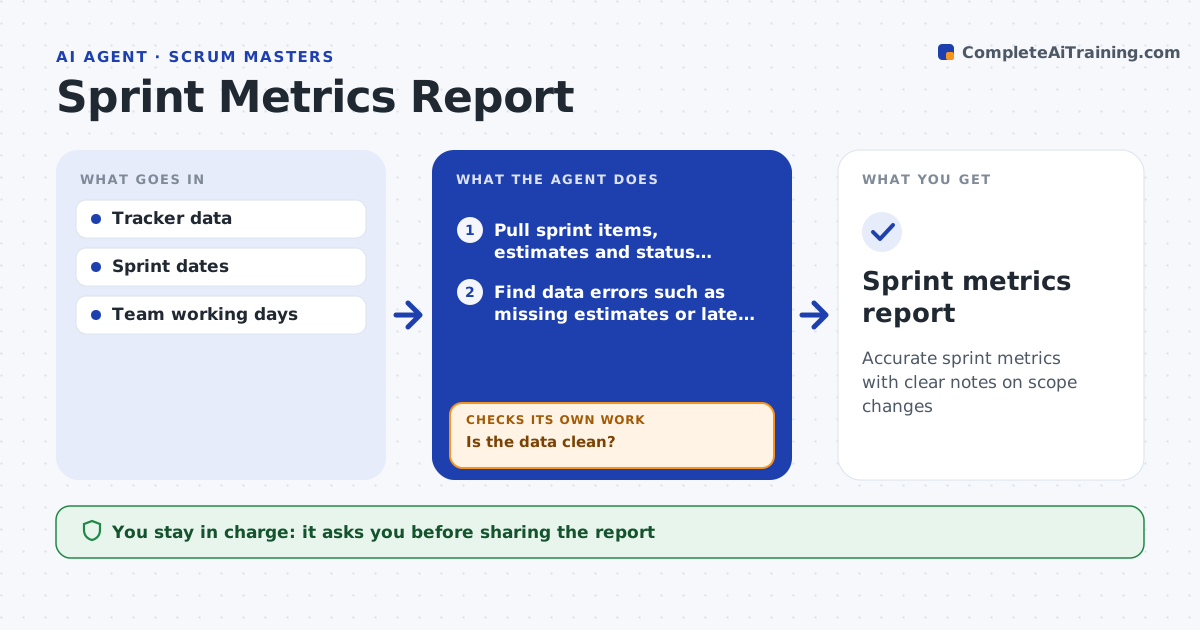
Accurate sprint metrics with clear notes on scope changes
What it does
At the end of each sprint the Scrum Master shares velocity, completed versus committed work, cycle time and carry-over, but bad tracker data makes the numbers wrong. This agent pulls sprint items, estimates and status history, then looks for common errors such as stories without estimates or items closed after the sprint ended. If the data is not clean, it lists the errors for owners to fix and pulls again. Only then does it compute the metrics. Scope added after day 2 is shown separately. If sprint length changed, velocity is normalized per working day before comparing. It builds charts and writes a short plain summary for the team and a separate one for managers. Metrics describe the team and are never ranked by person. The Scrum Master approves both summaries before sharing. Edge case: a story split mid-sprint is counted once, not twice.
How it works
Follow the arrows from top to bottom. The orange dashed arrow is the loop: when a check fails, the agent goes back and tries again.
Read the steps as a list
- Sprint ends
- Pull sprint items, estimates and status history
- Find data errors such as missing estimates or late closures
- Is the data clean?If not: list errors for owners to correct and pull again. Back to step 2.
- Compute velocity, cycle time, carry-over and scope change
- Draft team and manager summaries
- Scrum Master approves before sharingThe agent waits here for your OK.
- Sprint metrics report
How it decides
It flags data errors before computing metrics and only compares velocity between sprints of equal length unless normalized.
- Scope added after day 2 is shown separately
- Velocity is normalized when sprint length differs
- Metrics are about the team, never ranked by person
Make it yours
Every agent is a starting point. You choose these settings for your own situation.
- Metrics shown
- Audiences for summaries
- Scope change cutoff day (default day 2)
- Chart style
What keeps you in control
It always asks you first
- Sharing the report
Hard limits
- Never shows individual performance rankings
- Never edits tracker items itself
It stops when
- Done: approved report shared
- Stop: data still incomplete after one day, report with marked gaps
Set it up
We guide you through the set-up, step by step
Members get the full set-up guide for this agent. No technical skills needed: you copy, paste and upload.
- One set of instructions to paste into your AI, with the clicks for ChatGPT, Claude, Microsoft 365 Copilot, Gemini and Grok
- The agent then walks you through connecting your own data, one source at a time
- A downloadable copy with the flow chart, the rules and the full guide