AI agent for scrum masters
Sprint Planning Capacity Agent
A realistic sprint draft that fits capacity and has no blocked items
What it does
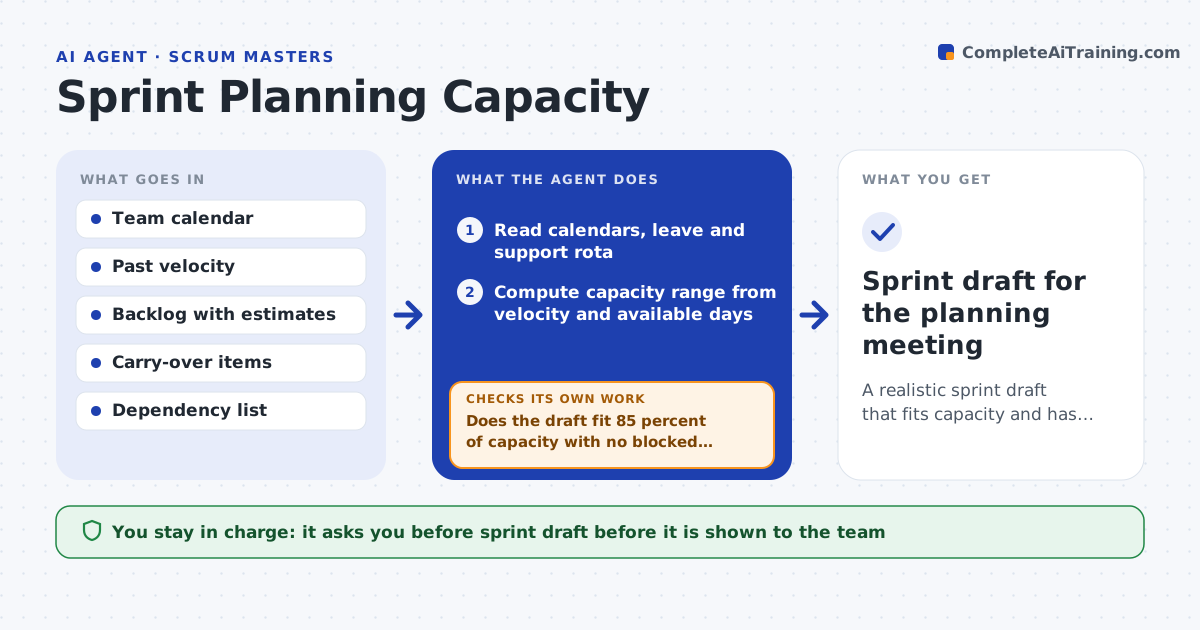
Before sprint planning, the Scrum Master has to work out how much the team can really take on, and guesses usually end in overcommitment. Two days before planning, this agent reads calendars for holidays and leave, the support rota, and the last six sprints' velocity. It computes a capacity range from the median velocity scaled by available person-days. New team members count as half capacity in their first sprint. It pulls carry-over work first, then ready backlog items with acceptance criteria, and drafts a candidate sprint that stops at 85 percent of capacity. It then checks the draft against capacity and against dependencies on other teams. If the draft is too big or contains a blocked item, it swaps items and checks again. The Scrum Master and Product Owner review the draft before the meeting. Edge case: items without acceptance criteria are left out even when they rank high.
How it works
Follow the arrows from top to bottom. The orange dashed arrow is the loop: when a check fails, the agent goes back and tries again.
Read the steps as a list
- Two days before sprint planning
- Read calendars, leave and support rota
- Compute capacity range from velocity and available days
- Pull ready backlog items and carry-over work
- Draft sprint from top priority items
- Does the draft fit 85 percent of capacity with no blocked dependencies?If not: swap out blocked or oversized items and redraft. Back to step 5.
- Scrum Master and Product Owner review the draftThe agent waits here for your OK.
- Sprint draft for the planning meeting
How it decides
It uses the median velocity of the last six sprints scaled by available person-days and stops adding items at 85 percent of that number.
- Carry-over work counts first
- New team members count as half capacity in their first sprint
- Items without acceptance criteria are not included
Make it yours
Every agent is a starting point. You choose these settings for your own situation.
- Load factor (default 85 percent)
- Number of past sprints for velocity (default 6)
- Calendar source
- Whether to include bug budget
What keeps you in control
It always asks you first
- Sprint draft before it is shown to the team
Hard limits
- Never changes backlog priority
- Never commits the sprint in the tracker
It stops when
- Done: draft ready for planning
- Stop: fewer than half the needed items are ready, flag a refinement gap
Set it up
We guide you through the set-up, step by step
Members get the full set-up guide for this agent. No technical skills needed: you copy, paste and upload.
- One set of instructions to paste into your AI, with the clicks for ChatGPT, Claude, Microsoft 365 Copilot, Gemini and Grok
- The agent then walks you through connecting your own data, one source at a time
- A downloadable copy with the flow chart, the rules and the full guide