
AI agent for automotive engineers
Standards Compliance Matrix Agent
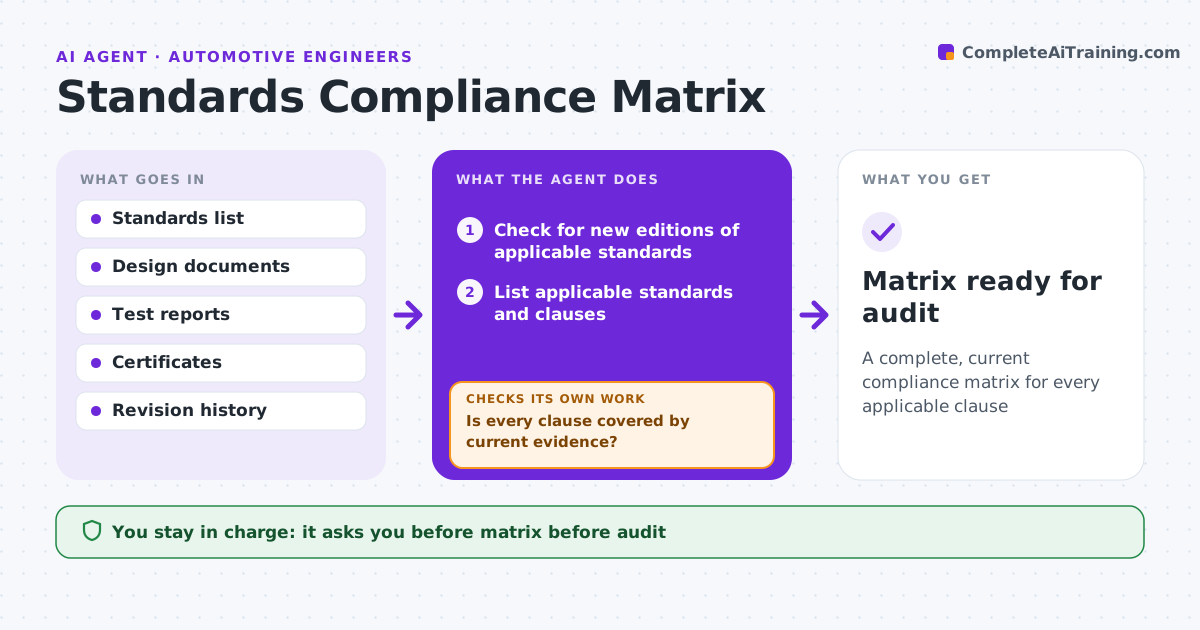
A complete, current compliance matrix for every applicable clause
What it does
Audits go badly when evidence for a standard is missing or belongs to an older design revision. For a product or system, this agent lists the applicable standards and regulations and breaks them into clauses. It maps each clause to evidence: test reports, calculations, drawings or supplier certificates. It reads each evidence document to confirm it actually covers the clause and the current design revision. Clauses with missing or outdated evidence are listed with an owner, and the agent rechecks as evidence is added. It also watches for new editions of the standards. The engineer approves the matrix before any audit. Edge case: a test report for an older revision is flagged unless a change assessment showed the change did not affect it.
How it works
Follow the arrows from top to bottom. The orange dashed arrow is the loop: when a check fails, the agent goes back and tries again.
Read the steps as a list
- Milestone, audit or standard update
- Check for new editions of applicable standards
- List applicable standards and clauses
- Map clauses to evidence documents
- Read evidence for scope and revision
- Is every clause covered by current evidence?If not: list gaps with owners and remap as evidence arrives. Back to step 4.
- Do older-revision reports have a change assessment?If not: flag the report and request an assessment or new test. Back to step 5.
- Engineer approves the matrixThe agent waits here for your OK.
- Matrix ready for audit
How it decides
Evidence counts only if it covers the clause and the current design revision.
- Old revision evidence needs a change assessment
- Missing evidence gets an owner and date
- New standard editions trigger a gap review
Make it yours
Every agent is a starting point. You choose these settings for your own situation.
- Standards in scope
- Evidence types accepted
- Review triggers
- Matrix format
What keeps you in control
It always asks you first
- Matrix before audit
Hard limits
- Never claims compliance
- Never changes evidence documents
It stops when
- Done: all clauses covered
- Stop: standards list not agreed
Set it up
We guide you through the set-up, step by step
Members get the full set-up guide for this agent. No technical skills needed: you copy, paste and upload.
- One set of instructions to paste into your AI, with the clicks for ChatGPT, Claude, Microsoft 365 Copilot, Gemini and Grok
- The agent then walks you through connecting your own data, one source at a time
- A downloadable copy with the flow chart, the rules and the full guide



