AI agent for underwriters
Statement of Values Cleanup Agent
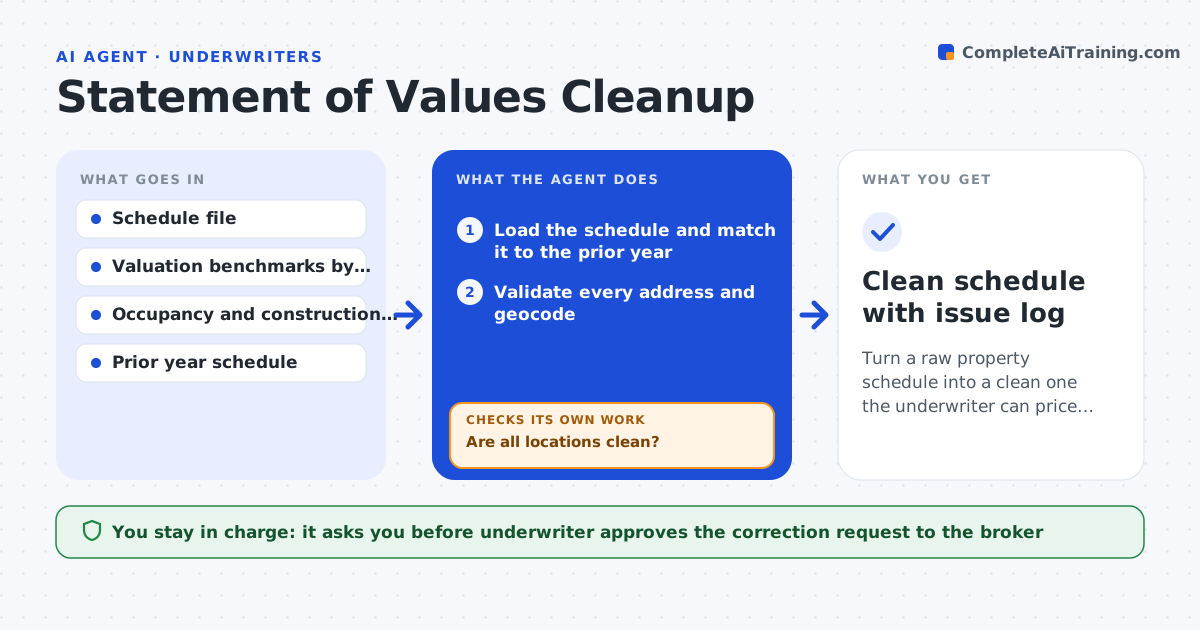
Turn a raw property schedule into a clean one the underwriter can price from.
What it does
A Statement of Values is the property schedule that drives pricing, and brokers often send it with missing addresses, wrong construction codes and values that have not moved in years. The agent checks each location for a valid, geocodable address, a plausible construction and occupancy code, and a value per square foot that fits benchmarks for that type and region. It builds a list of issues by location and sends the broker a clear correction request. When the corrected file returns, it re-runs every check and shows what changed. The underwriter sees only the issues that remain. Edge case: a brick warehouse is coded frame and valued at $40 per square foot, so the agent flags both the code and the value together.
How it works
Follow the arrows from top to bottom. The orange dashed arrow is the loop: when a check fails, the agent goes back and tries again.
Read the steps as a list
- Schedule received from broker
- Load the schedule and match it to the prior year
- Validate every address and geocode
- Check construction, occupancy and year built codes for consistency
- Test value per square foot against benchmarks
- Are all locations clean?If not: Draft a correction request listing each location and issue for the broker. Back to step 3.
- Receive the corrected schedule and re-run every check
- Did the corrections fix the issues without creating new ones?If not: List remaining issues and request a second round. Back to step 3.
- Underwriter approves the cleaned schedule for pricingThe agent waits here for your OK.
- Clean schedule with issue log
How it decides
A location is clean only if the address validates, the codes are valid and consistent with each other, and the value per square foot lies within the benchmark band. Anything else is listed with the reason.
- Value per square foot below 60 percent of the benchmark is flagged as under-insured
- Construction code that contradicts the description is flagged
- An address that cannot be geocoded to a rooftop is flagged
- A location with value change over 25 percent from last year needs an explanation
Make it yours
Every agent is a starting point. You choose these settings for your own situation.
- Value per square foot tolerance (default 60 percent of benchmark)
- Year over year change that needs explanation (default 25 percent)
- Geocode quality accepted
- Number of correction rounds (default 2)
What keeps you in control
It always asks you first
- Underwriter approves the correction request to the broker
- Underwriter approves the cleaned schedule for pricing
Hard limits
- Never changes values or codes itself
- Never sends a request without underwriter approval
It stops when
- Done: schedule clean or remaining issues accepted by the underwriter
- Stop: broker does not respond after two requests, so the underwriter is told
Set it up
We guide you through the set-up, step by step
Members get the full set-up guide for this agent. No technical skills needed: you copy, paste and upload.
- One set of instructions to paste into your AI, with the clicks for ChatGPT, Claude, Microsoft 365 Copilot, Gemini and Grok
- The agent then walks you through connecting your own data, one source at a time
- A downloadable copy with the flow chart, the rules and the full guide