AI agent for retail managers
Store Replenishment Order Agent
Right stock on shelves at the lowest backroom overstock
What it does
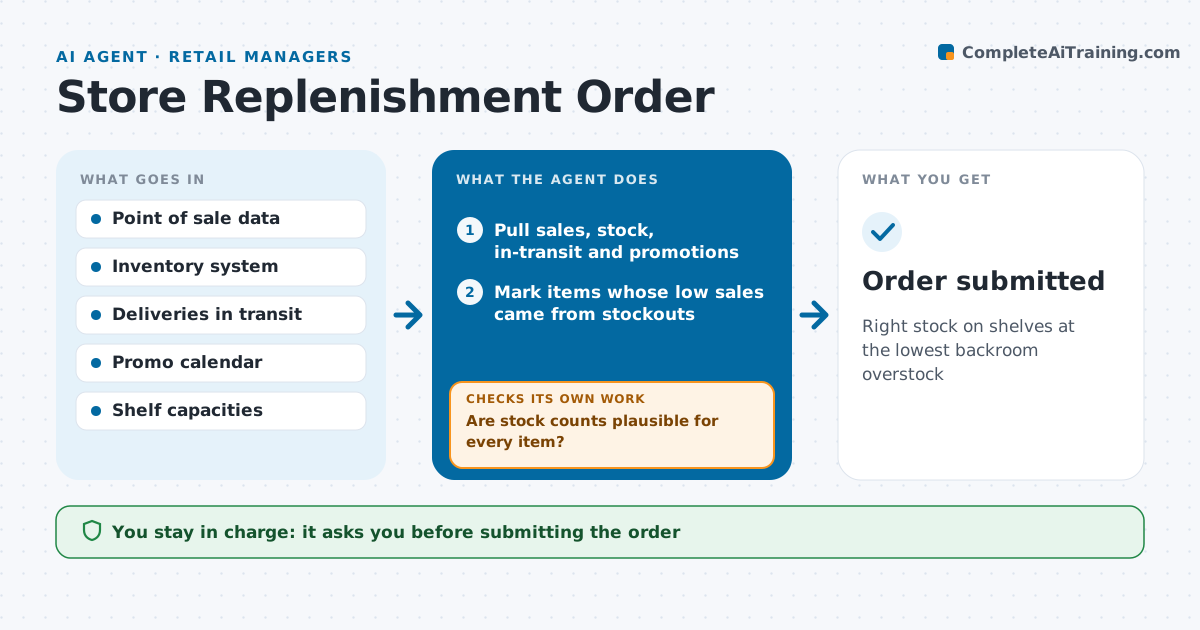
Ordering too much ties up cash and shelf space; ordering too little leaves gaps that lose sales. Before each order cut-off, this agent looks at recent sales by item, on-hand stock, items in transit, upcoming promotions and local events. It forecasts demand until the next delivery and calculates order quantities with a safety buffer. Then it checks the order: no item over its shelf capacity, the total within the order budget, and stock counts plausible. If system stock looks wrong, such as sales with zero on hand, it asks staff for a recount before ordering that item, then recalculates. The manager approves the order before it is submitted. Edge case: an item with no sales because it was out of stock is not treated as zero demand.
How it works
Follow the arrows from top to bottom. The orange dashed arrow is the loop: when a check fails, the agent goes back and tries again.
Read the steps as a list
- Order cut-off approaching
- Pull sales, stock, in-transit and promotions
- Mark items whose low sales came from stockouts
- Forecast demand to next delivery
- Calculate order quantities with safety buffer
- Are stock counts plausible for every item?If not: request a recount for doubtful items and recalculate. Back to step 4.
- Is the order within shelf capacity and budget?If not: trim lowest-priority lines and recheck. Back to step 5.
- Manager approves the orderThe agent waits here for your OK.
- Order submitted
How it decides
It orders to cover forecast demand plus buffer, capped by shelf capacity and budget.
- Out-of-stock days don't count as zero demand
- Cap at shelf plus backroom capacity
- Recount items with impossible stock
Make it yours
Every agent is a starting point. You choose these settings for your own situation.
- Safety buffer
- Order budget
- Forecast weeks
- Items excluded
What keeps you in control
It always asks you first
- Submitting the order
Hard limits
- Never submits orders without approval
- Never changes system stock itself
It stops when
- Done: order submitted
- Stop: system data stale over a day
Set it up
We guide you through the set-up, step by step
Members get the full set-up guide for this agent. No technical skills needed: you copy, paste and upload.
- One set of instructions to paste into your AI, with the clicks for ChatGPT, Claude, Microsoft 365 Copilot, Gemini and Grok
- The agent then walks you through connecting your own data, one source at a time
- A downloadable copy with the flow chart, the rules and the full guide