AI agent for meteorologists
Storm Report Triage Agent
Show the forecaster the most credible reports first, with the data that supports them.
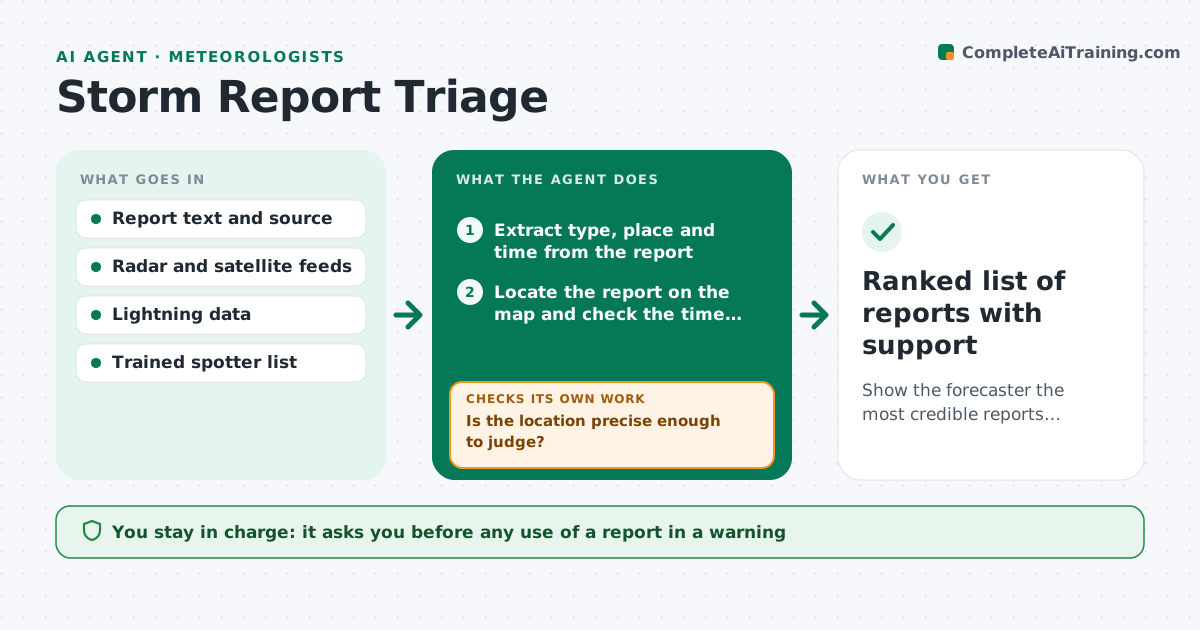
What it does
During severe weather, a forecaster is flooded with spotter calls, social posts and public reports, and cannot check each one against the radar. This agent reads each incoming report and extracts the type, location and time. It checks the report against radar signatures, satellite and lightning data at that place and time, and gives it a credibility score. Reports from known spotters get a higher weight, while vague or old reports are lowered. It lists the credible ones at the top with the supporting data, and updates the ranking as more reports arrive from the same area. It never decides on a warning. The forecaster approves any use in a warning. Edge case: several matching reports from independent sources raise the score even when the radar signal is weak.
How it works
Follow the arrows from top to bottom. The orange dashed arrow is the loop: when a check fails, the agent goes back and tries again.
Read the steps as a list
- Report arrives
- Extract type, place and time from the report
- Locate the report on the map and check the time window
- Check radar, satellite and lightning data at that place and time
- Score credibility using source and data agreement
- Is the location precise enough to judge?If not: ask for a precise location or lower the score. Back to step 2.
- Cluster with nearby reports and update the ranking
- Do independent reports in the cluster agree?If not: lower the cluster score and flag the conflict. Back to step 6.
- Forecaster decides whether to use any report in a warningThe agent waits here for your OK.
- Ranked list of reports with support
How it decides
It scores credibility by location accuracy, agreement with radar signatures, source reliability and the number of independent matching reports. Low scores are kept but listed last.
- Score high when the report sits within 5 km of a matching radar signature
- Raise the score when 3 or more independent reports agree
- Lower the score for reports older than 30 minutes
- Give trained spotters a higher source weight
Make it yours
Every agent is a starting point. You choose these settings for your own situation.
- Credibility weights
- Time window (default 30 minutes)
- Distance to a radar signature (default 5 km)
- Trained spotter list
- Report sources included
What keeps you in control
It always asks you first
- Any use of a report in a warning
Hard limits
- Never issue or edit a warning
- Keep low-credibility reports in the log
It stops when
- Done: event ends and the list is archived
- Stop: feeds fail
Set it up
We guide you through the set-up, step by step
Members get the full set-up guide for this agent. No technical skills needed: you copy, paste and upload.
- One set of instructions to paste into your AI, with the clicks for ChatGPT, Claude, Microsoft 365 Copilot, Gemini and Grok
- The agent then walks you through connecting your own data, one source at a time
- A downloadable copy with the flow chart, the rules and the full guide