AI agent for environmental engineers
Stormwater Model Rerun Agent
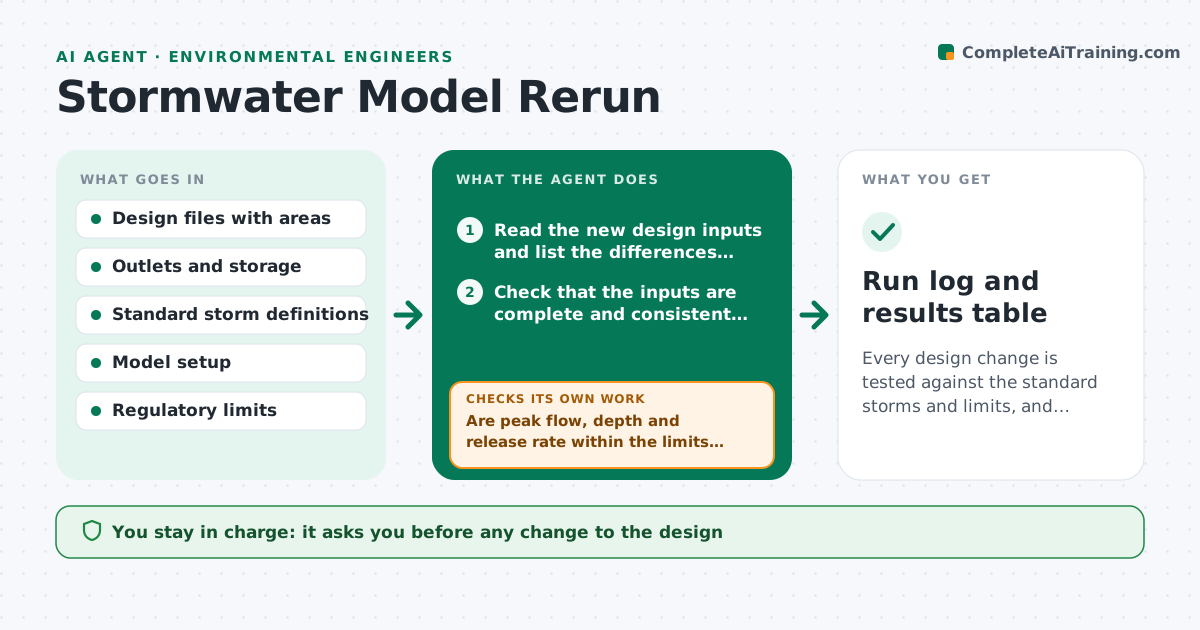
Every design change is tested against the standard storms and limits, and every exceedance has a proposed fix.
What it does
A designer moves a pond outlet or adds 0.4 hectare of pavement, and the model is not rerun because it takes an hour of setup. This agent reruns the stormwater model after each design change. It reads the updated design inputs, such as areas, outlets and storage, runs the standard design storms, and compares results to the prior run and to the limits for peak flow, depth and release rates. It flags exceedances, proposes changes such as a larger orifice or more storage, and reruns with each change. It lists what changed between runs and why. You approve the result. Edge case: a rerun with unchanged results is still logged so the file proves the change was checked.
How it works
Follow the arrows from top to bottom. The orange dashed arrow is the loop: when a check fails, the agent goes back and tries again.
Read the steps as a list
- Design file updated
- Read the new design inputs and list the differences from the last run
- Check that the inputs are complete and consistent with the model setup
- Run the standard design storms
- Compare the results to the prior run
- Are peak flow, depth and release rate within the limits for every storm?If not: propose a change such as outlet size or storage and rerun. Back to step 4.
- Did the proposed change fix the exceedance without causing another?If not: try the next option and rerun. Back to step 6.
- Write the run summary with changes and results
- Engineer approves the result and any design changeThe agent waits here for your OK.
- Run log and results table
How it decides
It compares peak flows, water levels and discharge rates to the limits. Any exceedance triggers an adjustment option, rerun and recheck.
- Peak flow over the limit by any amount: propose a change
- Results within 1 percent of the prior run: log as unchanged
- Outlet change that raises upstream depth over the limit: reject
- Missing inputs: stop and ask the designer
Make it yours
Every agent is a starting point. You choose these settings for your own situation.
- Design storms and durations
- Limits by regulation
- Tolerance for unchanged results
- Model setup file
- Report format
What keeps you in control
It always asks you first
- Any change to the design
- The final result for the file
Hard limits
- Never edit the design files
- Never report a pass without a logged run
It stops when
- Done: all storms within limits and logged
- Stop: inputs missing
Set it up
We guide you through the set-up, step by step
Members get the full set-up guide for this agent. No technical skills needed: you copy, paste and upload.
- One set of instructions to paste into your AI, with the clicks for ChatGPT, Claude, Microsoft 365 Copilot, Gemini and Grok
- The agent then walks you through connecting your own data, one source at a time
- A downloadable copy with the flow chart, the rules and the full guide