AI agent for vocal artists
Streaming Performance Review Agent
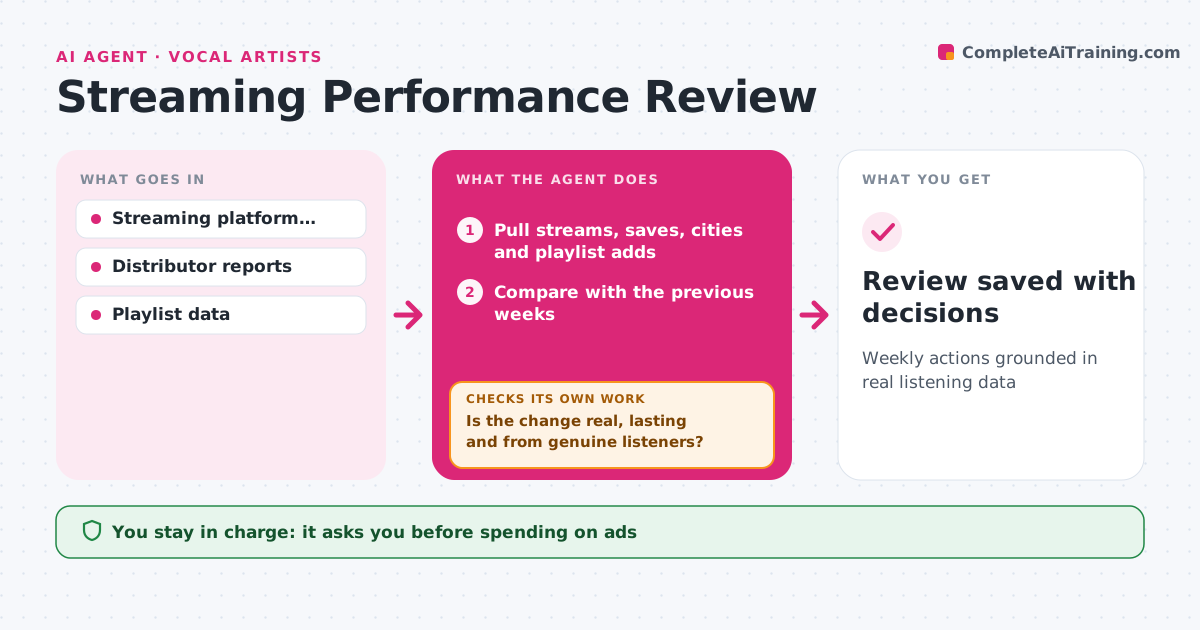
Weekly actions grounded in real listening data
What it does
Artists check their numbers but often do not know what to do with them. Each week this agent pulls streams, saves, listeners by city and playlist adds from your streaming and distributor dashboards. It compares them with previous weeks and finds real changes, such as a city with fast-growing listeners or a song gaining saves. Before recommending anything, it checks that a change holds for at least two weeks and comes from genuine listeners, by looking at the playlists behind it. Changes that fail are marked watch-only and checked again next week. It then suggests up to three actions, such as a post aimed at that city or looking for a show there. You decide which to take. Edge case: a spike from a playlist that looks like a streaming farm is flagged as a risk, not a win.
How it works
Follow the arrows from top to bottom. The orange dashed arrow is the loop: when a check fails, the agent goes back and tries again.
Read the steps as a list
- Weekly review starts
- Pull streams, saves, cities and playlist adds
- Compare with the previous weeks
- Check the source playlists behind big changes
- Is the change real, lasting and from genuine listeners?If not: mark it as watch-only and check again next week. Back to step 3.
- Write up to three recommended actions
- Artist decides which actions to takeThe agent waits here for your OK.
- Review saved with decisions
How it decides
It recommends action only on changes above the threshold that hold for two weeks and do not come from suspicious playlists.
- Flag spikes from playlists with suspicious patterns
- Highlight cities with sustained growth
- Keep to three actions a week
Make it yours
Every agent is a starting point. You choose these settings for your own situation.
- Change threshold (default 25%)
- Platforms to include
- Review day
- Number of actions per week
What keeps you in control
It always asks you first
- Spending on ads
- Asking a playlist to remove a track
Hard limits
- Read-only access to dashboards
- Never spends money
It stops when
- Done: review saved
- Stop: a dashboard is unavailable; report what is missing
Set it up
We guide you through the set-up, step by step
Members get the full set-up guide for this agent. No technical skills needed: you copy, paste and upload.
- One set of instructions to paste into your AI, with the clicks for ChatGPT, Claude, Microsoft 365 Copilot, Gemini and Grok
- The agent then walks you through connecting your own data, one source at a time
- A downloadable copy with the flow chart, the rules and the full guide