AI agent for vocal artists
Split Sheet and Credits Agreement Agent
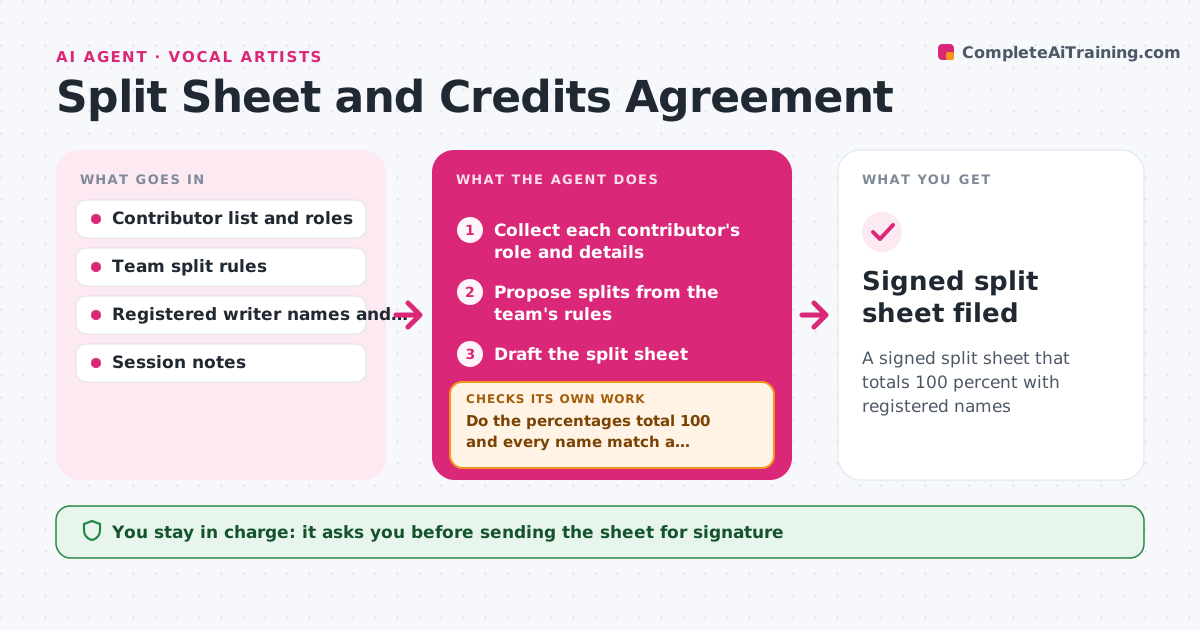
A signed split sheet that totals 100 percent with registered names
What it does
Ownership splits are never written down, and disputes appear after the song earns money. After a session, this agent collects each contributor's role, such as lyrics, melody, beat or top line. It proposes splits from the team's agreed rules and drafts the split sheet. It checks that the percentages total 100 and that names match registered writers or the society's records. It sends the sheet to each person for signature and chases anyone who has not signed. If someone disputes a share, it records the objection and holds the sheet. The artist approves the final split before it is filed. Edge case: a sample or interpolation triggers a note that a clearance is needed.
How it works
Follow the arrows from top to bottom. The orange dashed arrow is the loop: when a check fails, the agent goes back and tries again.
Read the steps as a list
- Writing session ends
- Collect each contributor's role and details
- Propose splits from the team's rules
- Draft the split sheet
- Do the percentages total 100 and every name match a registered writer?If not: fix the totals or ask for the correct name. Back to step 3.
- Artist approves the sheet for sendingThe agent waits here for your OK.
- Send the sheet to each person for signature
- Has everyone signed?If not: send a reminder to those who have not and record any dispute. Back to step 5.
- Hold the sheet if someone disputes a share
- Signed split sheet filed
How it decides
Splits follow the written team rule, such as equal shares among writers or weights per role. A sheet is ready when totals are 100 and every name matches a registered writer.
- Total must equal 100 percent
- Use the team's written rule for splits
- Match names to registered writers
- Hold the sheet if there is a dispute
Make it yours
Every agent is a starting point. You choose these settings for your own situation.
- Split rule (equal or by role)
- Reminder timing (default 3 days)
- Registry to check names
- Where signed sheets are kept
What keeps you in control
It always asks you first
- Sending the sheet for signature
- Final split and filing
Hard limits
- Never changes a split without all parties agreeing
- Never files without approval
It stops when
- Done: all signatures and the artist approved
- Stop: a dispute stays open for more than 14 days
Set it up
We guide you through the set-up, step by step
Members get the full set-up guide for this agent. No technical skills needed: you copy, paste and upload.
- One set of instructions to paste into your AI, with the clicks for ChatGPT, Claude, Microsoft 365 Copilot, Gemini and Grok
- The agent then walks you through connecting your own data, one source at a time
- A downloadable copy with the flow chart, the rules and the full guide