AI agent for seo specialists
Structured Data Validation Agent
Every page template carries valid structured data that keeps rich results eligible
What it does
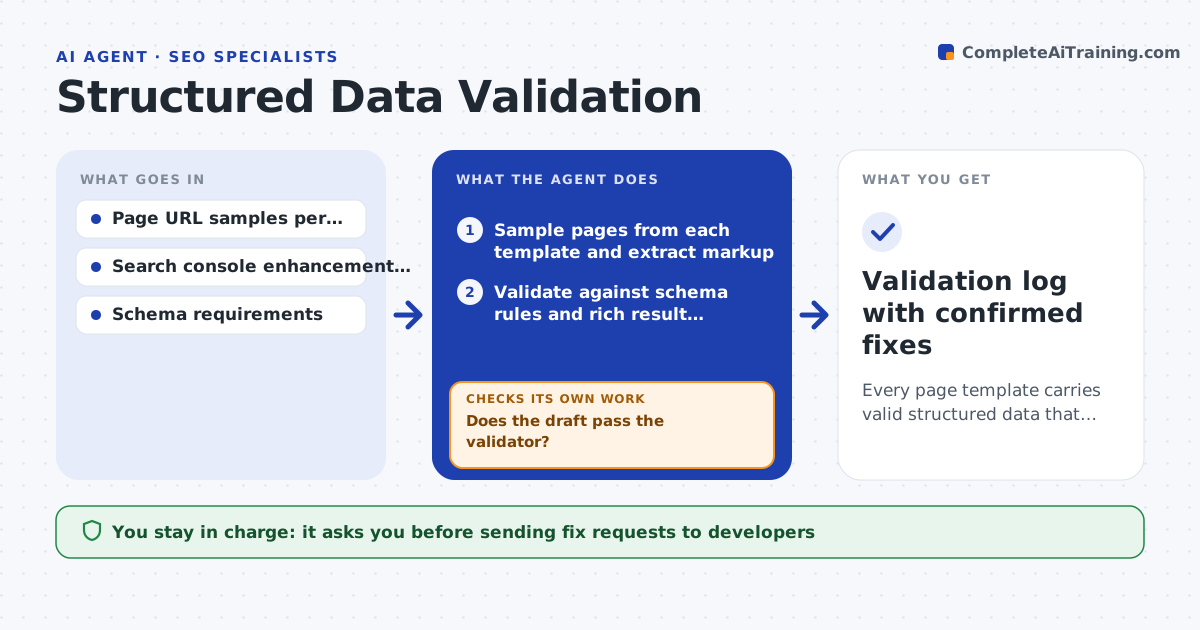
Structured data helps pages earn rich results, but one template change can drop a required field across thousands of pages, and nobody notices until traffic falls. Each week and after every release, this agent samples pages from each template, extracts the markup and validates it against schema rules and the search engine's rich result requirements. It compares the results with last week's run to isolate new errors by template and field. A template is flagged when more than 2 percent of sampled pages fail. For each flagged template it drafts corrected JSON-LD and runs the draft through a validator; if the draft fails, it fixes the reported field and tests again. The specialist approves each fix request before it goes to developers. After the release, it rechecks the same pages. Edge case: if price is missing only on out-of-stock items, it confirms whether that is intended before reporting.
How it works
Follow the arrows from top to bottom. The orange dashed arrow is the loop: when a check fails, the agent goes back and tries again.
Read the steps as a list
- Weekly check or site release
- Sample pages from each template and extract markup
- Validate against schema rules and rich result requirements
- Compare with last week and isolate new errors by field
- Draft corrected JSON-LD for the template
- Does the draft pass the validator?If not: fix the reported field and validate again. Back to step 5.
- Specialist approves the fix request for developersThe agent waits here for your OK.
- Recheck sampled pages after release
- Validation log with confirmed fixes
How it decides
It flags any template where more than 2 percent of sampled pages show a required field missing or invalid.
- Error rate above 2 percent per template triggers a fix request
- Warnings are logged but not escalated
- Missing fields that are intentional go on an exceptions list
Make it yours
Every agent is a starting point. You choose these settings for your own situation.
- Pages sampled per template (default 50)
- Error threshold (default 2 percent)
- Schema types monitored
- Check schedule
What keeps you in control
It always asks you first
- Sending fix requests to developers
Hard limits
- Never edits templates or the live site
- Validates only public pages
It stops when
- Done: all templates pass
- Stop: fix fails after release twice, escalate to the development lead
Set it up
We guide you through the set-up, step by step
Members get the full set-up guide for this agent. No technical skills needed: you copy, paste and upload.
- One set of instructions to paste into your AI, with the clicks for ChatGPT, Claude, Microsoft 365 Copilot, Gemini and Grok
- The agent then walks you through connecting your own data, one source at a time
- A downloadable copy with the flow chart, the rules and the full guide