
AI agent for fine artists
Studio Project Materials Planning Agent
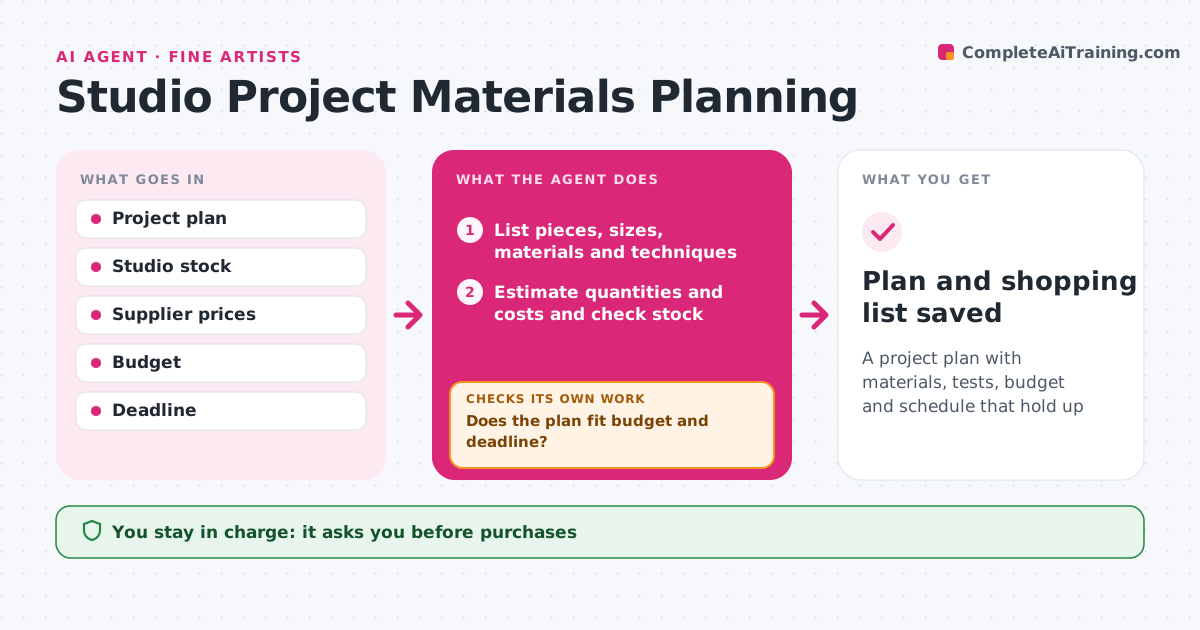
A project plan with materials, tests, budget and schedule that hold up
What it does
Large art projects often run over budget or stall when a new technique fails halfway. For a new project, this agent turns the artist's plan into a list of pieces, sizes, materials and techniques. It estimates quantities and costs from supplier prices, checks studio stock, and lists what to buy. It flags techniques the artist has not used and schedules test pieces first. Then it checks the plan against budget and deadline. If over, it suggests changes such as smaller sizes or cheaper supports. As work progresses, it tracks materials used and updates the forecast. The artist approves every purchase and plan change. Edge case: materials with safety needs, like solvents, come with ventilation and storage notes.
How it works
Follow the arrows from top to bottom. The orange dashed arrow is the loop: when a check fails, the agent goes back and tries again.
Read the steps as a list
- Project begins
- List pieces, sizes, materials and techniques
- Estimate quantities and costs and check stock
- Schedule test pieces for new techniques
- Does the plan fit budget and deadline?If not: suggest smaller sizes or cheaper supports and re-estimate. Back to step 3.
- Artist approves purchases and planThe agent waits here for your OK.
- Track materials used as work progresses
- Is the material forecast still within budget?If not: update the forecast and suggest changes to the artist. Back to step 7.
- Plan and shopping list saved
How it decides
It estimates usage per piece and adjusts the plan when costs or time exceed limits.
- New techniques get a test first
- Include a 10% materials buffer
- Safety notes for hazardous materials
Make it yours
Every agent is a starting point. You choose these settings for your own situation.
- Budget
- Buffer size
- Suppliers
- Check frequency
What keeps you in control
It always asks you first
- Purchases
- Plan changes
Hard limits
- Never buys without approval
- Never gives medical advice on materials
It stops when
- Done: project complete
- Stop: project shelved
Set it up
We guide you through the set-up, step by step
Members get the full set-up guide for this agent. No technical skills needed: you copy, paste and upload.
- One set of instructions to paste into your AI, with the clicks for ChatGPT, Claude, Microsoft 365 Copilot, Gemini and Grok
- The agent then walks you through connecting your own data, one source at a time
- A downloadable copy with the flow chart, the rules and the full guide



