AI agent for construction project managers
Subcontractor Prequalification Agent
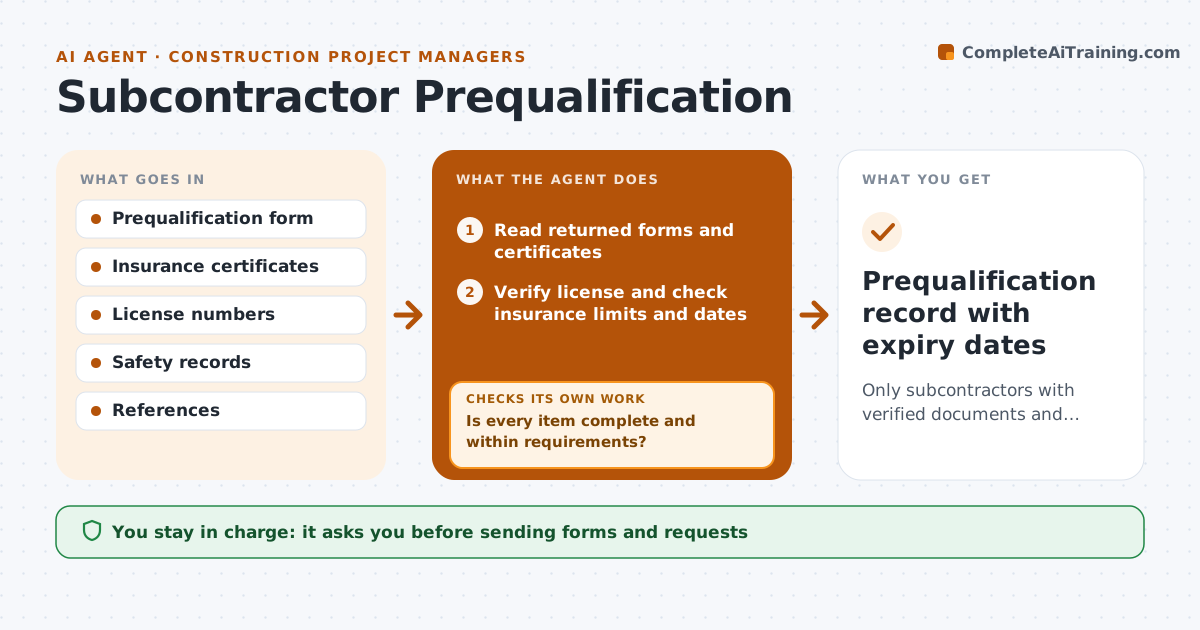
Only subcontractors with verified documents and acceptable risk are invited to bid
What it does
Before a subcontractor works on a job, the contractor must confirm their insurance, license, safety record, capacity and references, and chasing paperwork by email takes weeks. When a subcontractor is proposed, the contractor approves sending the prequalification form. The agent reads what comes back, verifies the license with the state board, and checks insurance certificates for limits, endorsements and dates. It compares safety rates and capacity with company thresholds. A subcontractor passes only with an active license, every insurance limit met with the right endorsements, and safety rates under the threshold. If an item is missing or fails, it drafts a request for that specific item and checks again when it arrives. A safety rate above the threshold needs a written safety plan. It scores the subcontractor and tracks expiry dates. Edge case: a certificate naming the wrong additional insured counts as missing.
How it works
Follow the arrows from top to bottom. The orange dashed arrow is the loop: when a check fails, the agent goes back and tries again.
Read the steps as a list
- Subcontractor proposed for a bid list
- Contractor approves sending the prequalification formThe agent waits here for your OK.
- Read returned forms and certificates
- Verify license and check insurance limits and dates
- Compare safety record and capacity with thresholds
- Is every item complete and within requirements?If not: draft a request for the specific missing or failing item and wait for it. Back to step 3.
- Score the subcontractor
- Contractor approves prequalification statusThe agent waits here for your OK.
- Prequalification record with expiry dates
How it decides
A subcontractor passes only if license is active, insurance meets every limit with correct endorsements, and safety rates are under the threshold.
- Wrong additional insured counts as missing
- Safety rate above threshold needs a written safety plan
- Insurance expiry dates are tracked for renewal
Make it yours
Every agent is a starting point. You choose these settings for your own situation.
- Insurance limits required
- Safety rate threshold
- Renewal interval (default yearly)
- Scoring weights
What keeps you in control
It always asks you first
- Sending forms and requests
- Final prequalification status
Hard limits
- Never contacts subcontractors without approval
- Never rejects a subcontractor on its own
It stops when
- Done: subcontractor prequalified or declined
- Stop: no response after two requests
Set it up
We guide you through the set-up, step by step
Members get the full set-up guide for this agent. No technical skills needed: you copy, paste and upload.
- One set of instructions to paste into your AI, with the clicks for ChatGPT, Claude, Microsoft 365 Copilot, Gemini and Grok
- The agent then walks you through connecting your own data, one source at a time
- A downloadable copy with the flow chart, the rules and the full guide