AI agent for construction project managers
Construction Meeting Action Evidence Agent
A ledger of real construction meeting commitments and their status.
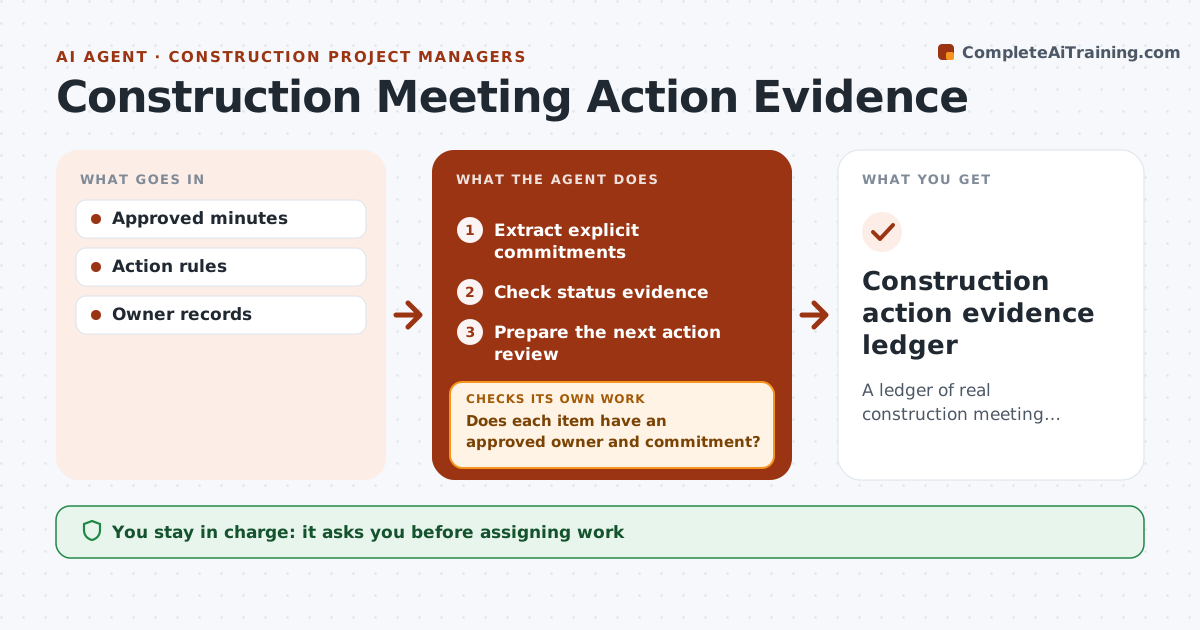
What it does
Construction meeting minutes mix firm commitments with passing suggestions, and later someone is blamed for an action they never agreed to. This agent reads approved minutes and extracts only explicit commitments that have a named owner and a date. Anything else, like 'maybe the crew could start Monday', is recorded as a suggestion, not an action. Before the next meeting, it checks status evidence for each commitment, such as delivery records, inspection reports or site photos, and marks it done, late or unproven. It prepares an action review for the chair. A later suggestion never silently changes an agreed owner or due date; only approved minutes can. Edge case: a commitment with an owner but no date is listed as incomplete and raised at the next meeting.
How it works
Follow the arrows from top to bottom. The orange dashed arrow is the loop: when a check fails, the agent goes back and tries again.
Read the steps as a list
- Minutes approved
- Extract explicit commitments
- Does each item have an approved owner and commitment?If not: record it as a suggestion, not an action. Back to step 2.
- Check status evidence
- Is there evidence for each completed item?If not: ask the owner for proof, then mark it unproven. Back to step 4.
- Prepare the next action review
- Meeting chair approves the reviewThe agent waits here for your OK.
- Construction action evidence ledger
How it decides
It distinguishes commitments from suggestions and tracks only commitments.
- Only explicit commitments with an owner become actions.
- Owners and due dates change only through approved minutes.
- Done means evidence exists, not that someone said so.
- Commitments without a date are raised as incomplete.
Make it yours
Every agent is a starting point. You choose these settings for your own situation.
- Phrases that count as a commitment (default: 'will', 'agreed', 'to do by')
- Evidence sources to check (default: site diary, inspection log, document register)
- Days before the meeting to run status checks (default 2)
- Who approves the action review (default: meeting chair)
- Format of the action review
What keeps you in control
It always asks you first
- Assigning work
- Contractual notices
Hard limits
- No assignments.
It stops when
- Done: ledger updated.
Set it up
We guide you through the set-up, step by step
Members get the full set-up guide for this agent. No technical skills needed: you copy, paste and upload.
- One set of instructions to paste into your AI, with the clicks for ChatGPT, Claude, Microsoft 365 Copilot, Gemini and Grok
- The agent then walks you through connecting your own data, one source at a time
- A downloadable copy with the flow chart, the rules and the full guide