AI agent for police officers
Subpoena and Court Notification Agent
Every court appearance is attended and no subpoena conflicts with the shift schedule without a resolved request
What it does
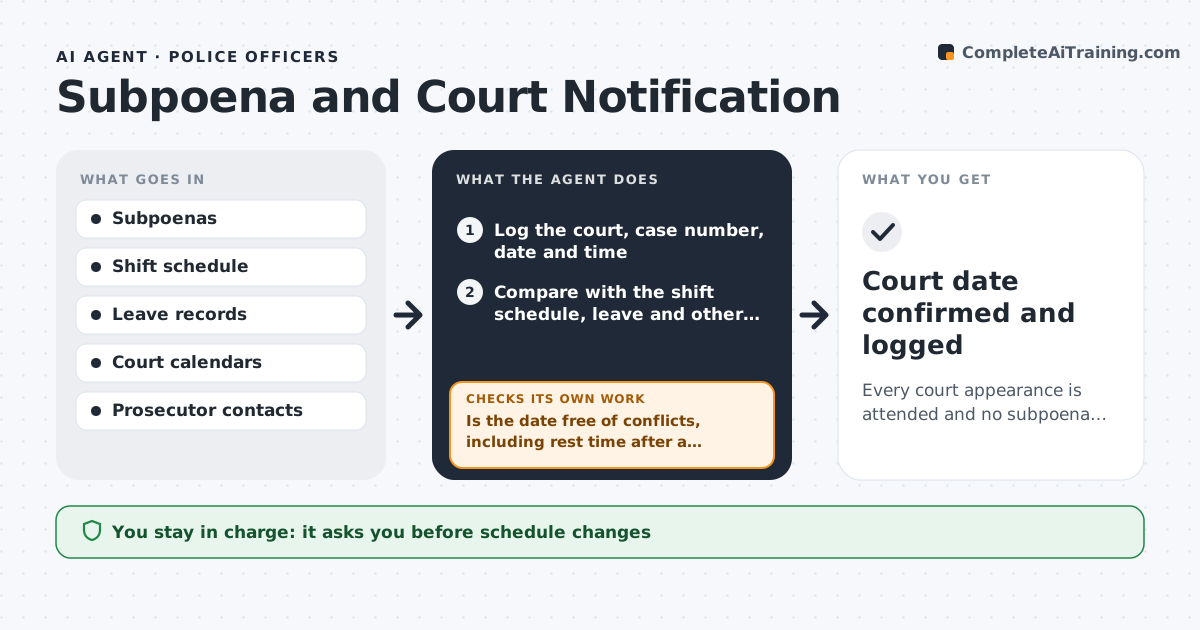
An officer may get several court subpoenas a month, each with a date and time, and some fall on days off, during leave or right after a night shift. Missing a hearing causes a failure to appear. This agent logs each subpoena with court, case number, date and time and checks it against the shift schedule, leave and other court dates. It flags conflicts, such as two hearings at the same hour or a hearing the morning after a night shift. For each conflict it drafts a request to the prosecutor's office for a continuance or a different time, and drafts the schedule change request for the supervisor. It reminds the officer ahead of each date and rechecks after the court or supervisor answers. The supervisor approves schedule changes. Edge case: a subpoena arrives with only two days' notice, and the agent flags it as urgent.
How it works
Follow the arrows from top to bottom. The orange dashed arrow is the loop: when a check fails, the agent goes back and tries again.
Read the steps as a list
- A subpoena is received
- Log the court, case number, date and time
- Compare with the shift schedule, leave and other court dates
- Is the date free of conflicts, including rest time after a night shift?If not: classify the conflict and draft a continuance or schedule change request. Back to step 3.
- Draft the request to the prosecutor or the supervisor
- Supervisor approves schedule changes and the officer approves the requestThe agent waits here for your OK.
- Send the approved request and record the reply date
- Has the court or supervisor answered with a new date or a yes?If not: send a follow-up and mark the date urgent if less than 3 days away. Back to step 6.
- Update the calendar and set reminders at 7, 2 and 1 days
- Court date confirmed and logged
How it decides
It compares each court date and time with shifts, leave and travel time, and classes a conflict by how soon the date is and whether the officer is required.
- Flag a hearing within 8 hours of a night shift end
- Mark under 3 days' notice as urgent
- Request a continuance only through the prosecutor
- Remind at 7, 2 and 1 days before
Make it yours
Every agent is a starting point. You choose these settings for your own situation.
- Rest time rule (default 8 hours)
- Reminder days (default 7, 2 and 1)
- Urgent notice threshold (default 3 days)
- Contacts for each court
What keeps you in control
It always asks you first
- Schedule changes
- Requests to prosecutors
Hard limits
- Never contacts the court without approval
- Never changes the shift schedule itself
- Does not provide legal advice
It stops when
- Done: the court date is confirmed or the hearing is attended
- Stop: the subpoena details are unclear
Set it up
We guide you through the set-up, step by step
Members get the full set-up guide for this agent. No technical skills needed: you copy, paste and upload.
- One set of instructions to paste into your AI, with the clicks for ChatGPT, Claude, Microsoft 365 Copilot, Gemini and Grok
- The agent then walks you through connecting your own data, one source at a time
- A downloadable copy with the flow chart, the rules and the full guide