AI agent for medical records clerks
Subpoena Records Response Agent
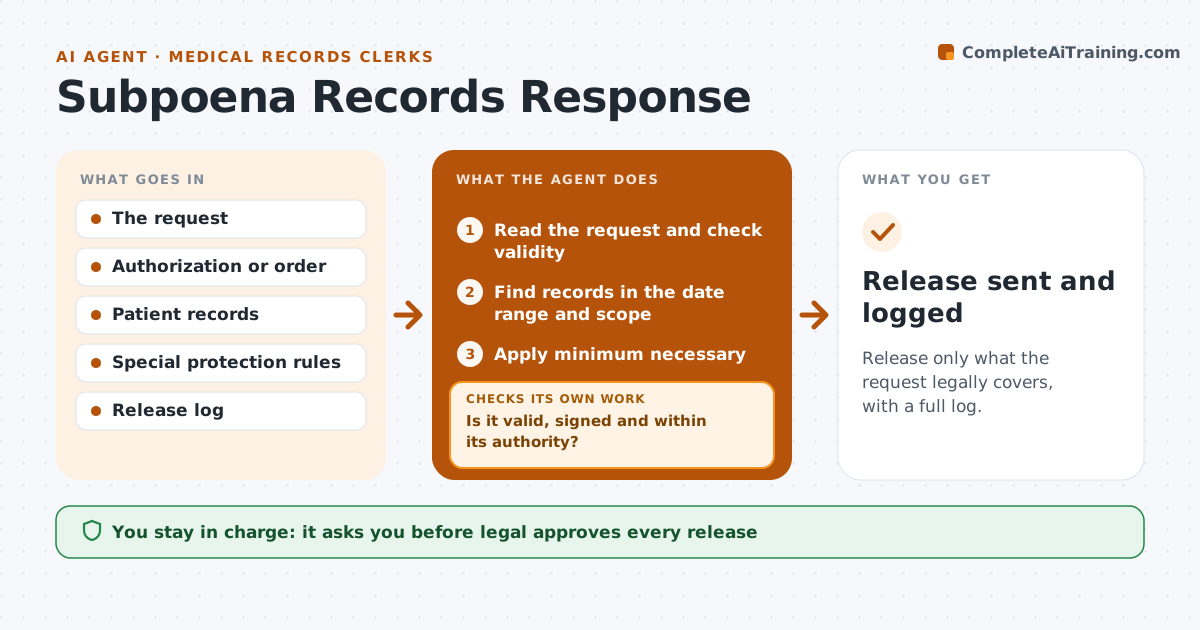
Release only what the request legally covers, with a full log.
What it does
A legal request for records can arrive with a short deadline and a wide scope. This agent reads the request and checks that it is valid: the right form, the right authority, the patient named and the date range. It finds the matching records and applies the minimum necessary rule, taking out what the request does not cover. It sets aside records with special protection, such as mental health or substance use notes, that need extra consent. It prepares the release set and a log. If the request is broader than allowed, it drafts a note asking to narrow it and rechecks the packet before release. Legal approves. Edge case: a request with no signed authorization goes back unreleased.
How it works
Follow the arrows from top to bottom. The orange dashed arrow is the loop: when a check fails, the agent goes back and tries again.
Read the steps as a list
- Legal request arrives
- Read the request and check validity
- Is it valid, signed and within its authority?If not: Draft a note asking for the missing item and hold the request. Back to step 2.
- Find records in the date range and scope
- Apply minimum necessary
- Set aside specially protected records
- Is the request broader than the law allows?If not: Draft a narrowing note for legal and recheck the packet. Back to step 4.
- Prepare the release set and log
- Legal approves the releaseThe agent waits here for your OK.
- Release sent and logged
How it decides
It releases a record only if it is in scope and not specially protected without consent; anything broader goes to legal.
- Verify authorization signatures and dates
- Release only records inside the date range and type
- Set aside psychotherapy and substance use notes unless consented
- Log every release with date and recipient
Make it yours
Every agent is a starting point. You choose these settings for your own situation.
- Deadline rules
- Record types excluded by default
- Release format
- Who in legal approves
What keeps you in control
It always asks you first
- Legal approves every release
Hard limits
- Never release without legal approval
- Never include protected notes without consent
It stops when
- Done: approved release sent and logged
- Stop: the request is invalid and the requester is told
Set it up
We guide you through the set-up, step by step
Members get the full set-up guide for this agent. No technical skills needed: you copy, paste and upload.
- One set of instructions to paste into your AI, with the clicks for ChatGPT, Claude, Microsoft 365 Copilot, Gemini and Grok
- The agent then walks you through connecting your own data, one source at a time
- A downloadable copy with the flow chart, the rules and the full guide