AI agent for grant managers
Subrecipient Monitoring Agent
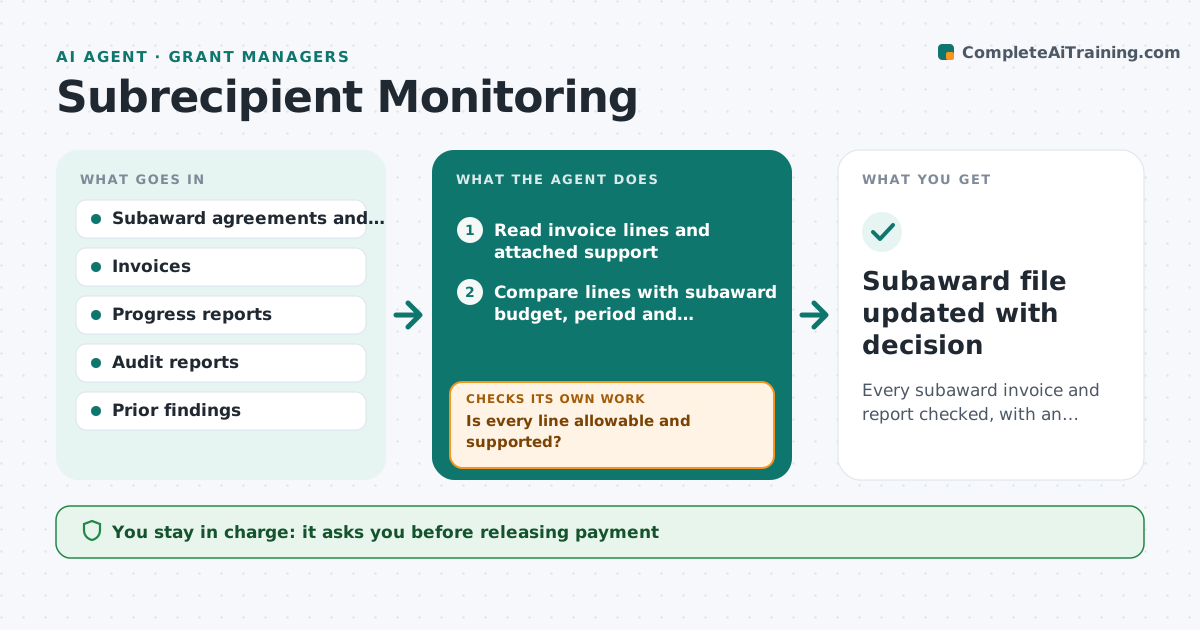
Every subaward invoice and report checked, with an up-to-date risk rating per partner
What it does
When part of a grant goes to partner organizations, the grant manager must check their invoices, reports and compliance, but reviews are done once and forgotten. This agent tracks each subaward's due dates and reads incoming invoices and progress reports. It checks each line against the subaward budget, period and allowed categories. Missing receipts, costs outside the budget or late reports trigger a request to the partner. A cost category not in the subaward is held while the rest moves forward for approval. It updates each partner's risk score from findings, audit status and timeliness, and suggests more frequent review for higher risk partners. The grant manager approves every payment and escalation.
How it works
Follow the arrows from top to bottom. The orange dashed arrow is the loop: when a check fails, the agent goes back and tries again.
Read the steps as a list
- Invoice or report arrives from a partner
- Read invoice lines and attached support
- Compare lines with subaward budget, period and allowable categories
- Is every line allowable and supported?If not: draft a request to the partner listing missing support or held lines. Back to step 2.
- Split held lines from the payable amount
- Update the partner risk score
- Is the report on time and complete?If not: send a reminder and note it in the risk score. Back to step 2.
- Grant manager approves payment and any escalationThe agent waits here for your OK.
- Subaward file updated with decision
How it decides
It checks each invoice line against the subaward budget and terms and raises the partner risk score when findings or late items appear.
- Lines without support are held, not rejected
- Costs outside subaward categories need grant manager review
- Two late reports in a row raise risk to high
Make it yours
Every agent is a starting point. You choose these settings for your own situation.
- Risk scoring factors and weights
- Payment hold rules
- Reminder schedule for late reports
- Partners in scope
What keeps you in control
It always asks you first
- Releasing payment
- Sending escalation or corrective notices
Hard limits
- Never approves payments
- Keeps partner financial data within the grant file
It stops when
- Done: invoice cleared or held with reasons
- Stop: subaward agreement missing from file
Set it up
We guide you through the set-up, step by step
Members get the full set-up guide for this agent. No technical skills needed: you copy, paste and upload.
- One set of instructions to paste into your AI, with the clicks for ChatGPT, Claude, Microsoft 365 Copilot, Gemini and Grok
- The agent then walks you through connecting your own data, one source at a time
- A downloadable copy with the flow chart, the rules and the full guide