AI agent for librarians
Subscription Renewal Value Review Agent
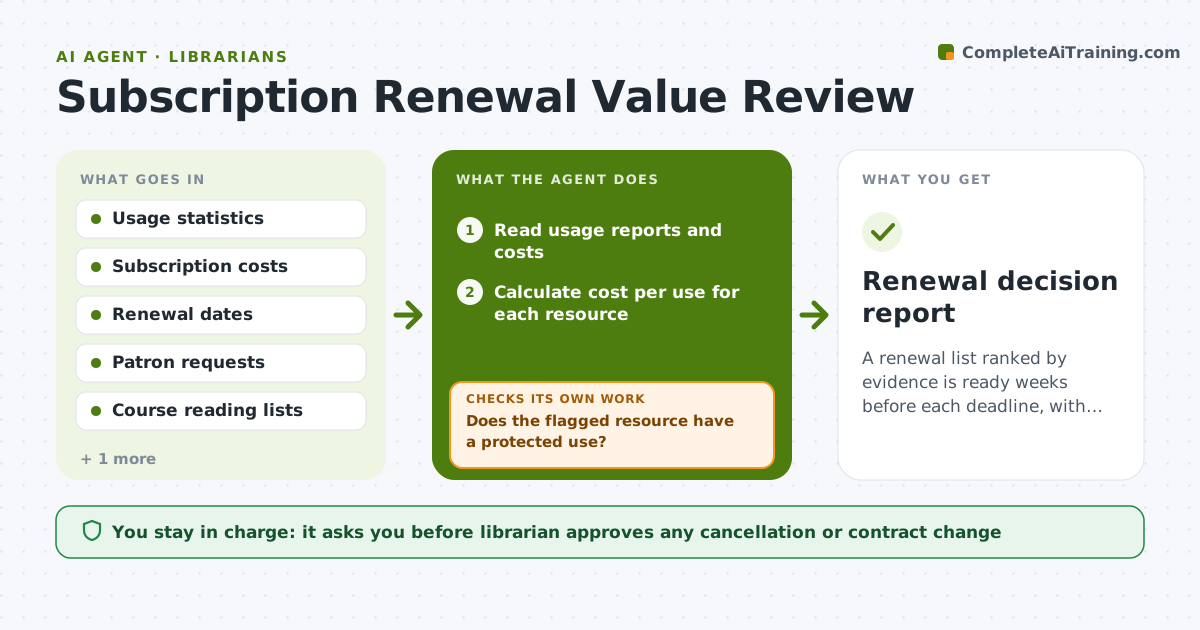
A renewal list ranked by evidence is ready weeks before each deadline, with weak value resources flagged for the librarian.
What it does
Database renewals are decided close to the deadline, with little proof of use. The agent reads usage reports, subscription costs and renewal dates, then works out cost per use and per active user for each resource. It ranks resources, flags those with weak value, and looks for cheaper alternatives, including packages the library already has. It checks patron requests and course lists to see if a weak resource is still essential for a class, then reruns the ranking. The librarian approves any cancellation. Edge case: a database with low use but a required course reading list, where the agent keeps it and suggests promotion.
How it works
Follow the arrows from top to bottom. The orange dashed arrow is the loop: when a check fails, the agent goes back and tries again.
Read the steps as a list
- 90 days before a renewal
- Read usage reports and costs
- Calculate cost per use for each resource
- Rank resources and flag those over the cost threshold
- Check course lists and patron requests for dependence
- Does the flagged resource have a protected use?If not: Move it to keep and note the reason. Back to step 4.
- Look for cheaper alternatives or bundles
- Rerun the ranking with alternatives and requests
- Is the ranking stable and complete?If not: Fetch the missing usage data and recalculate. Back to step 3.
- Librarian approves any cancellation or renegotiationThe agent waits here for your OK.
- Renewal decision report
How it decides
It calculates cost per use, compares it with a threshold for the resource type and treats any protected course or accreditation need as a reason to keep.
- Flag a resource when cost per use is over $10
- Never drop a resource needed for an accredited course
- Compare at least one alternative before suggesting a cancellation
- Check that the usage data covers 12 full months
Make it yours
Every agent is a starting point. You choose these settings for your own situation.
- Cost per use threshold (default $10)
- Start time before renewal (default 90 days)
- Protected resource types
- Number of alternatives to compare
What keeps you in control
It always asks you first
- Librarian approves any cancellation or contract change
Hard limits
- Never cancel a subscription itself
- Do not share vendor quotes outside the library
It stops when
- Done: all renewals ranked and decided with the librarian
- Stop: usage data is missing for a resource and the vendor must supply it
Set it up
We guide you through the set-up, step by step
Members get the full set-up guide for this agent. No technical skills needed: you copy, paste and upload.
- One set of instructions to paste into your AI, with the clicks for ChatGPT, Claude, Microsoft 365 Copilot, Gemini and Grok
- The agent then walks you through connecting your own data, one source at a time
- A downloadable copy with the flow chart, the rules and the full guide