AI agent for property managers
Subsidized Housing Inspection Prep Agent
Prepare each unit for a housing inspection by finding likely failures and verifying fixes
What it does
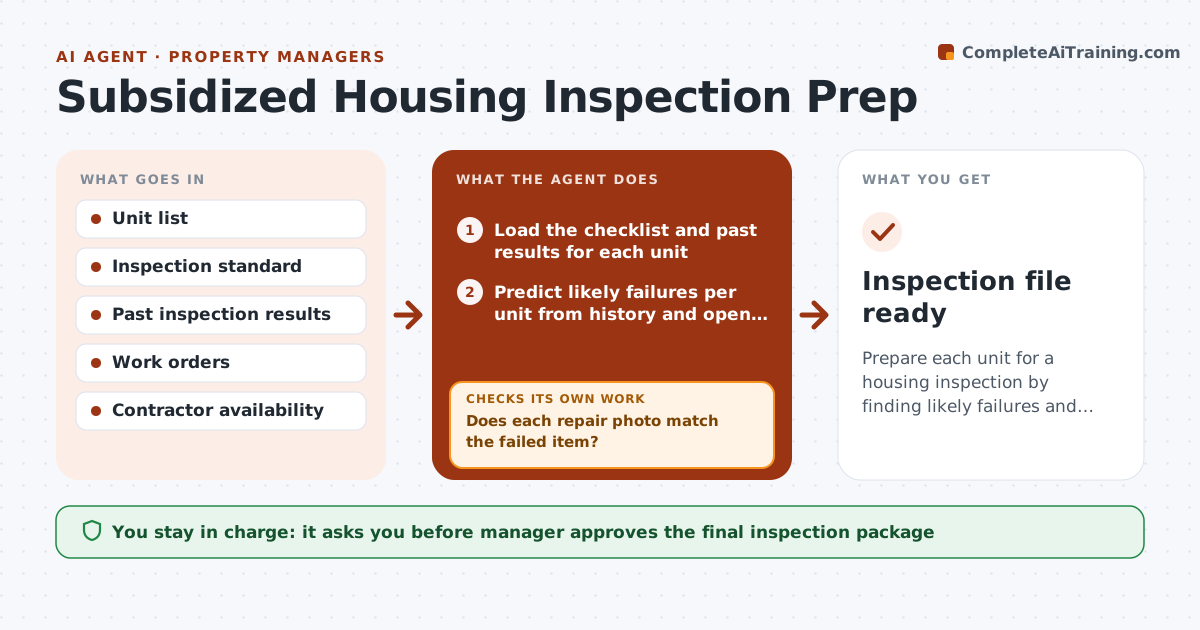
A failed housing inspection delays the payments that keep a subsidized property running. When a date is set, the agent walks the inspection checklist for each unit and uses past failures and open work orders to predict likely problems, such as missing outlet covers or peeling paint. It sorts the units by risk, schedules fixes and checks that a repair is done with a photo or sign-off. If the recheck still shows a problem, the unit goes back to the repair queue. Close to the date, it builds the inspection file with documents and unit status. The manager approves the final package. Edge case: a unit has a tenant who refuses entry, so the agent flags it and drafts the notice for the manager.
How it works
Follow the arrows from top to bottom. The orange dashed arrow is the loop: when a check fails, the agent goes back and tries again.
Read the steps as a list
- Inspection date is set
- Load the checklist and past results for each unit
- Predict likely failures per unit from history and open orders
- Rank units by risk and schedule repairs
- Collect repair confirmations with photos
- Does each repair photo match the failed item?If not: Reschedule the repair or request a better photo. Back to step 2.
- Run a mock walk-through of the checklist per unit
- Is every unit clear of known failures?If not: Return failed units to the repair queue and repeat the check. Back to step 4.
- Assemble the inspection file with logs and unit status
- Manager approves the final packageThe agent waits here for your OK.
- Inspection file ready
How it decides
Failures are predicted from the standard plus past results and work orders, and a unit is cleared only when a recheck shows the fix.
- Rank a unit high risk if it failed in the last two inspections
- Treat any open health or safety work order as a likely fail
- Reschedule repairs that lack a photo after 3 days
- Hold a unit out of the package until its recheck passes
Make it yours
Every agent is a starting point. You choose these settings for your own situation.
- Weeks before inspection to start (default 6)
- Risk ranking rules
- Inspection standard used
- Photo requirements
What keeps you in control
It always asks you first
- Manager approves the final inspection package
- Manager approves entry notices to tenants
Hard limits
- Never mark a unit cleared without evidence of the repair
- Never send tenant notices without approval
It stops when
- Done: all units are cleared and the package is approved
- Stop: a unit cannot be accessed before the inspection and the manager decides
Set it up
We guide you through the set-up, step by step
Members get the full set-up guide for this agent. No technical skills needed: you copy, paste and upload.
- One set of instructions to paste into your AI, with the clicks for ChatGPT, Claude, Microsoft 365 Copilot, Gemini and Grok
- The agent then walks you through connecting your own data, one source at a time
- A downloadable copy with the flow chart, the rules and the full guide