AI agent for logistics coordinators
Supply Chain Disruption Watch Agent
Act on disruptions early with workable alternatives
What it does
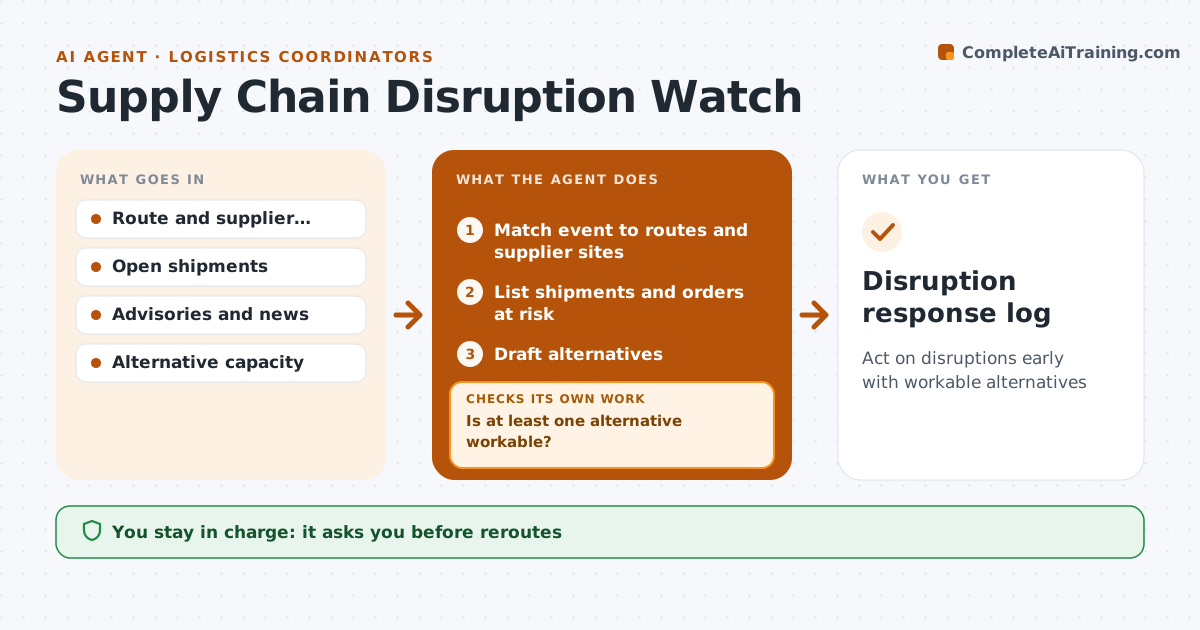
Disruptions such as port congestion, strikes, extreme weather or a supplier fire can delay many shipments at once, and the first hours decide how much can be saved. This agent watches news, port and carrier advisories and weather alerts for locations on active routes and supplier sites. It acts only on confirmed events from official sources. When an event matches, it lists the shipments and orders at risk, ranks them by customer impact and estimates the delay. It drafts alternatives, such as rerouting through another port or pulling stock from another site, and checks each one for capacity and cost. If no option is workable, it tries others or flags it to management. Reroute costs above set limits always go to the manager. The logistics manager approves any reroute or extra spend. Edge case: a rumor without an official source is noted but triggers no action.
How it works
Follow the arrows from top to bottom. The orange dashed arrow is the loop: when a check fails, the agent goes back and tries again.
Read the steps as a list
- Advisory or news event
- Match event to routes and supplier sites
- List shipments and orders at risk
- Draft alternatives
- Check capacity and cost of each alternative
- Is at least one alternative workable?If not: try other alternatives or flag to management. Back to step 4.
- Logistics manager approves reroutes or spendThe agent waits here for your OK.
- Disruption response log
How it decides
It acts only on confirmed events affecting locations on active routes, ranking at-risk shipments by customer impact.
- Confirmed sources only
- Customer impact ranking
- Cost limits for reroutes
Make it yours
Every agent is a starting point. You choose these settings for your own situation.
- Locations watched
- Sources
- Cost limits
- Customer priority rules
What keeps you in control
It always asks you first
- Reroutes
- Extra spend
Hard limits
- Never books freight
- Never acts on rumors
It stops when
- Done: impact handled
- Stop: no alternative, inform customers via the manager
Set it up
We guide you through the set-up, step by step
Members get the full set-up guide for this agent. No technical skills needed: you copy, paste and upload.
- One set of instructions to paste into your AI, with the clicks for ChatGPT, Claude, Microsoft 365 Copilot, Gemini and Grok
- The agent then walks you through connecting your own data, one source at a time
- A downloadable copy with the flow chart, the rules and the full guide