AI agent for ux writers
Support Ticket Language Mining Agent
Find the copy that confuses customers, fix it, and prove whether the fix reduced tickets.
What it does
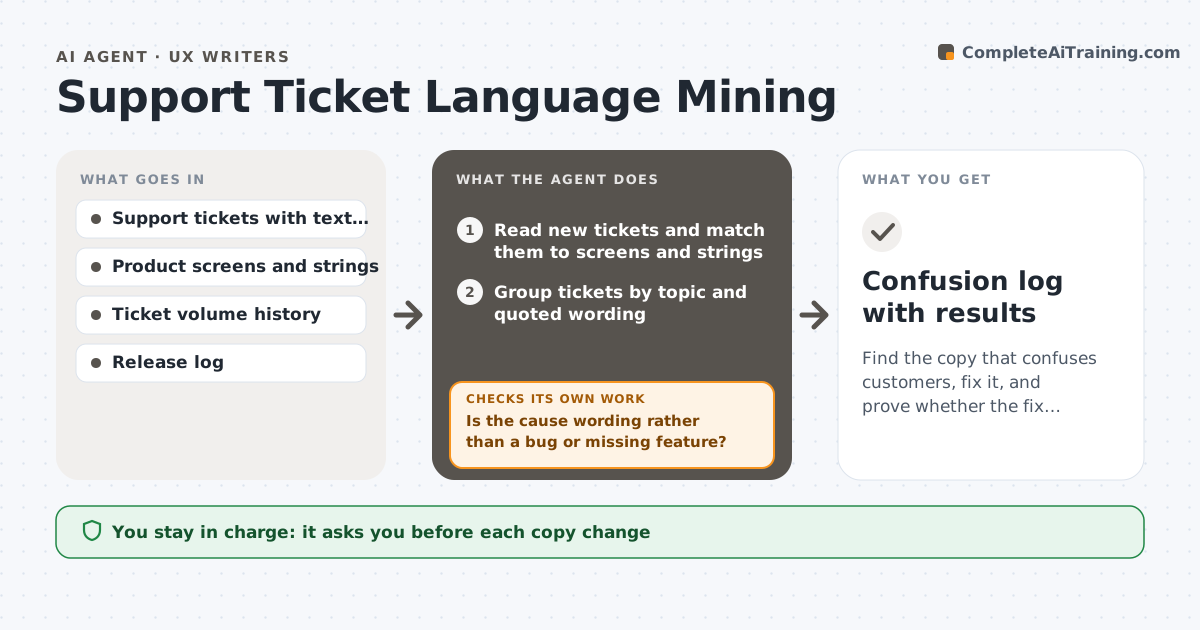
Customers write to support when copy confuses them, but nobody maps the tickets to the screens and words that caused it. This agent reads support tickets and groups them by the screen or feature they mention and the phrases customers quote or misunderstand. It finds repeated confusion, such as many people asking what a button does or misreading a label, and ranks them by volume and severity. For the top items, it proposes copy changes tied to the exact string. After the writer approves and the change ships, it watches the ticket volume for that topic and compares it with the earlier rate. If tickets do not drop, it reopens the item with new suggestions. It never changes copy. The writer approves every change. Edge case: tickets caused by a bug, not wording, are routed to the product team.
How it works
Follow the arrows from top to bottom. The orange dashed arrow is the loop: when a check fails, the agent goes back and tries again.
Read the steps as a list
- Weekly run
- Read new tickets and match them to screens and strings
- Group tickets by topic and quoted wording
- Is the cause wording rather than a bug or missing feature?If not: route the group to the product team with the evidence. Back to step 3.
- Rank wording issues by volume and severity
- Propose copy changes for the top issues
- Writer approves the changesThe agent waits here for your OK.
- After release, count tickets for the topic over the next 3 weeks
- Did tickets fall by at least the target?If not: propose a new wording and reopen the item. Back to step 6.
- Confusion log with results
How it decides
It ranks an issue by ticket count, customer effort and how clearly the ticket points to a specific string. It judges a fix by comparing ticket rates before and after.
- Rank higher when over 20 tickets a month cite the same string
- Route bug-caused tickets to product
- Compare 3 weeks before and 3 weeks after release
- Reopen an item when tickets fall by less than 30%
Make it yours
Every agent is a starting point. You choose these settings for your own situation.
- Ticket tags and sources
- Volume threshold (default 20 a month)
- Success target (default 30% drop)
- Measurement window
- Report format
What keeps you in control
It always asks you first
- Each copy change
Hard limits
- Never change copy or reply to customers
- Hide personal data in examples
It stops when
- Done: tickets fall to target
- Stop: ticket data unavailable
Set it up
We guide you through the set-up, step by step
Members get the full set-up guide for this agent. No technical skills needed: you copy, paste and upload.
- One set of instructions to paste into your AI, with the clicks for ChatGPT, Claude, Microsoft 365 Copilot, Gemini and Grok
- The agent then walks you through connecting your own data, one source at a time
- A downloadable copy with the flow chart, the rules and the full guide