AI agent for chefs
Surplus Inventory Specials Agent
Turn near-expiry ingredients into profitable specials that the kitchen can actually make.
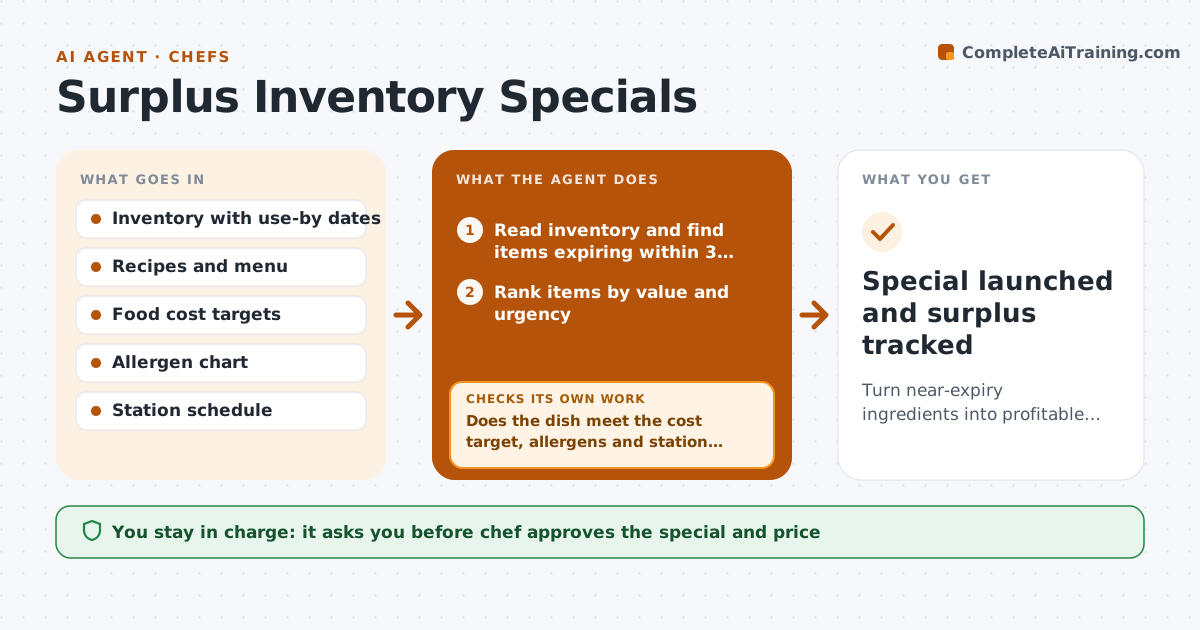
What it does
On Thursday afternoon the walk-in has 12 pounds of salmon expiring Saturday and a case of tomatoes at their peak, and by Sunday some of it is in the bin. The agent reads inventory and the use-by dates, and finds items that need to be used in the next 2 to 3 days. It proposes specials that use them and fit the menu style, then costs each dish against the target food cost. It checks allergens against the menu allergen chart and checks station load, to see whether the line can make the dish during service without slowing other orders. If a dish fails on cost or load, it proposes another. It drafts menu descriptions and a prep note. The chef approves the special. Edge case: ingredients that expire on different days.
How it works
Follow the arrows from top to bottom. The orange dashed arrow is the loop: when a check fails, the agent goes back and tries again.
Read the steps as a list
- Daily inventory check
- Read inventory and find items expiring within 3 days
- Rank items by value and urgency
- Propose special dishes using the top items
- Cost each dish and compare with the food cost target
- Check allergens and the station load for service
- Does the dish meet the cost target, allergens and station capacity?If not: propose another dish or change the ingredients. Back to step 3.
- Draft the description, price and prep note
- Chef approves the specialThe agent waits here for your OK.
- Update the specials board and inventory plan
- Special launched and surplus tracked
How it decides
A special must use at least 70 percent of the surplus item, meet the food cost target and fit the station's capacity during service.
- Use items first that expire within 48 hours
- Target a food cost of 30 percent or lower
- Avoid specials that add more than 4 minutes at a single station
- Use at least 70 percent of the surplus quantity
Make it yours
Every agent is a starting point. You choose these settings for your own situation.
- Expiry window (default 3 days)
- Food cost target (default 30 percent)
- Menu style
- Station limits
- Where specials are posted
What keeps you in control
It always asks you first
- Chef approves the special and price
- Chef approves any allergen change
Hard limits
- Never use ingredients past their use-by date
- Always show allergens
It stops when
- Done: special approved and posted
- Stop: no feasible dish uses the surplus, suggest staff meal or donation
Set it up
We guide you through the set-up, step by step
Members get the full set-up guide for this agent. No technical skills needed: you copy, paste and upload.
- One set of instructions to paste into your AI, with the clicks for ChatGPT, Claude, Microsoft 365 Copilot, Gemini and Grok
- The agent then walks you through connecting your own data, one source at a time
- A downloadable copy with the flow chart, the rules and the full guide