AI agent for ux researchers
Survey Data Analysis Agent
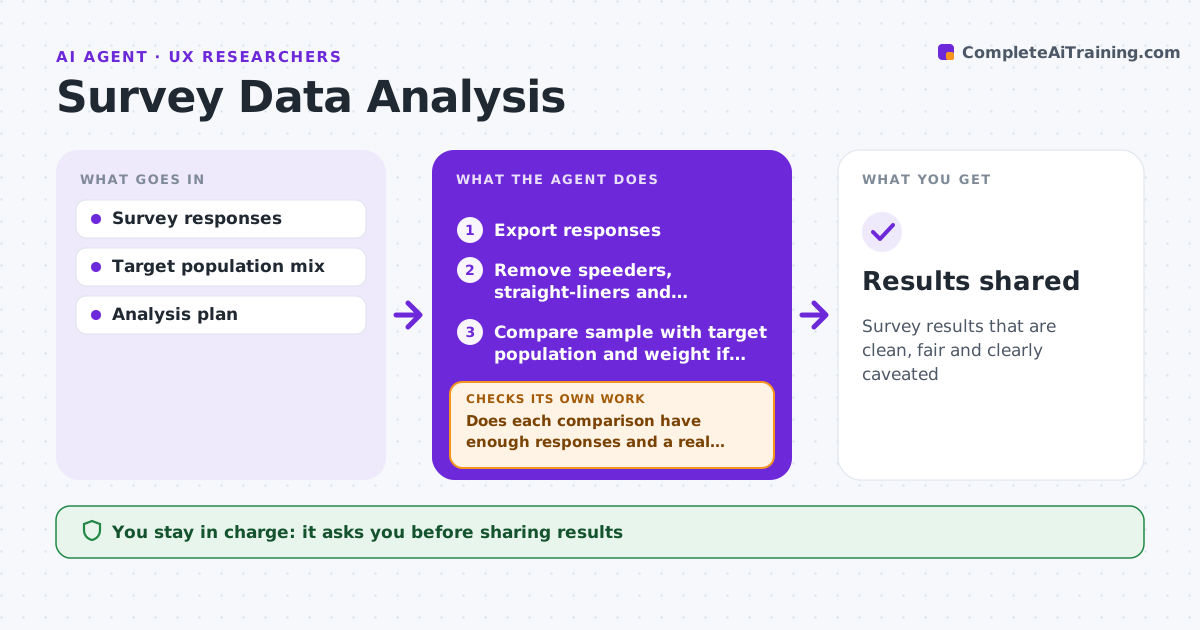
Survey results that are clean, fair and clearly caveated
What it does
Survey results can mislead when the sample is skewed or a comparison rests on too few answers. When a survey closes, this agent cleans the responses by removing speeders, straight-liners and duplicates. It checks that the sample matches the target population and weights it if needed. It calculates results for each question and planned comparison, and codes open-text answers into themes. It then checks every comparison for enough responses and a real difference. Comparisons that fail are reported as not conclusive rather than as findings. It drafts a results summary with charts and caveats. The researcher reviews the summary before it is shared. Edge case: if one segment is heavily over-represented, it shows weighted and unweighted results side by side.
How it works
Follow the arrows from top to bottom. The orange dashed arrow is the loop: when a check fails, the agent goes back and tries again.
Read the steps as a list
- Survey closes
- Export responses
- Remove speeders, straight-liners and duplicates
- Compare sample with target population and weight if needed
- Calculate results and code open-text answers
- Does each comparison have enough responses and a real difference?If not: mark as not conclusive or combine groups. Back to step 5.
- Draft results summary with caveats
- Researcher approves before sharingThe agent waits here for your OK.
- Results shared
How it decides
It reports a difference only when groups are large enough and the difference is beyond chance.
- Groups under 50 are not compared
- Speeders under one third of median time are removed
- Show weighted and unweighted when weights are large
Make it yours
Every agent is a starting point. You choose these settings for your own situation.
- Cleaning rules
- Minimum group size
- Weighting variables
- Chart style
What keeps you in control
It always asks you first
- Sharing results
Hard limits
- Never changes raw responses
- Never reports individual answers with identity
It stops when
- Done: results shared
- Stop: fewer than 100 valid responses
Set it up
We guide you through the set-up, step by step
Members get the full set-up guide for this agent. No technical skills needed: you copy, paste and upload.
- One set of instructions to paste into your AI, with the clicks for ChatGPT, Claude, Microsoft 365 Copilot, Gemini and Grok
- The agent then walks you through connecting your own data, one source at a time
- A downloadable copy with the flow chart, the rules and the full guide