AI agent for land surveyors
Survey Quote Agent
Accurate quotes based on past jobs
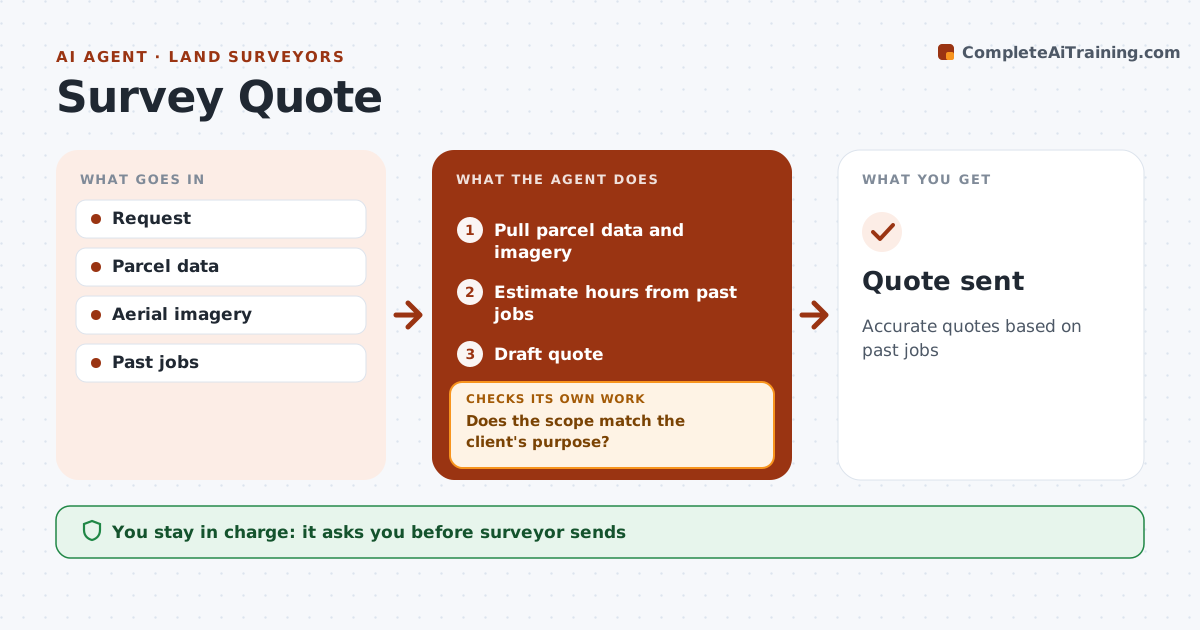
What it does
Survey prices depend on parcel size, terrain, vegetation, how messy the records are, and what the client really needs the survey for. Underquoting loses money and the wrong scope frustrates clients. This agent reads the quote request, pulls parcel data, aerial imagery and a quick record search, and estimates field and office hours from the firm's past jobs of similar size and type. Heavy woods or steep terrain add field time based on past jobs. It then checks that the scope fits the client's purpose; a lender or title company often requires an ALTA survey, not a simple boundary. If the purpose and scope do not match, or key facts are missing, it lists questions for the surveyor to ask before quoting. The surveyor approves and sends every quote. Edge case: a client asks for a boundary survey for a refinance, so the agent questions whether an ALTA is needed.
How it works
Follow the arrows from top to bottom. The orange dashed arrow is the loop: when a check fails, the agent goes back and tries again.
Read the steps as a list
- Request arrives
- Pull parcel data and imagery
- Estimate hours from past jobs
- Does the scope match the client's purpose?If not: list questions. Back to step 2.
- Draft quote
- Surveyor approves and sendsThe agent waits here for your OK.
- Quote sent
How it decides
Hours from similar past jobs. Scope must match the client's purpose.
- Past jobs basis
- Vegetation adds time
- Purpose sets scope
Make it yours
Every agent is a starting point. You choose these settings for your own situation.
- Rates
- Past job filters
- Template
- Questions
What keeps you in control
It always asks you first
- Surveyor sends
Hard limits
- Never sends itself
- Never commits dates
It stops when
- Done: quote sent
- Stop: decline
Set it up
We guide you through the set-up, step by step
Members get the full set-up guide for this agent. No technical skills needed: you copy, paste and upload.
- One set of instructions to paste into your AI, with the clicks for ChatGPT, Claude, Microsoft 365 Copilot, Gemini and Grok
- The agent then walks you through connecting your own data, one source at a time
- A downloadable copy with the flow chart, the rules and the full guide